




Send Directory- List Data into Load data to Amazon S3 Bucket | Experience Community
Skip to main content
Question

Send Directory- List Data into Load data to Amazon S3 Bucket

  • May 14, 2026
  • 1 reply
  • 16 views

Forum|alt.badge.img+10

Hi Team,

We have configured a workflow in Qualtrics using the “Extract Responses from Survey” task along with the “Amazon S3 Load” task, and it is working successfully for pushing survey response data to Amazon S3.

However, for one specific touchpoint, we need to send data directly from a Directory/Mailing List to an Amazon S3 bucket instead of survey response data. This is because the survey is not configured within Qualtrics. Instead, we are receiving the responses through a JSON task, storing the data in an XM Directory list, and now we need to push that stored directory data to Amazon S3.

We tried using the “Update XM Directory Contacts” task, but we were unable to map the embedded data fields.

Please find the screenshot attached for reference.
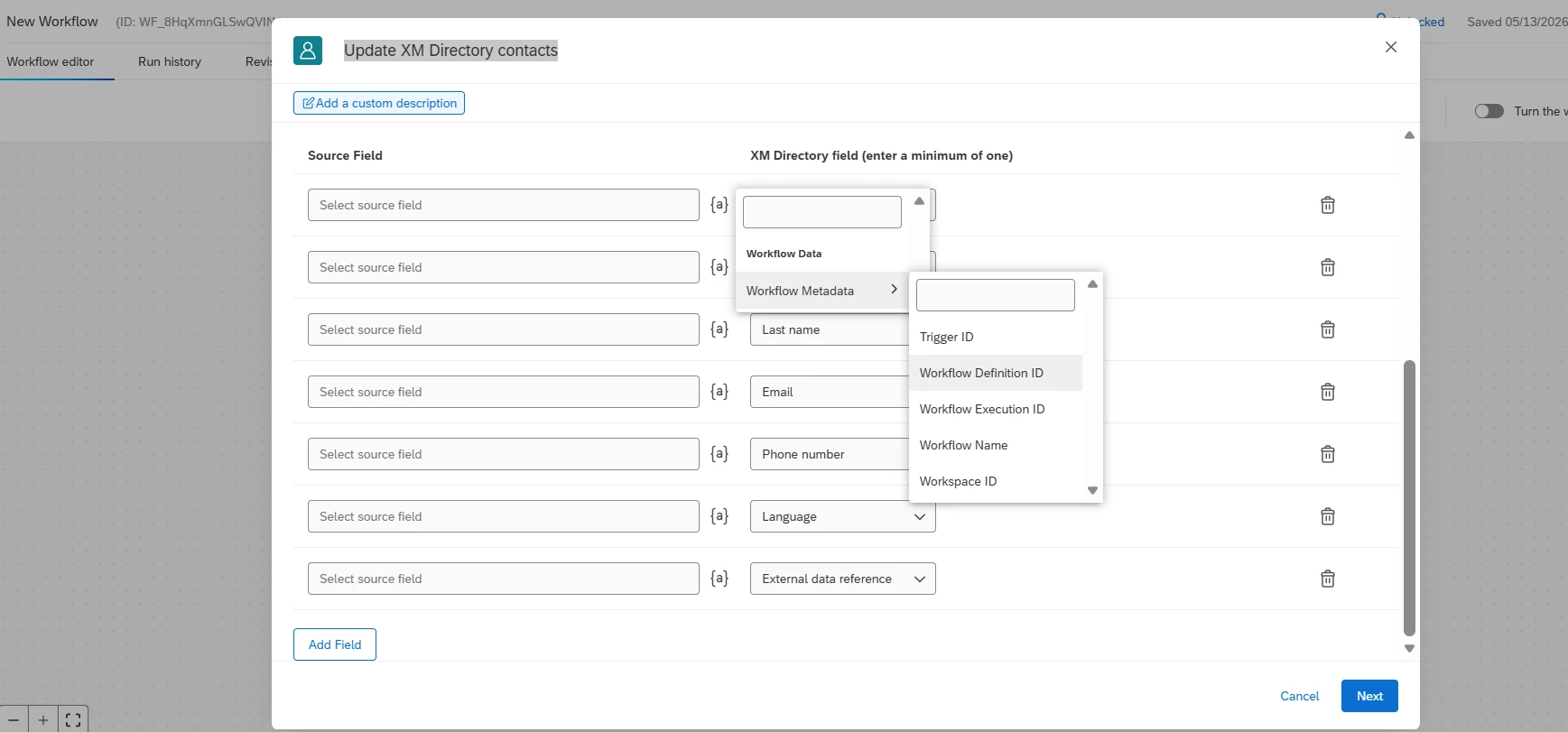
Any suggestions or best practices would be appreciated.


1 reply

Lpena
Qualtrics Employee
Forum|alt.badge.img+4
  • Qualtrics Employee
  • June 2, 2026

Hey Nikeeta! here is a breakdown of what's likely happening and your best options moving forward.

First, the "Update XM Directory Contacts" task is strictly designed as a single-profile update meant to create or refresh an individual contact when a workflow triggers. It's great for quickly loading specific, individual data (usually from survey responses), but  becausee you're trying to pull directly from an existing XM Directory list, the embedded field mapping isn't going to align with what that specific task expects.

For your second goal—pushing stored XM Directory data to Amazon S3—the system's ETL structure requires you to set up a data extractor task first, andd then route that data to S3 as the destination. Currently, there isn't a direct "extract from XM Directory" task built to feed into the S3 loader this way.

To get around this, you'll likely need a workaround. A common route is exporting the directory or list data using our API or an intermediate system first, then feeding that into an S3 loader task via an extractor. Alternatively, if you can structure your data into a format like a CSV, TSV, or JSON that a supported extractor task can read, you  can use that export artifact as your source for the S3 task.If you can drop a reply with the exact source/destination tasks you see available in your workflow builder, the desiredd S3 file format, and whether you need the whole directory or just a specific mailing list, the community can help narrow down the best path for you!

If this turns out to be a blocker or you think the system is misbehaving,  it might be worth having our team take a closer look at your specific setup. You can easily open a ticket through the  Qualtrics Support Portal to get some direct troubleshooting.

