Segment of Mailing List Not Working as Expected | Experience Community
Skip to main content
Solved

Segment of Mailing List Not Working as Expected

  • April 9, 2026
  • 5 replies
  • 75 views

Forum|alt.badge.img+2

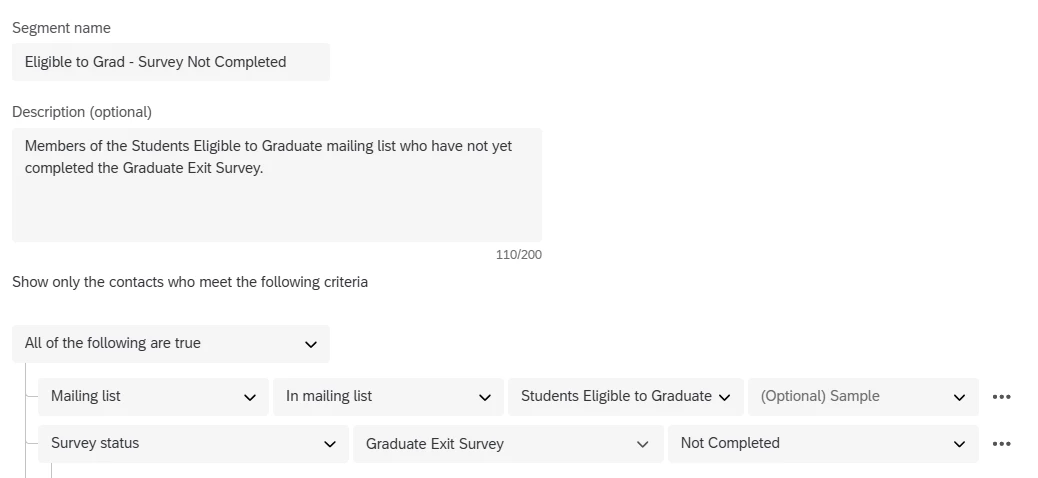
I have a mailing list that is populated each day via API. I’ve created a segment of that mailing list to include only those who have not yet completed a survey. But, my segment continues to show all the members of the mailing list, even those who have completed the survey. Have I set up the segment incorrectly?

(I have also tried using Survey Response < 1 and that didn’t work, either.)

Best answer by AliG83

Following up in case anyone else has the same issue…


Qualtrics Support had the same issue when building my segment and had to investigate further why it wasn’t working. The issue is coming from duplicate contacts in our XM Directory (even though there are not duplicate contacts in my Mailing List). QSupport recommended following steps on the support page here so I’ll try that next.

5 replies

Forum|alt.badge.img+6
  • Level 2 ●●
  • April 10, 2026

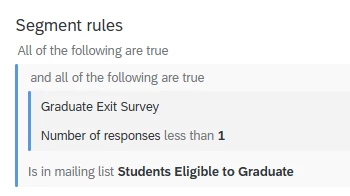
Hi ​@AliG83 , Try the below conditions: 

  1. Survey response » Graduate exit survey » number of responses less than 1
  2. In mailing list » students eligible to graduate

This will create a segment with users who have not completed the survey.


Forum|alt.badge.img+2
  • Author
  • April 10, 2026

Thanks ​@Anushree R ,

I tried rebuilding the segment in that way, and it is still showing all of the contacts in the mailing list, including those who have completed the survey. 


Current settings:

Do you have other ideas I can try?


Forum|alt.badge.img+6
  • Level 2 ●●
  • April 13, 2026

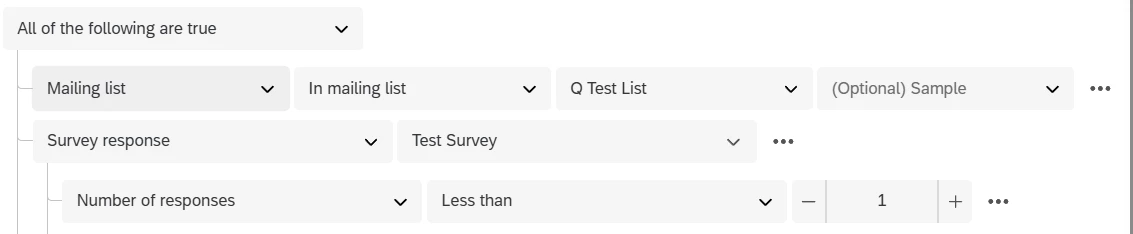
Hi, the condition screen shot that you have shared looks different from what I have suggested.


The condition should be configured as shown in the below image. 


This gives you a list of users who have not completed the survey. 


Forum|alt.badge.img+2
  • Author
  • April 13, 2026

Hi, the condition screen shot that you have shared looks different from what I have suggested.


The condition should be configured as shown in the below image. 


This gives you a list of users who have not completed the survey. 

@Anushree R ,

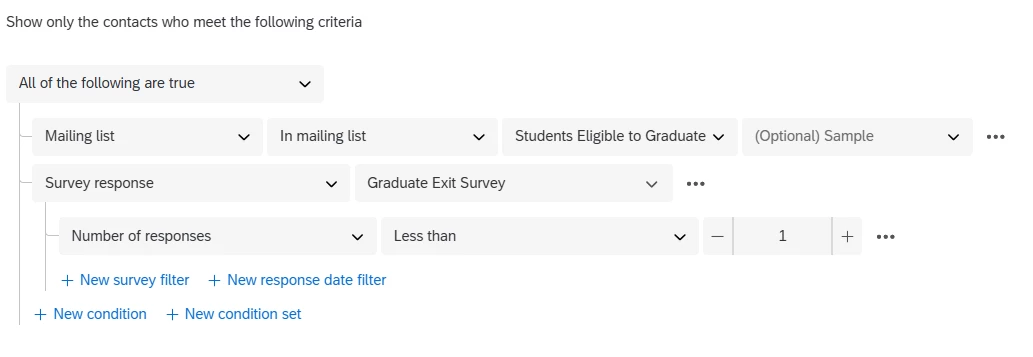
That is how I have the segment configured currently:

The segment still contains all the members of the list; it’s not excluding those who have completed the survey.


Forum|alt.badge.img+2
  • Author
  • Answer
  • April 15, 2026

Following up in case anyone else has the same issue…


Qualtrics Support had the same issue when building my segment and had to investigate further why it wasn’t working. The issue is coming from duplicate contacts in our XM Directory (even though there are not duplicate contacts in my Mailing List). QSupport recommended following steps on the support page here so I’ll try that next.