


customizable slider question
Best answer by dsweeney
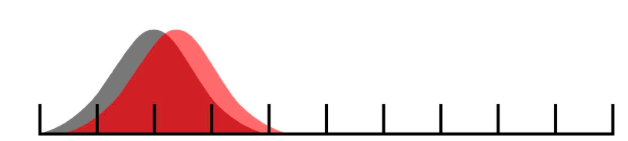
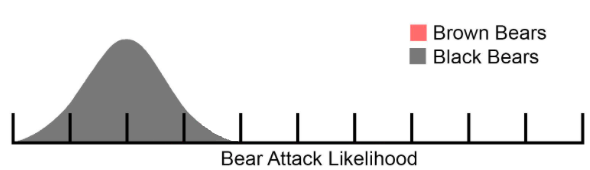 And here's the brown bear image (red normal distro with transparent backgound):
!
And here's the brown bear image (red normal distro with transparent backgound):
! This is not ideal as the top graph goes over the scale, but you should be able to make some images that cater for that and do some better transparency on the images.
The JavaScript works by watching for mouse movement events in the question and then updating the left position of the red distro to match the slider icon. It currently looks horrible on mobile, but should get you going. The red image also shrinks closer to the end of the graph.
This is not ideal as the top graph goes over the scale, but you should be able to make some images that cater for that and do some better transparency on the images.
The JavaScript works by watching for mouse movement events in the question and then updating the left position of the red distro to match the slider icon. It currently looks horrible on mobile, but should get you going. The red image also shrinks closer to the end of the graph.

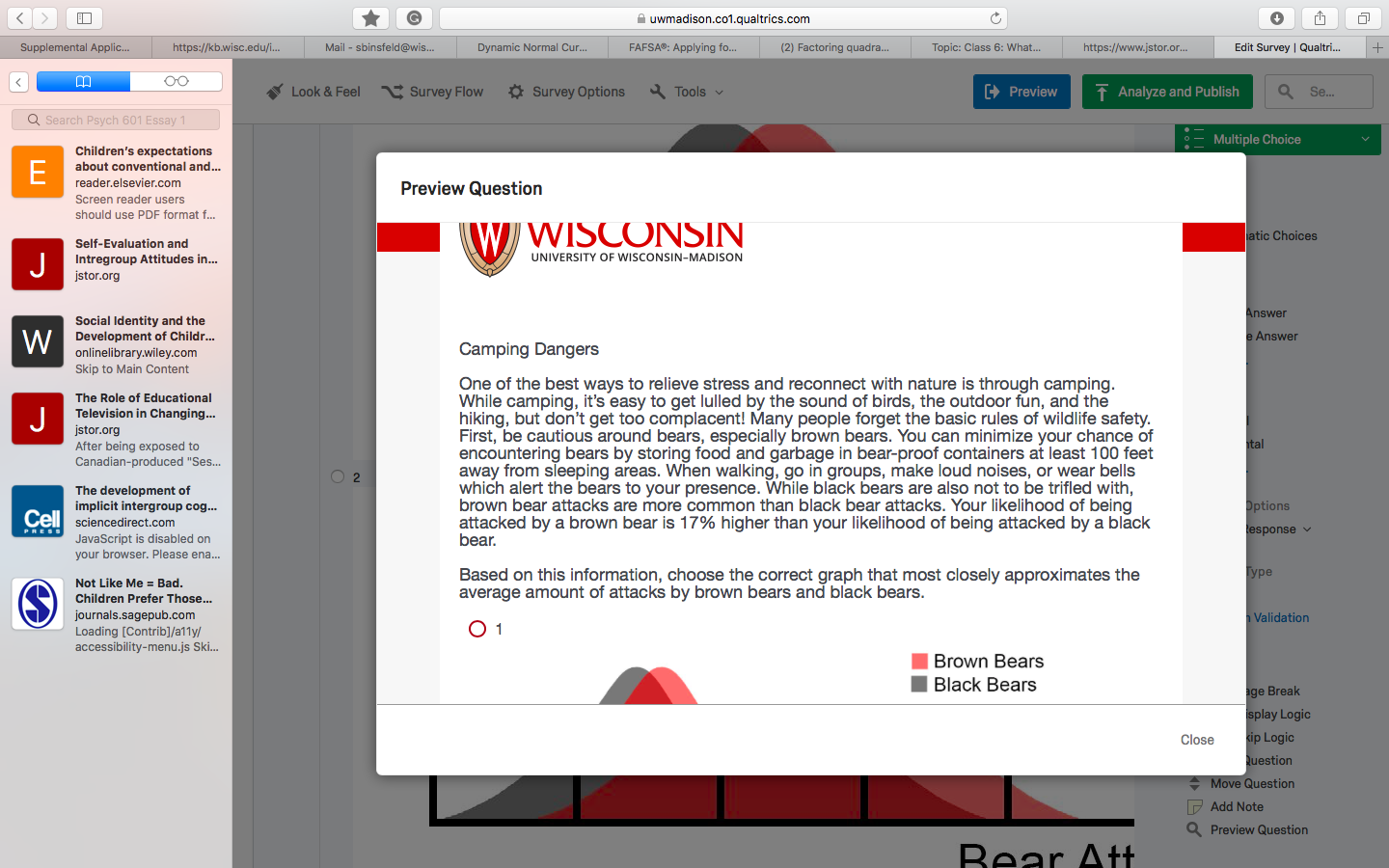 and they must choose one of seven distributions that match the question
!
and they must choose one of seven distributions that match the question
!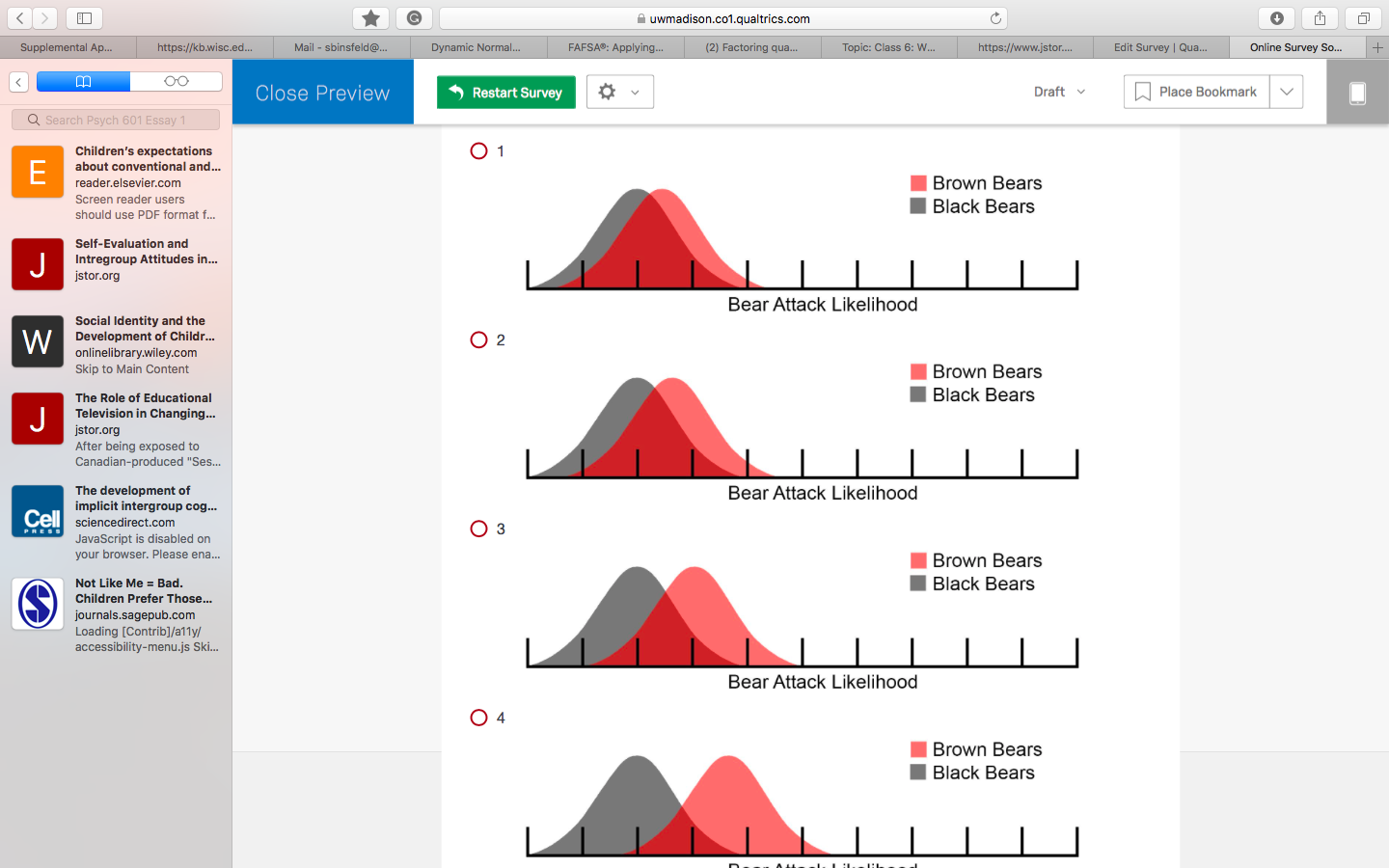 !
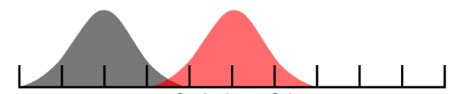
!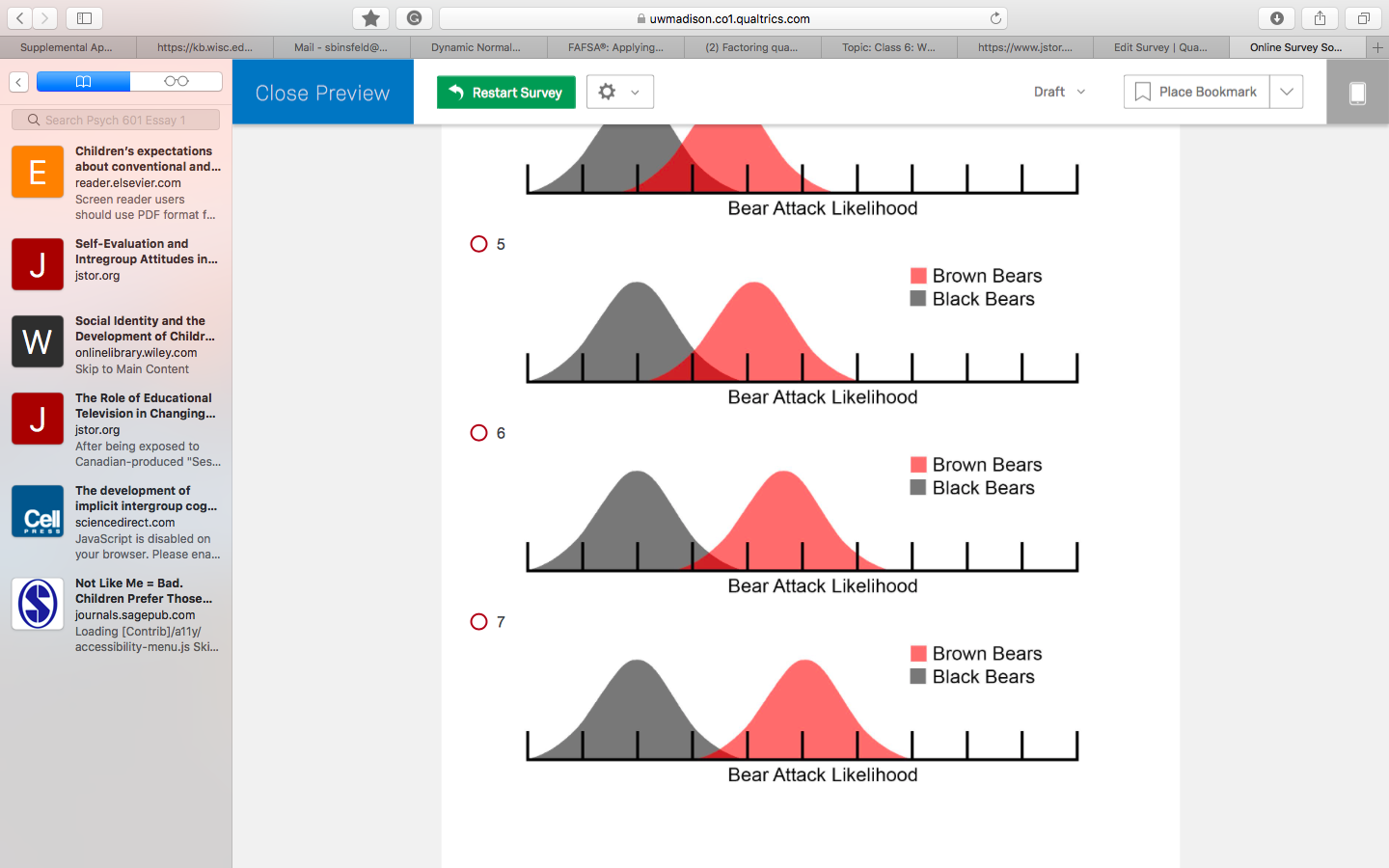 instead of having the 7 distributions, I want one slider graph where the red distribution can be manually moved. no labels or numbers necessary since every question has a different topic and we are looking to use the same graphs for all of them. so you answer your questions, yes we want the red distribution the only marker on the distribution. We will be looking at what the participant thinks the distance between the two distributions are (we are studying stereotypes specifically - when a stereotype is opposed is the distance further than when it is affirmed?). and there are no need for coordinates.
thank you very much for your time.
instead of having the 7 distributions, I want one slider graph where the red distribution can be manually moved. no labels or numbers necessary since every question has a different topic and we are looking to use the same graphs for all of them. so you answer your questions, yes we want the red distribution the only marker on the distribution. We will be looking at what the participant thinks the distance between the two distributions are (we are studying stereotypes specifically - when a stereotype is opposed is the distance further than when it is affirmed?). and there are no need for coordinates.
thank you very much for your time.

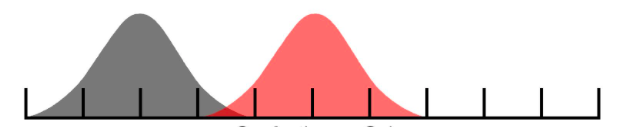
 And this is the image that I would like to be at the end
!
And this is the image that I would like to be at the end
! Thank you.
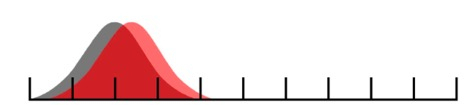 ending image:
!
ending image:
! See:
https://www.qualtrics.com/community/discussion/2148/customizable-slider-question#latest
The above link has the following code:
It requires the following CSS in the Look & Feel -> Style section (controls the position of the images):
.brown
{
position: absolute;
top: 38px;
left: 0px;
}
.bears
{
position: relative;
width: 800px;
}
The following in the HTML of the slider choice (for the images):
<div class="bears"><img src="insert the black-bear-background-image" style="width: 590px; height: 170px;" />
<div class="brown"><img src="insert the brown-bear-background-image" style="width: 214px; height: 103px;" /></div>
</div>
And the following JavaScript for the slider question (controls the behaviour of the red image):
Qualtrics.SurveyEngine.addOnReady(function()
{
var qid = this.questionId;
$(qid).observe('mousemove', function(event) {
var cur_pos = $(qid+"~1~handle").style.left;
$$(".brown")[0].setStyle("left: "+cur_pos);
});
});
See:
https://www.qualtrics.com/community/discussion/2148/customizable-slider-question#latest
The above link has the following code:
It requires the following CSS in the Look & Feel -> Style section (controls the position of the images):
.brown
{
position: absolute;
top: 38px;
left: 0px;
}
.bears
{
position: relative;
width: 800px;
}
The following in the HTML of the slider choice (for the images):
<div class="bears"><img src="insert the black-bear-background-image" style="width: 590px; height: 170px;" />
<div class="brown"><img src="insert the brown-bear-background-image" style="width: 214px; height: 103px;" /></div>
</div>
And the following JavaScript for the slider question (controls the behaviour of the red image):
Qualtrics.SurveyEngine.addOnReady(function()
{
var qid = this.questionId;
$(qid).observe('mousemove', function(event) {
var cur_pos = $(qid+"~1~handle").style.left;
$$(".brown")[0].setStyle("left: "+cur_pos);
});
});Sign up
Already have an account? Login

Welcome! To join the Qualtrics Experience Community, log in with your existing Qualtrics credentials below.
Confirm your username, share a bit about yourself, then you're ready to explore and connect .
Free trial account? No problem. Log in with your trial credentials to join.
No free trial account? No problem! Register here
Already a member? Hi and welcome back! We're glad you're here 🙂
You will see the Qualtrics login page briefly before being taken to the Experience Community.
Login with Qualtrics
Welcome! To join the Qualtrics Experience Community, log in with your existing Qualtrics credentials below.
Confirm your username, share a bit about yourself, then you're ready to explore and connect .
Free trial account? No problem. Log in with your trial credentials to join. No free trial account? No problem! Register here
Already a member? Hi and welcome back! We're glad you're here 🙂
You will see the Qualtrics login page briefly before being taken to the Experience Community.
Login to the Community
Welcome! To join the Qualtrics Experience Community, log in with your existing Qualtrics credentials below.
Confirm your username, share a bit about yourself, then you're ready to explore and connect .
Free trial account? No problem. Log in with your trial credentials to join.
No free trial account? No problem! Register here
Already a member? Hi and welcome back! We're glad you're here 🙂
You will see the Qualtrics login page briefly before being taken to the Experience Community.
Login with Qualtrics
Welcome! To join the Qualtrics Experience Community, log in with your existing Qualtrics credentials below.
Confirm your username, share a bit about yourself, then you're ready to explore and connect .
Free trial account? No problem. Log in with your trial credentials to join. No free trial account? No problem! Register here
Already a member? Hi and welcome back! We're glad you're here 🙂
You will see the Qualtrics login page briefly before being taken to the Experience Community.
Enter your E-mail address. We'll send you an e-mail with instructions to reset your password.