


We are a customer with Employee Experience currently in operation. Every day we have a scheduled job running in Qualtrics that picks up a file from SFTP location and loads into Qualtrics. This file contains new employee details and changed employee details. There are 2 steps in this process: Step-1 is "Extract Data from SFTP Files". Step-2 is "CDAP Worker EX Directory Import". I'd like to know the menu navigation to access this scheduled process. Currently this process is not visible under “Directories” section or “Workflows” section from the Home Page main menu (drop down from the top left corner of Home Page). I am a Brand Admin user in Qualtrics.

Solved
EX Directory Import Process not visible for Admin User
Best answer by bench
Yes as
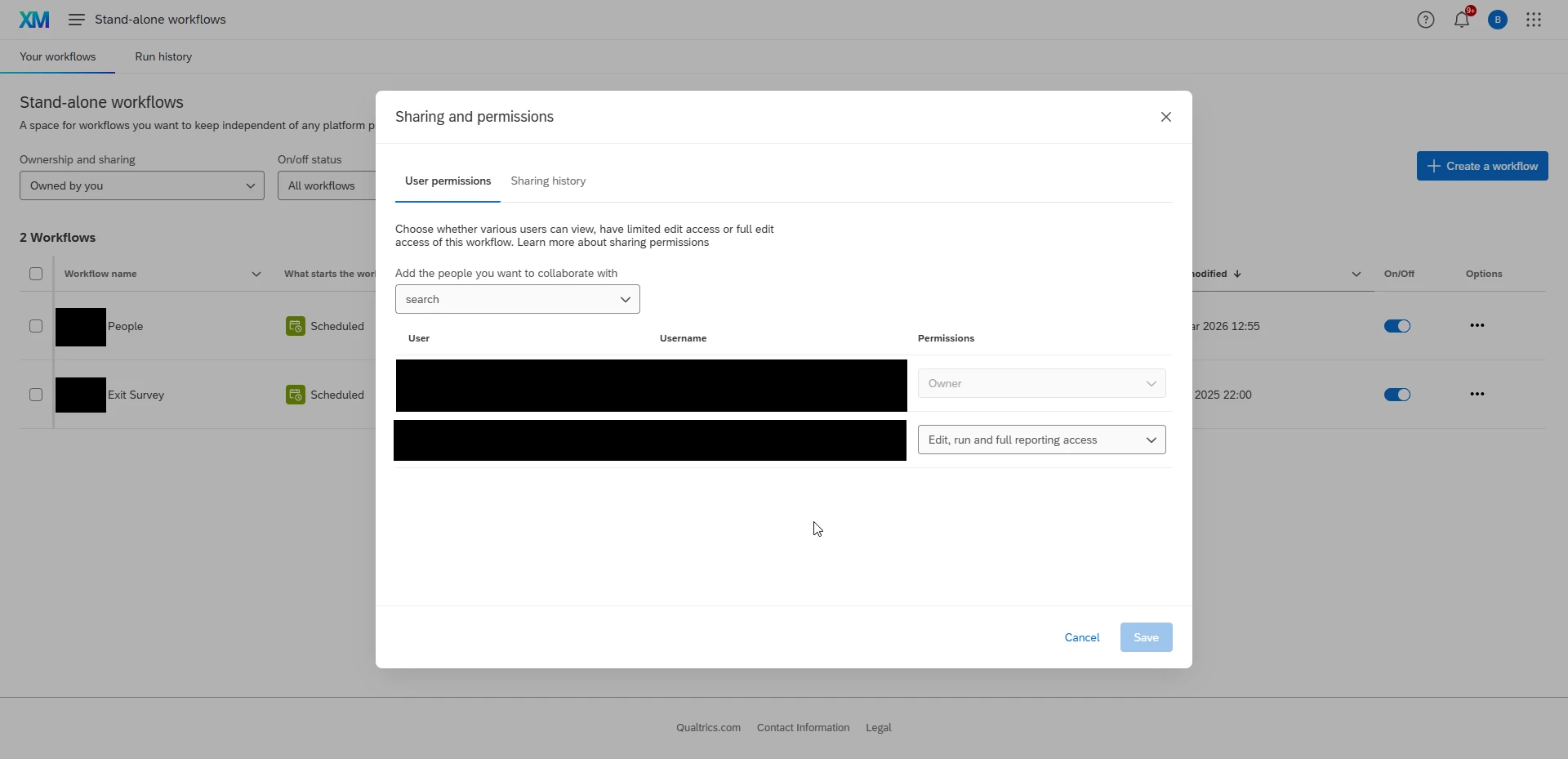
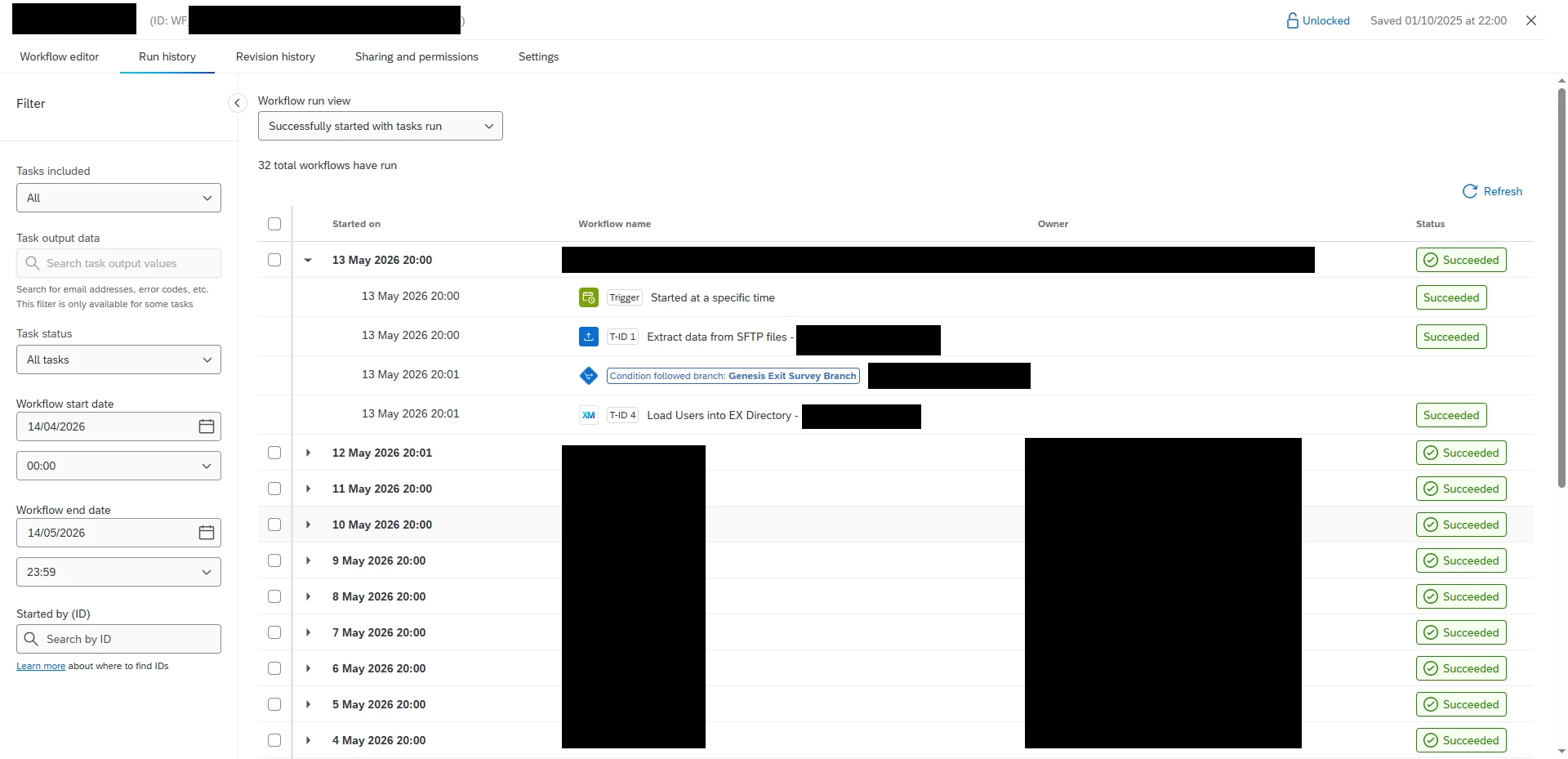
This is where you need to come to view ‘Run history’, but in order to do that you’ll need to share the relevant workflows with the individuals expected to audit/check these workflow run histories.





Sign up
Already have an account? Login

Welcome! To join the Qualtrics Experience Community, log in with your existing Qualtrics credentials below.
Confirm your username, share a bit about yourself, then you're ready to explore and connect .
Free trial account? No problem. Log in with your trial credentials to join.
No free trial account? No problem! Register here
Already a member? Hi and welcome back! We're glad you're here 🙂
You will see the Qualtrics login page briefly before being taken to the Experience Community.
Login with Qualtrics
Welcome! To join the Qualtrics Experience Community, log in with your existing Qualtrics credentials below.
Confirm your username, share a bit about yourself, then you're ready to explore and connect .
Free trial account? No problem. Log in with your trial credentials to join. No free trial account? No problem! Register here
Already a member? Hi and welcome back! We're glad you're here 🙂
You will see the Qualtrics login page briefly before being taken to the Experience Community.
Login to the Community
Welcome! To join the Qualtrics Experience Community, log in with your existing Qualtrics credentials below.
Confirm your username, share a bit about yourself, then you're ready to explore and connect .
Free trial account? No problem. Log in with your trial credentials to join.
No free trial account? No problem! Register here
Already a member? Hi and welcome back! We're glad you're here 🙂
You will see the Qualtrics login page briefly before being taken to the Experience Community.
Login with Qualtrics
Welcome! To join the Qualtrics Experience Community, log in with your existing Qualtrics credentials below.
Confirm your username, share a bit about yourself, then you're ready to explore and connect .
Free trial account? No problem. Log in with your trial credentials to join. No free trial account? No problem! Register here
Already a member? Hi and welcome back! We're glad you're here 🙂
You will see the Qualtrics login page briefly before being taken to the Experience Community.
Enter your E-mail address. We'll send you an e-mail with instructions to reset your password.