




Context:
I’m generating a React.js based form to provide a more aesthetic user experience/design, then pushing the results to Qualtrics via the Qualtrics API. The form requires e-signature for parent consent for a summer school program enrollment.
Issue:
I have been able to push all data through the API, except the <canvas> captured signature.
The signature field is being sent, but it will show as the following:
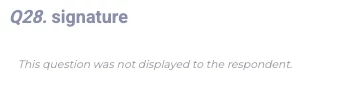
The code being sent for the signature question is in the following format:
Payload: {
  "values": {
    // QID1 - 27 returns are working as intended
    "QID28": "data:image/png;base64,<canvas-image-string-here>" // Encoded Image String populates here
  }
}
Caveat:
I can’t find a specific area where it states if the Signature field is available to the Qualtrics API other than the Survey Sessions V2.
I’ve attempted the submission with the Qualtrics Form-field as a Signature Block, as well as an Essay Text Response, to which both fields showed no response for the QID in question.
My Request/Ask:
Has anyone been able to effectively return a e-Signature using the html <canvas> element to the Qualtrics API? If so, how?
I work for a smaller PK-12 School District and would like to find a free/cheap option to intake digital signatures for custom Web Forms and Applications. So advice on alternatives are also greatly appreciated.




