Preview without logging in | Experience Community
Skip to main content
Solved

Preview without logging in

  • November 16, 2023
  • 4 replies
  • 840 views

Forum|alt.badge.img+1

Hey everyone!

I need to do a pilot test of my survey for my research. I am aware that when I import into SPSS Qualtrics separates between the preview answers and the ones which occured post survey activation. 

As I want to just test some things on my survey and I have no room for deleting active responses afterwards, I need to distribute it on preview to a short number of people for them to try it. 

But as I generate a link, everyone needs to sign in or log in to try it. 

If you know anyway to counter this, I would deeply appreciate it!

Thanks a lot. 
Best answer by MatthewM

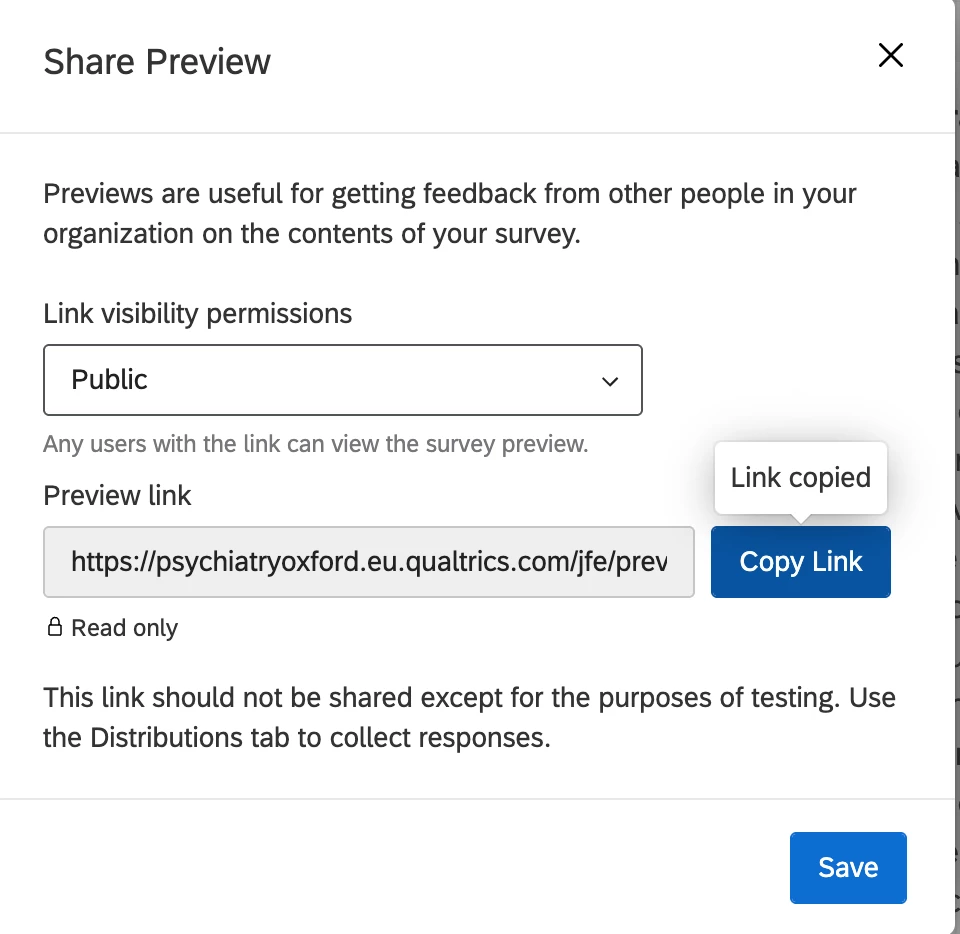
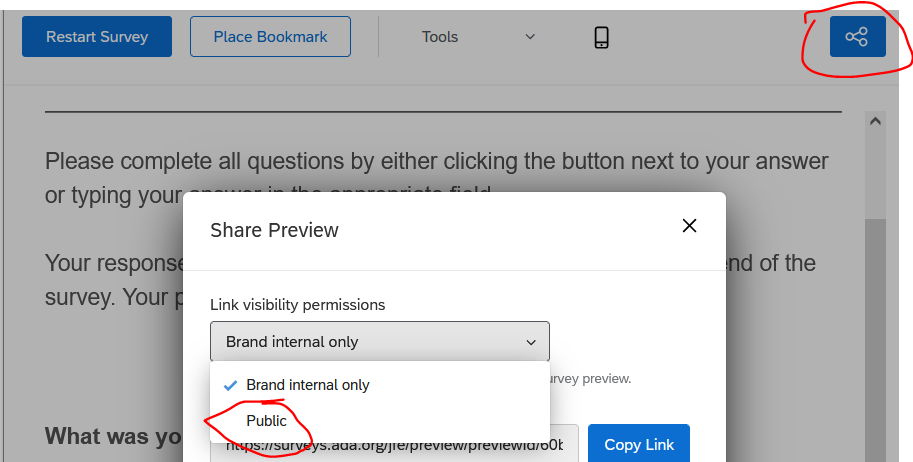
Hi. You should be able to click the “Share Preview” button in the upper right and change the permission from Brand internal only to Public.


View original

4 replies

MatthewM
Level 6 ●●●●●●
Forum|alt.badge.img+30
  • Level 6 ●●●●●●
  • Answer
  • November 16, 2023

Hi. You should be able to click the “Share Preview” button in the upper right and change the permission from Brand internal only to Public.


Forum|alt.badge.img+1

Thank you!!


Forum|alt.badge.img

Hello all,

I tried implementing this. However, even when setting to Public, people are asked to login when they try my link.


Best,

Andreas


Forum|alt.badge.img+30

Hi ​@andreasFreud ,


After you select Public, did you select save before copying the link?