
I have a survey that asks if you are happy. If you say you are very happy, it sends the Promoter email. In this email I would like to include a link to a second survey asking for a referral. Ideally, the user would not have to enter their name and email address again, since they just did that on the first survey.
Is this possible, and if so, how please?

Solved
2nd Survey using info from the first
Best answer by Rudi
Hi,
I assume you are using a workflow for sending out the second survey.
If so, you can update the contact list there, too. Add the information and call the respective contact list field in your second survey as an embedded data field
Hope this helps,
best regards
Rudi







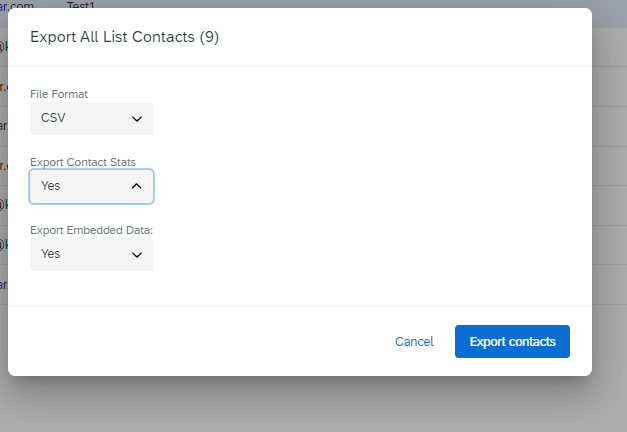 you would get something like below:
 if you need a more detailed overview you could think about

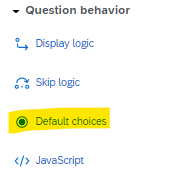 In the pop-up you then specify the default choice as ${e://Field/Email} for the Email, and ${e://Field/Name} for the name (or use the dropdown and navigate to it under Embedded Data Field as below)
 Publish the Referral Survey.
 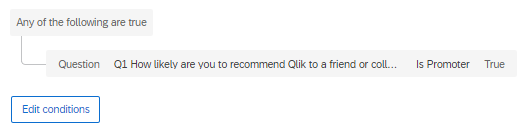 Then the little + again and choose Task and in the pop-up choose "Email".
Sign up
Already have an account? Login

Welcome! To join the Qualtrics Experience Community, log in with your existing Qualtrics credentials below.
Confirm your username, share a bit about yourself, Once your account has been approved by our admins then you're ready to explore and connect .
Free trial account? No problem. Log in with your trial credentials to join.
No free trial account? No problem! Register here
Already a member? Hi and welcome back! We're glad you're here 🙂
You will see the Qualtrics login page briefly before being taken to the Experience Community
Login with Qualtrics
Welcome! To join the Qualtrics Experience Community, log in with your existing Qualtrics credentials below.
Confirm your username, share a bit about yourself, Once your account has been approved by our admins then you're ready to explore and connect .
Free trial account? No problem. Log in with your trial credentials to join. No free trial account? No problem! Register here
Already a member? Hi and welcome back! We're glad you're here 🙂
You will see the Qualtrics login page briefly before being taken to the Experience Community
Login to the Community
Welcome! To join the Qualtrics Experience Community, log in with your existing Qualtrics credentials below.
Confirm your username, share a bit about yourself, Once your account has been approved by our admins then you're ready to explore and connect .
Free trial account? No problem. Log in with your trial credentials to join.
No free trial account? No problem! Register here
Already a member? Hi and welcome back! We're glad you're here 🙂
You will see the Qualtrics login page briefly before being taken to the Experience Community
Login with Qualtrics
Welcome! To join the Qualtrics Experience Community, log in with your existing Qualtrics credentials below.
Confirm your username, share a bit about yourself, Once your account has been approved by our admins then you're ready to explore and connect .
Free trial account? No problem. Log in with your trial credentials to join. No free trial account? No problem! Register here
Already a member? Hi and welcome back! We're glad you're here 🙂
You will see the Qualtrics login page briefly before being taken to the Experience Community
Enter your E-mail address. We'll send you an e-mail with instructions to reset your password.