
Qualtrics Web Service – Unable to Pass Recorded Date Using Piped Text | Experience Community
Skip to main content
Solved

Qualtrics Web Service – Unable to Pass Recorded Date Using Piped Text

  • August 19, 2026
  • 3 replies
  • 23 views

Forum|alt.badge.img+10

Hi everyone,

We are integrating Qualtrics responses with an external system through a Web Service task, where the response payload is sent to the client API after survey completion.

We are currently facing two issues:

Issue 1: Recorded Date in Web Service Payload

We are able to pass fields such as ResponseID, StartDate, EndDate, Progress, Finished, etc. using Piped Text. However, we are unable to add the Qualtrics Recorded Date/RecordedDate field as Piped Text in the Web Service payload.

Requirement:
We need to pass the Qualtrics Recorded Date to the external system along with the other response details.

Questions:

Is there a supported Piped Text reference for the Recorded Date that can be used directly in a Web Service task?
If RecordedDate is not available through Piped Text, is there an alternative way to capture and pass this value in the Web Service payload?
Issue 2: HTML Formatting Tags in Web Service Payload

We have applied font/size formatting to different answer options in the survey. We need to retain this formatting in the Qualtrics survey.

However, when the response is passed through the Web Service task, the HTML formatting is also being returned in the payload.

For example, the payload currently returns:

{
  "value": "<span style=\"font-size:22px;\">4</span>"
}

Expected:

{
  "value": "4"
}

Requirement:
We do not want to remove the formatting from the survey. However, we also do not want the HTML tags such as <span> and style attributes to be included in the API payload.

Question:

Is there a way to retain the formatting in the Qualtrics survey while sending only the plain-text answer value in the Web Service payload?

Any guidance or recommended approach for these two issues would be greatly appreciated.
Best answer by vgayraud

First, you cannot paste my dummy OCAC reference.

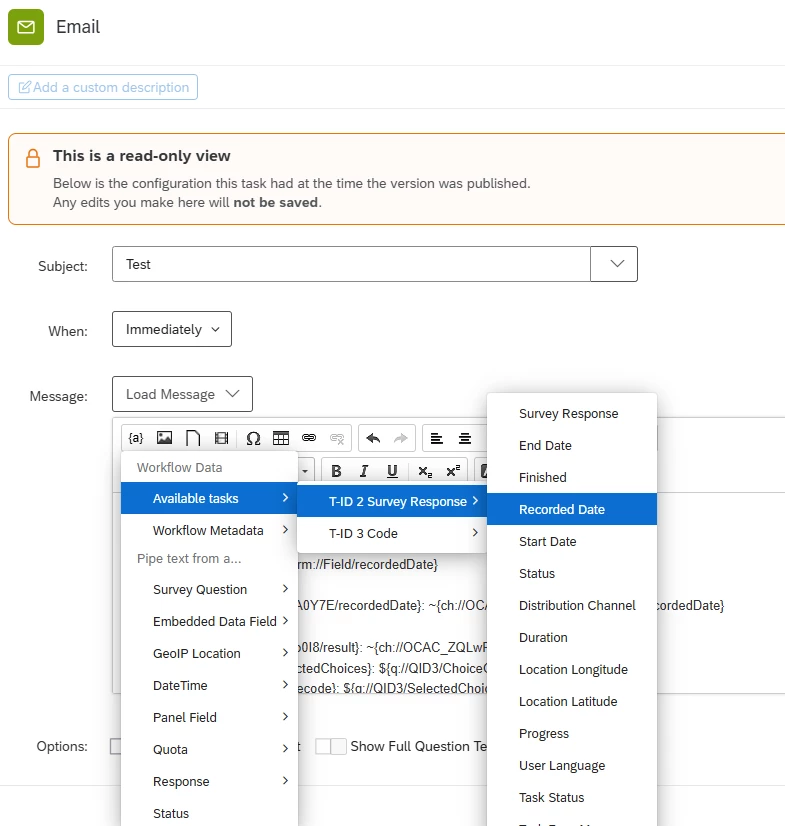
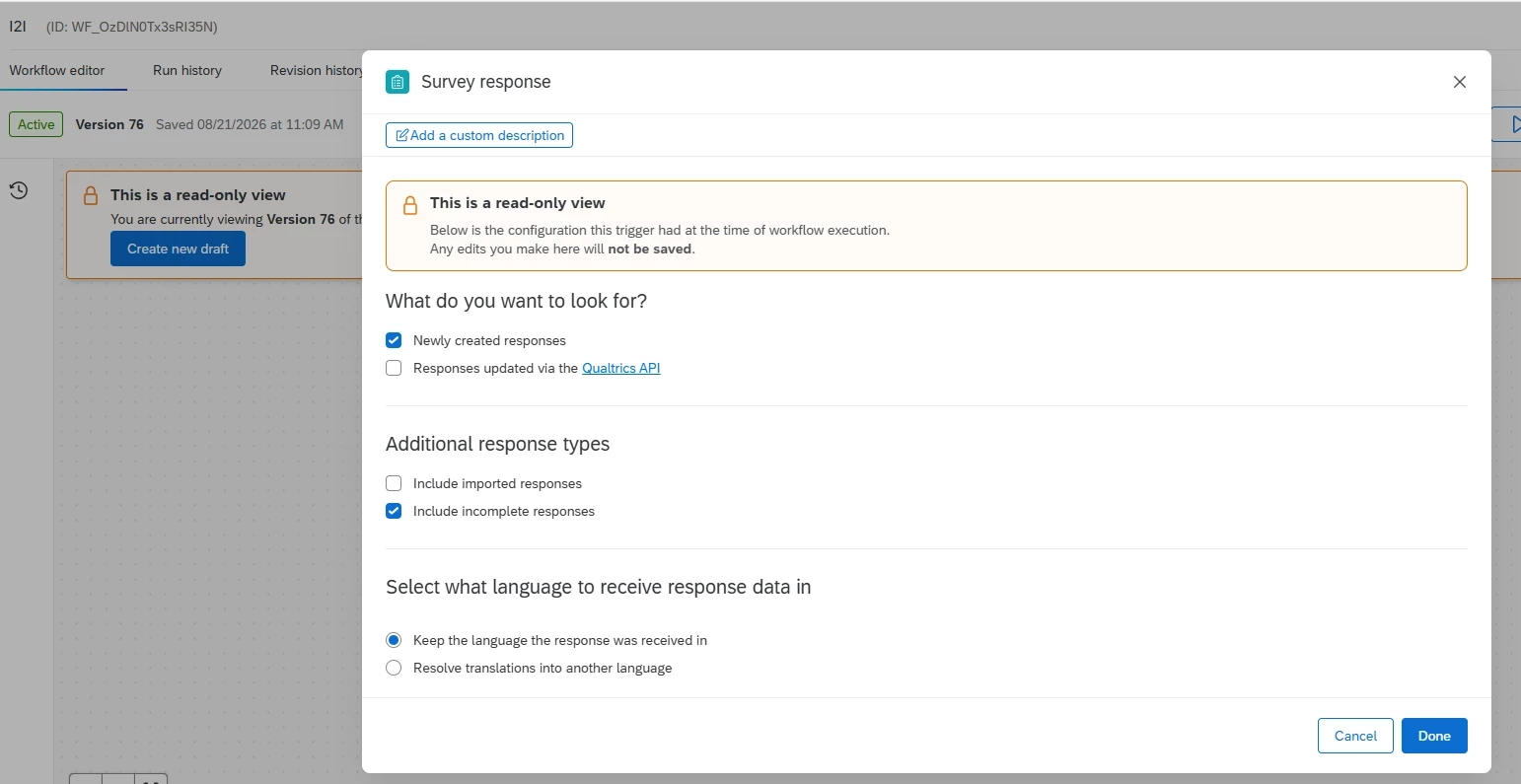
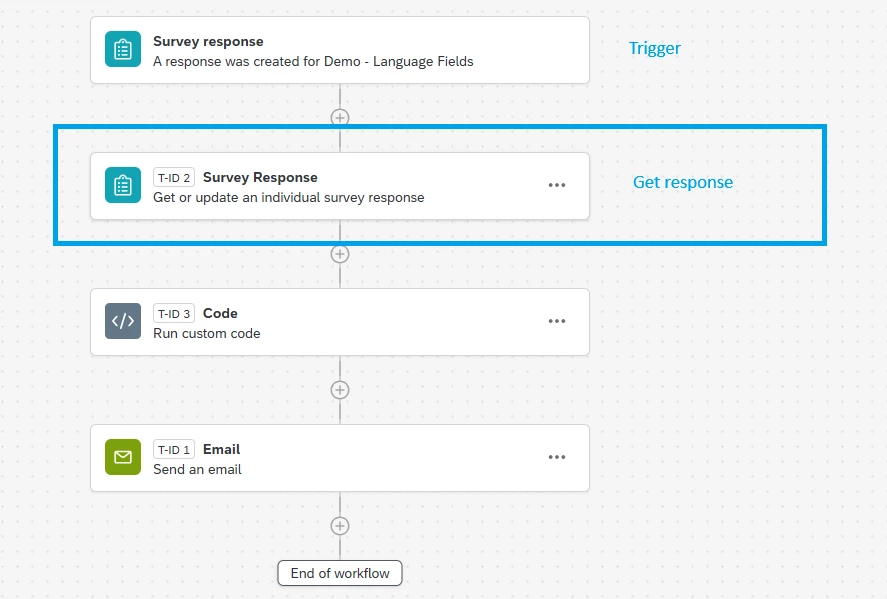
Second, you need to use a get response task, not the trigger event, and you need to pipe in the the recorded date from that get response task.


3 replies

vgayraud
QPN Level 8 ●●●●●●●●
Forum|alt.badge.img+65
  • QPN Level 8 ●●●●●●●●
  • August 20, 2026

Hi,

Issue 1: Add a Survey Response Task with type “Get survey response” after your trigger. Pipe in recorded date from this task in later tasks. Will look like ~{ch://OCAC_qwerty/recordedDate}.


Issue 2: Pipe in recode values instead of labels, or strip the html by passing the values through a custom code task.


Forum|alt.badge.img+10
  • Author
  • QPN Level 3 ●●●
  • August 21, 2026

Hi ​@vgayraud ,
I have used the Recorded Date piped text as suggested, but I am still seeing the piped text itself in the Run History instead of the actual recorded date.

The Run History shows:

\"recordedDate\": \"~{ch://OCAC_qwerty/recordedDate}\"

It appears that the piped text is not being resolved to the actual Recorded Date value.

Could you please help us identify what might be missing or how we can correctly retrieve the Recorded Date in the Web Service task?
and I am using the survey response task as first task and second is webservice task where i want this.


vgayraud
QPN Level 8 ●●●●●●●●
Forum|alt.badge.img+65
  • QPN Level 8 ●●●●●●●●
  • Answer
  • August 21, 2026

First, you cannot paste my dummy OCAC reference.

Second, you need to use a get response task, not the trigger event, and you need to pipe in the the recorded date from that get response task.