Add Email Domain Embedded field to contact in a directory when added or is updated and show in distribution funnel in dataset | Experience Community
Skip to main content
Question

Add Email Domain Embedded field to contact in a directory when added or is updated and show in distribution funnel in dataset

  • January 27, 2026
  • 10 replies
  • 36 views

Forum|alt.badge.img+11

Hi All,


I am wanting to see the email domain in my distribution funnel dataset (ie not just a survey response but when a survey is sent so that I can get a record of the number of bounces by domain in a dashboard) and so I was wondering how best to do this.  My thinking was to create a stand alone workflow using the Experience iD change, a code task using the piped text for:

Contact ID: (~{qde://objectId})

Email:  ~{qde://common.Email}


then taking the string after the @ and then updating an embedded data field in the directory perhaps through an API (as I don’t want to have to select a mail list).  I would create an embedded field prior in the directory and call it Email_Domain.


I think this part would be feasible but I assume that still wouldn’t be connected to the distribution funnel.  How do I do that bit?


Alternatively if there is a way to do this directly in the distribution funnel that would be great.  I wanted to do this task this way (at the contact level) rather than for each distribution but perhaps that method would be easier?  I’d still have to amend older contacts though i assume.


Any thoughts most welcome


Thanks


Rod Pestell

10 replies

PeeyushBansal
Level 7 ●●●●●●●
Forum|alt.badge.img+46
  • Level 7 ●●●●●●●
  • January 27, 2026

You can store the email domain as an embedded data field at the contact level. Filter the Respondent Funnel by email_domain and Distribution Category to analyze bounces by domain.


Forum|alt.badge.img+11
  • Author
  • Level 4 ●●●●
  • January 27, 2026

Thanks for the reply ​@PeeyushBansal .  Will the new embedded data field show up automatically in the distribution data funnel dataset or is there step I need to do to make that appear?


Would you do this using an Experience iD event change (updated / added) method or would you do this in the specific distribution work flow (which already maps various embedded, transaction and contact fields to the contact when a survey is sent)?


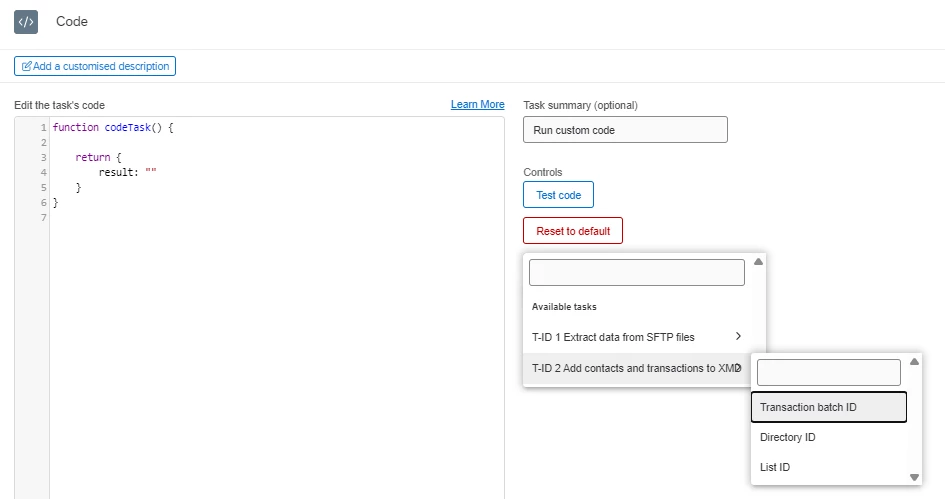
Then, using a code task and some javascript perhaps something like :

email_str = ~{qde://common.Email}

const result = email_str.split('@')[1];

Thanks


Rod Pestell


Forum|alt.badge.img+11
  • Author
  • Level 4 ●●●●
  • January 27, 2026

I have a feeling that if I use the ‘update / add’ Experience iD event, am I likely to cause a continuous loop where by when it updates the contact field it will register an update and execute the code again?


if so, maybe the better way it do it in the survey distribution flow.


What do you think?


Thanks


Rod Pestell  


PeeyushBansal
Level 7 ●●●●●●●
Forum|alt.badge.img+46
  • Level 7 ●●●●●●●
  • January 27, 2026

yes better is to do in survey flow


Forum|alt.badge.img+11
  • Author
  • Level 4 ●●●●
  • January 27, 2026

ok, thanks  (presume you mean the distribution flow as it’s not just survey responses I want the email domain to be populated but anyone who has been sent an email and is present in the directory).


Forum|alt.badge.img+11
  • Author
  • Level 4 ●●●●
  • January 27, 2026

doh! slight problem in that I can’t see the individual email addresses / contact IDs as it’s a batch process.  Can you suggest away forward?


Not too sure what to do now.  Hoping you can help


Thanks


Rod Pestell


vgayraud
QPN Level 7 ●●●●●●●
Forum|alt.badge.img+60
  • QPN Level 7 ●●●●●●●
  • January 27, 2026

Use a basic transform task to create your domain field, probably a split transformation.


vgayraud
QPN Level 7 ●●●●●●●
Forum|alt.badge.img+60
  • QPN Level 7 ●●●●●●●
  • January 27, 2026

Also, your new field won’t automatically be available, and you won’t have it for past funnel data events. See Enabling Additional Fields on the funnel data support page for the procedure.


Forum|alt.badge.img+11
  • Author
  • Level 4 ●●●●
  • January 27, 2026

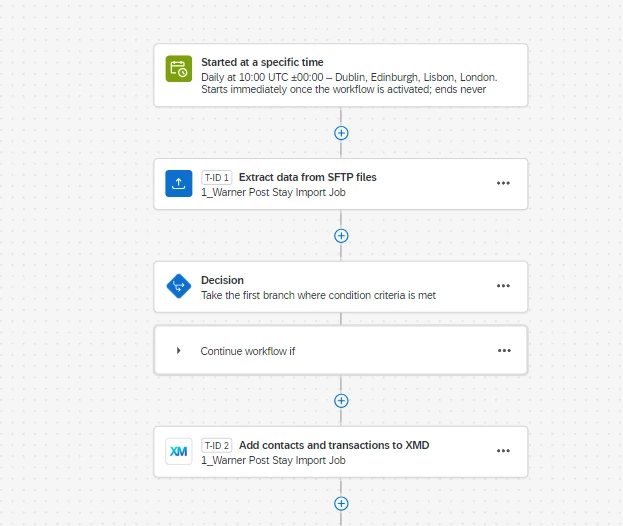
Hi ​@vgayraud .  Thanks for the idea, i tried the basic transform but it needs a source and that is the SFTP file which doesn’t have the Email_Domain field in so I’m unable to ‘add’ the extra field and then use that as the source for the add contacts and transactions to XMD task.  Is there a way round that?


Just FYI - I did try the ‘update / add Experience iD event’ and when I update a contact (just limited it to one for testing), the flow ran twice.  Would that be a problem on mass (2K upload each day of contacts)?  If not, I could just settle with that but gut feel is making me think it might not be a good idea. 


Thanks


Rod Pestell


vgayraud
QPN Level 7 ●●●●●●●
Forum|alt.badge.img+60
  • QPN Level 7 ●●●●●●●
  • January 27, 2026

Hi,

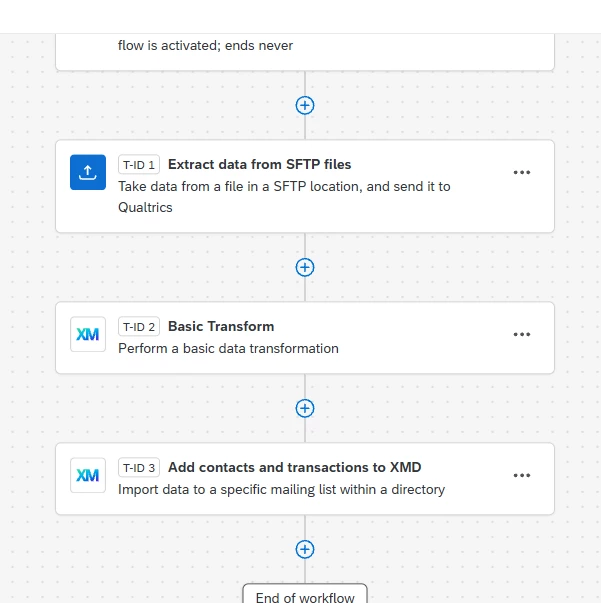
Your workflow would probably look something like this:


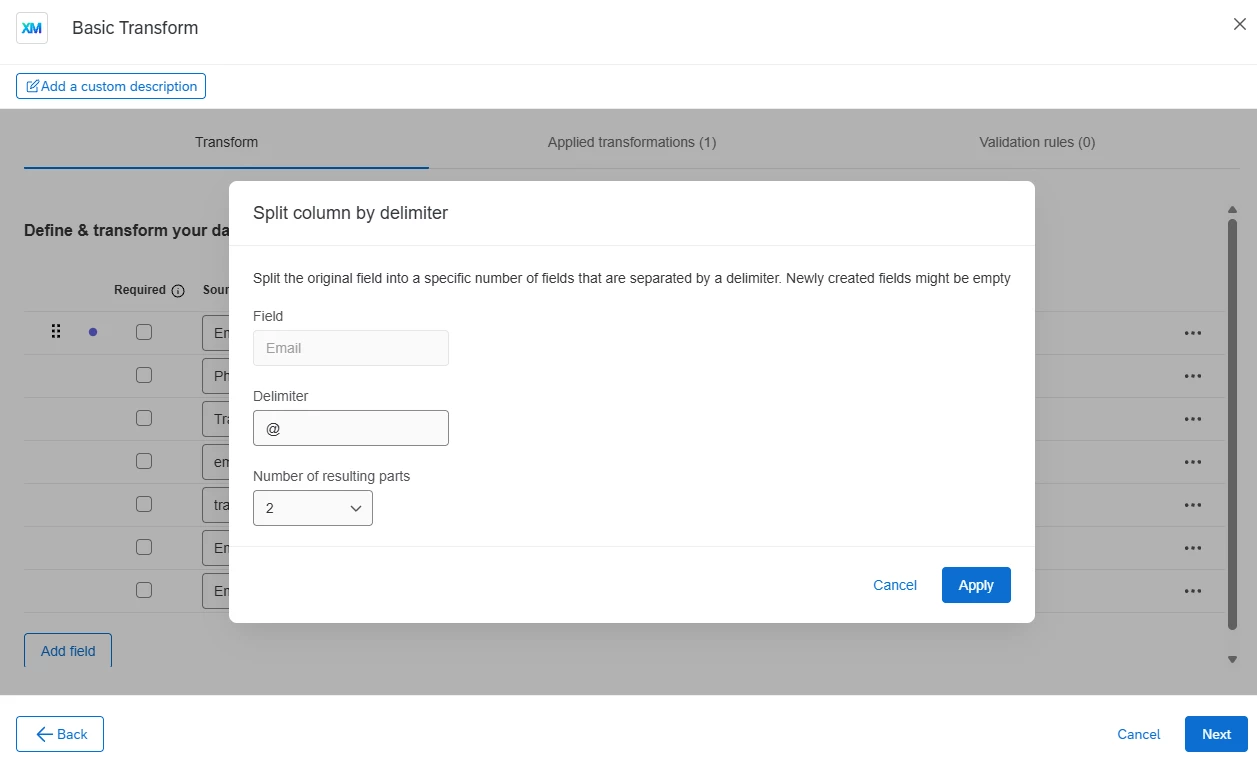
The basic transform task would process the extract from sftp files with a transformation like this on the email field:

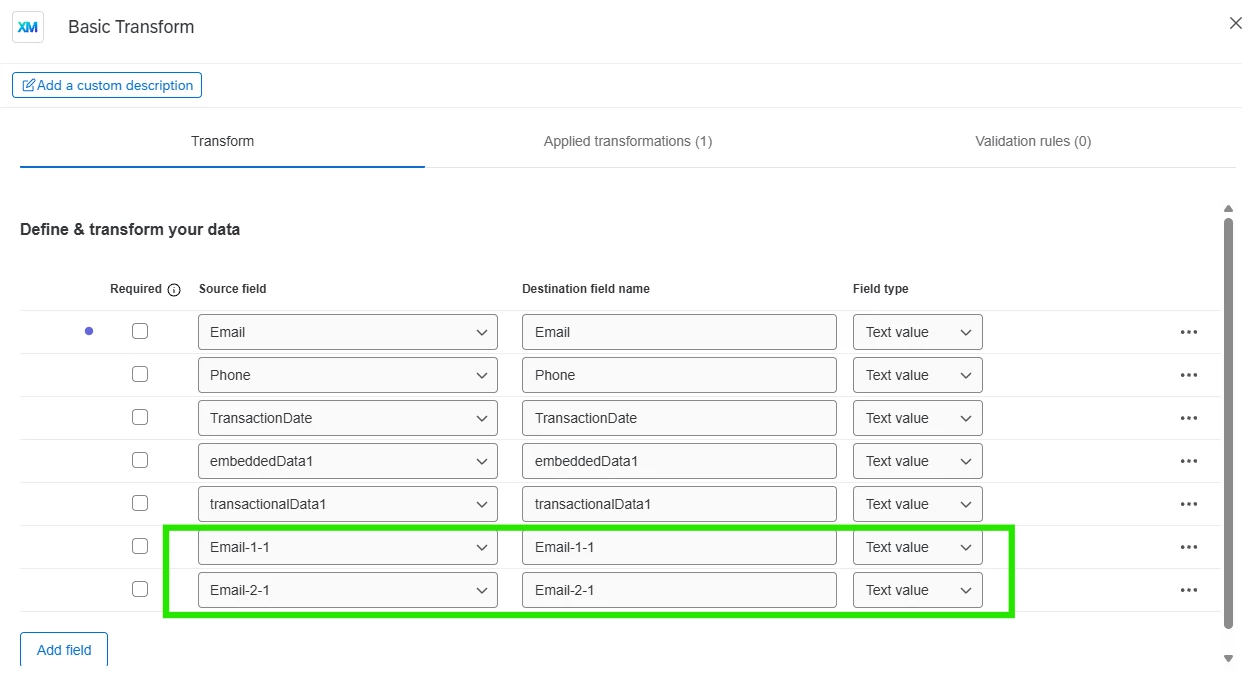
Resulting in this, where Email-2-1 would contain your domain.:

You can then select the result of your basic transform task in as the source in your add to XMD task.


Hope this helps!