Dynamic Question Display Change Based on Drop Down Selection | Experience Community
Skip to main content
Question

Dynamic Question Display Change Based on Drop Down Selection

  • February 16, 2026
  • 2 replies
  • 25 views

Forum|alt.badge.img+1

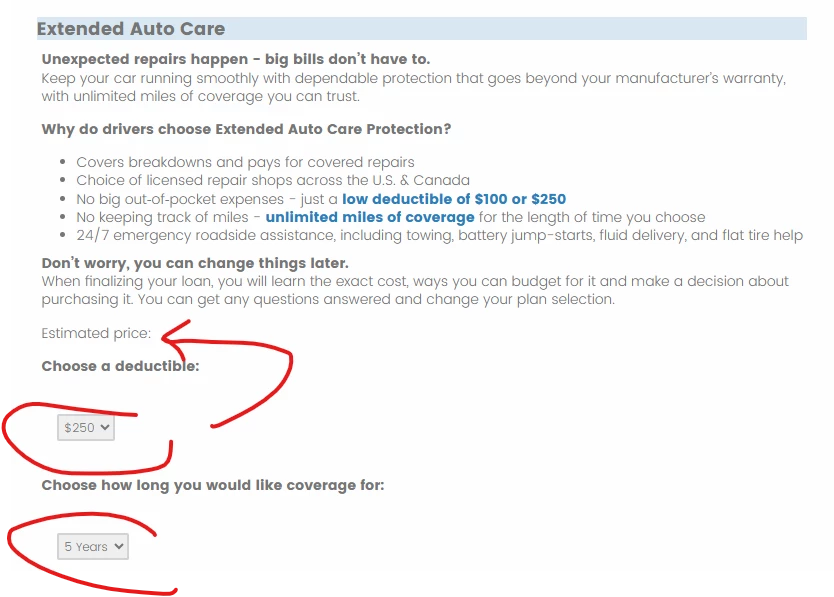
I am looking for a way to set up a question that is more UX testing functionality like this. Where the cost dynamically changes when I select a coverage length. Could anyone point me in a direction if this is even possible and how? Thank you!


Question Text: Cost [$#.##] per month

[Basically code to say if 3 years is selected show $5, if 5 years is selected show $7, if 7 years is selected show $9]

Choose your length of coverage:

Choices:

3 years

5 years

7 years

2 replies

kgillis
Level 6 ●●●●●●
Forum|alt.badge.img+30
  • Level 6 ●●●●●●
  • February 16, 2026

There are a few ways you could go about this. I feel the most basic one would be to create embedded data fields with set custom values. IE 3 years = $5, 7 years = $7...
These embedded values will need to be set at the very top of your survey flow. Then you can place a question in line to show right below the one where they selected their years, have it pipe in the embedded value. Let me know if you need a moch up with screenshots to follow. 


Forum|alt.badge.img+1
  • Author
  • February 19, 2026

Thanks @kgillis. Tried what you suggested. Created an embedded field called “price.” Then wrote a branch to set the embedded field to the right price based on the selections of term and deductible. Then piped in the embedded data field “price.” into my questions text. It doesn’t seem to work. Nothing shows.