Extracting text string from URL | XM Community
Skip to main content
Answer

Extracting text string from URL

  • November 14, 2025
  • 4 replies
  • 58 views

Forum|alt.badge.img+1

Hi! For an intercept survey, I am pulling in the CurrentPageURL, but that URL contains a piece of data I would like to split out / store separately. 



The piece of string I want is not always in the same position in the URL (the URL can be much longer than in this example), and the pieces of information in the URL are not always in the same order, but the string I want will always follow after ‘PNR=’. It’s the 6 letters after that I would want (yellow in the screenshot).

Is there any way to store that information in a separate embedded field? We already tried passing through Adobe, but that will not work for us. I am not familiar with Javascript, but feel that’s the most likely way to do it… But wanted to confirm before I try to learn how to do that.
Best answer by vgayraud

Hi,

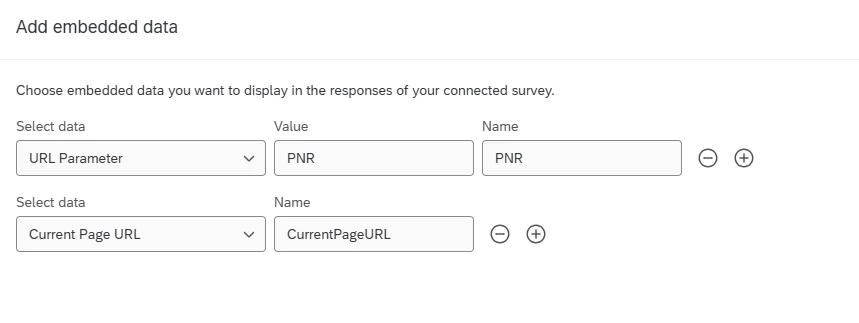
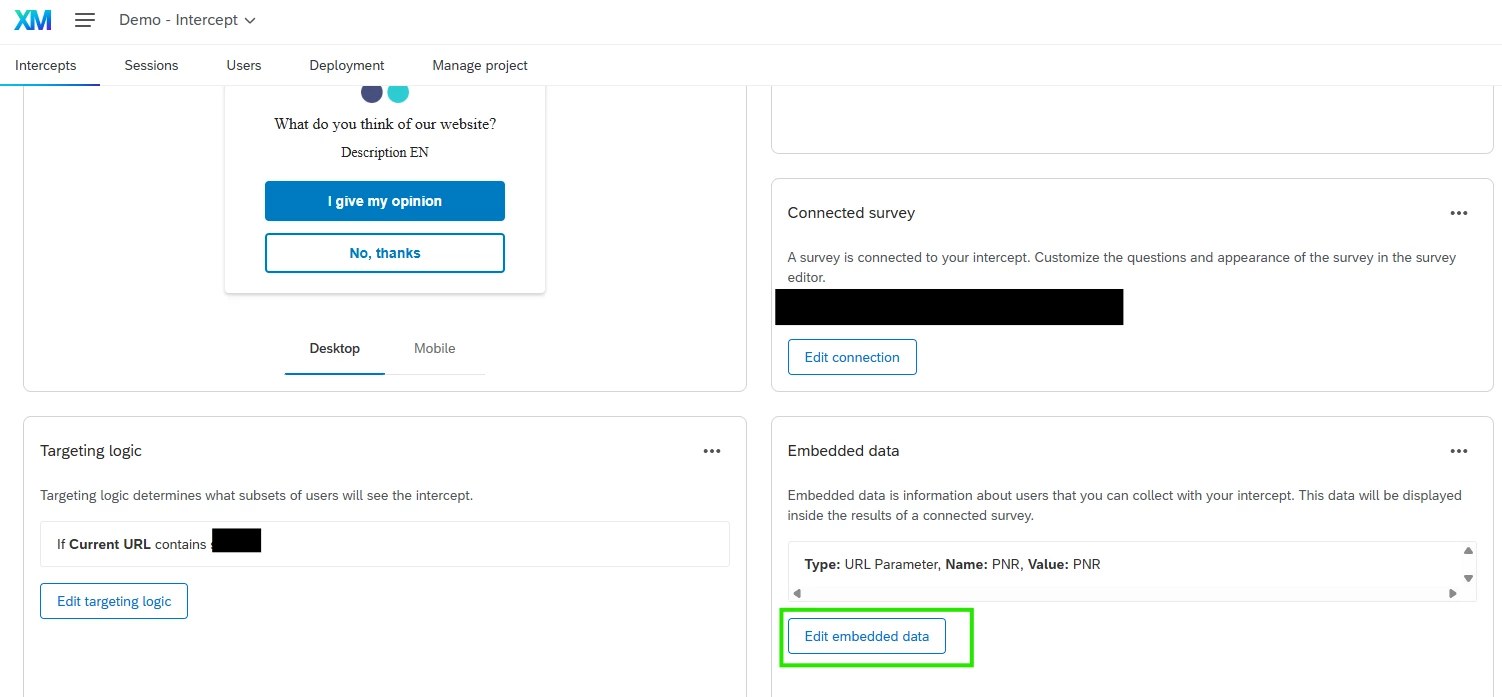
Use URL Parameter in your intercept ED instead of Current Page URL(Value is the name of the argument in your URL, and Name is the name of the ED you need to add at the beginning of your survey flow).


4 replies

vgayraud
QPN Level 6 ●●●●●●
Forum|alt.badge.img+59
  • QPN Level 6 ●●●●●●
  • Answer
  • November 17, 2025

Hi,

Use URL Parameter in your intercept ED instead of Current Page URL(Value is the name of the argument in your URL, and Name is the name of the ED you need to add at the beginning of your survey flow).


Forum|alt.badge.img+1
  • Author
  • November 17, 2025

Hey Vincent, thanks so much for this suggestion! I can’t believe neither our implementation partner nor Qualtrics support suggested this….

This seems to work!

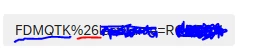
It caused another small issue (I only want the first part of the parameter, but it adds another part with ‘%26’ that is present sometimes ) 

Technically I only want the part that is underlined, not what follows, so if you happen to have any advice for this, please let me know. 


However, this is already great, so thank you VERY MUCH! 


vgayraud
QPN Level 6 ●●●●●●
Forum|alt.badge.img+59
  • QPN Level 6 ●●●●●●
  • November 18, 2025

Hi ​@Linda S. 

I’m not too sure why it would appear. “%26” corresponds to the URL-Encoded “&”, that is normally used when you don’t want it to be a parameter separator.

Example:

https://example.com?food=meal&category=fish&chips&price=10

would give these parameters:

food = meal
category = fish
chips = (empty)
price = 10

and

https://example.com?food=meal&category=fish%26chips&price=10

would give those:

food = meal
category = fish&chips
price = 10

I’ve never seen it be captured by the URL Parameter ED in a web intercept.


Another route you could try would be to capture the Current Page URL as you did at first, and then parse and store it with custom javascript in your survey’s first question.

Something like this:

Qualtrics.SurveyEngine.addOnReady(function () {

let currentURL = '${e://Field/__js_currentPageURL}';
let params = new URLSearchParams(currentURL);
let parsedPNR = params.get('PNR');
Qualtrics.SurveyEngine.setJSEmbeddedData('parsedPNR', parsedPNR);

});


Forum|alt.badge.img+1
  • Author
  • November 18, 2025

Hi ​@Linda S. 

I’m not too sure why it would appear. “%26” corresponds to the URL-Encoded “&”, that is normally used when you don’t want it to be a parameter separator.

Example:

https://example.com?food=meal&category=fish&chips&price=10

would give these parameters:

food = meal
category = fish
chips = (empty)
price = 10

and

https://example.com?food=meal&category=fish%26chips&price=10

would give those:

food = meal
category = fish&chips
price = 10

I’ve never seen it be captured by the URL Parameter ED in a web intercept.


Another route you could try would be to capture the Current Page URL as you did at first, and then parse and store it with custom javascript in your survey’s first question.

Something like this:

Qualtrics.SurveyEngine.addOnReady(function () {

let currentURL = '${e://Field/__js_currentPageURL}';
let params = new URLSearchParams(currentURL);
let parsedPNR = params.get('PNR');
Qualtrics.SurveyEngine.setJSEmbeddedData('parsedPNR', parsedPNR);

});


Thank you for the explanation and the code - I was looking for something just like this. Much appreciated!