

Multiple choice question - Auto fill question when only 1 answer has been selected in previous ones | Experience Community
Skip to main content

Multiple choice question - Auto fill question when only 1 answer has been selected in previous ones

  • May 21, 2026
  • 3 replies
  • 31 views

VictorAV
Level 3 ●●●
Forum|alt.badge.img+6

Hey Qualtrics team! 👋

I have a question you may help us! 🤞

We work with Qualtrics with a 'brand tracker' survey. And we have the common brand funnel metrics questions:
- aidedBrandAwareness (multi answer)
- Consideration (multi answer) > carry-forward choices from aidedBrandAwareness question
- FirstChoice (single choice) > carry-forward choices from Consideration question

I would like to improve the survey workflow so for the situation where in the aidedbrandAwareness or Consideration question only 1 brand is selected, then the next ones are automatically fulfilled without asking to customers.

For instance, If I select only 1 brand in aidedbrandAwareness question, then Consideration and FirstChoice are automatically answered by being fulfilled with this brand and not shown to respondent. Or a similar situation when only 1 brand is selected in the Consideration question so the FirstChoice can be automatically fulfilled. 

What we try to do is avoiding respondents clicking on the only brand they have been selected and reduce survey fatigue, it’s a way to improve the survey experience. 

How can it be implemented?

Thanks!

3 replies

TomG
Level 8 ●●●●●●●●
Forum|alt.badge.img+27
  • Level 8 ●●●●●●●●
  • May 21, 2026

Here is some JS that will do it if you are NOT using New Experience. It looks to see if the MC question has a single choice and if so, selects it and hides the question. Then, if it is the only question on the page it automatically advances to the next page.

Qualtrics.SurveyEngine.addOnReady(function() {
//Autoselect single MC choice and hide question. If only question on page, go to next page.
var q = jQuery("#"+this.questionId);
if(q.find('input[type=radio]').length == 1) {
var oneQ = false;
if(jQuery('.QuestionOuter').length == 1) {
oneQ = true;
jQuery('.Skin').hide();
}
else {
q.hide();
if(this.questionId == jQuery('.QuestionOuter:first').attr('id')) q.next('.Separator').hide();
else q.prev('.Separator').hide();
}
q.find('input[type=radio]').click();
if(oneQ) jQuery('#NextButton').click();
}
});

If you are interested, I have a function that works with MC and other question types, supports New Experience, and has additional functionality. Details here


VictorAV
Level 3 ●●●
Forum|alt.badge.img+6
  • Author
  • Level 3 ●●●
  • May 25, 2026

Thanks ​@TomG! As the new survey experience will be automatically enable for all surveys since next 3rd June, I’m going to try your solution to ‘New Experience’. 


VictorAV
Level 3 ●●●
Forum|alt.badge.img+6
  • Author
  • Level 3 ●●●
  • May 25, 2026

Hey ​@TomG, I’ve tried to implement your changes but it does not work as expected. As a reminder, I’d like to include this automated flow in the following funnel questions:

  1. aidedBrandAwareness (multi answer)
  2. Consideration (multi answer) > carry-forward choices from aidedBrandAwareness question
  3. FirstChoice (single choice) > carry-forward choices from Consideration question

Here below I’ve detailed to you how code has been implemented in the different sections. I guess I’m doing something wrong for not working properly as expected:

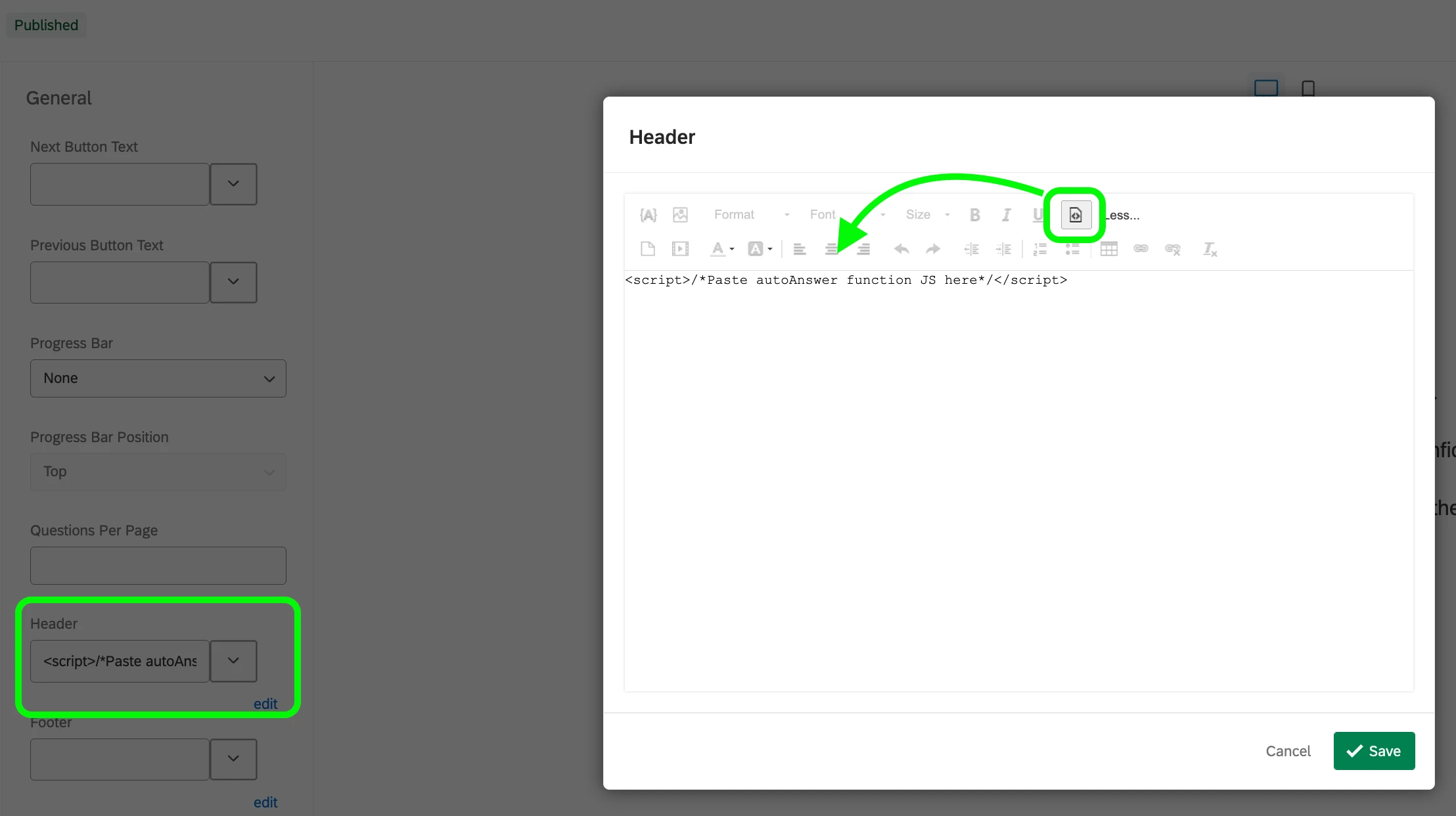
  • Include the general instruction in the ‘header’ for the ‘Look & Feel’  menu:

<script>/*Paste autoAnswer function JS here*/</script>

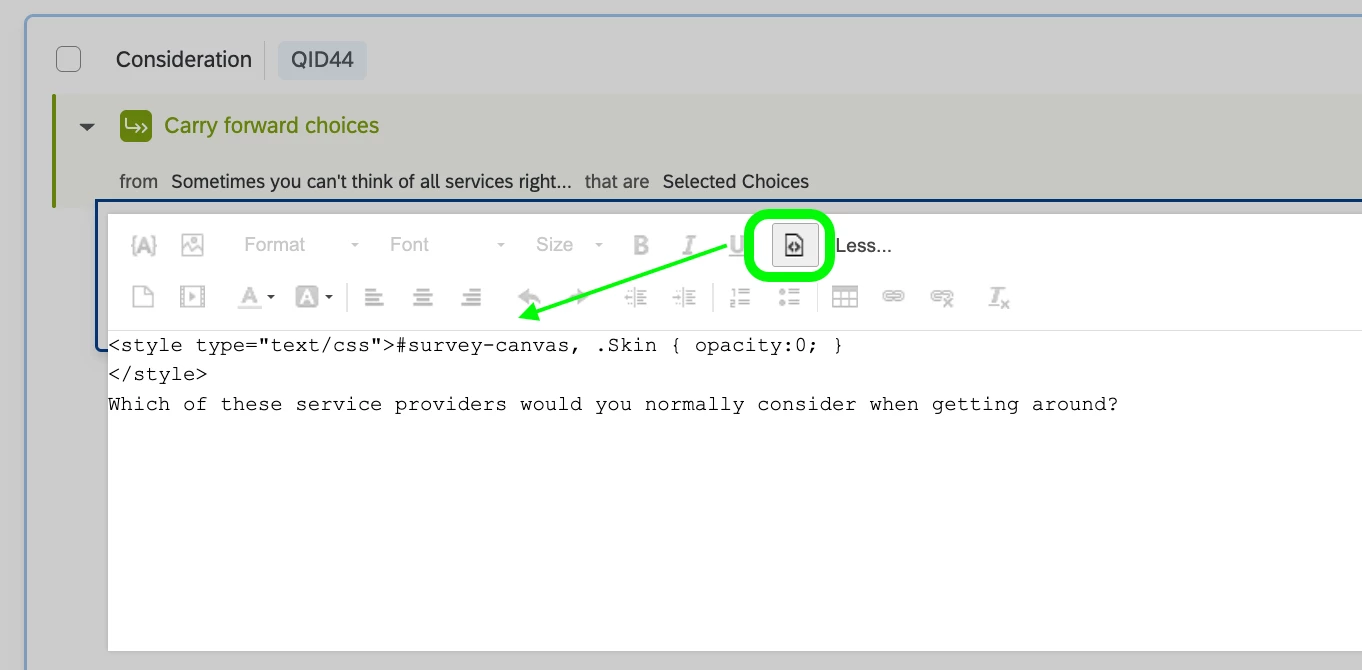
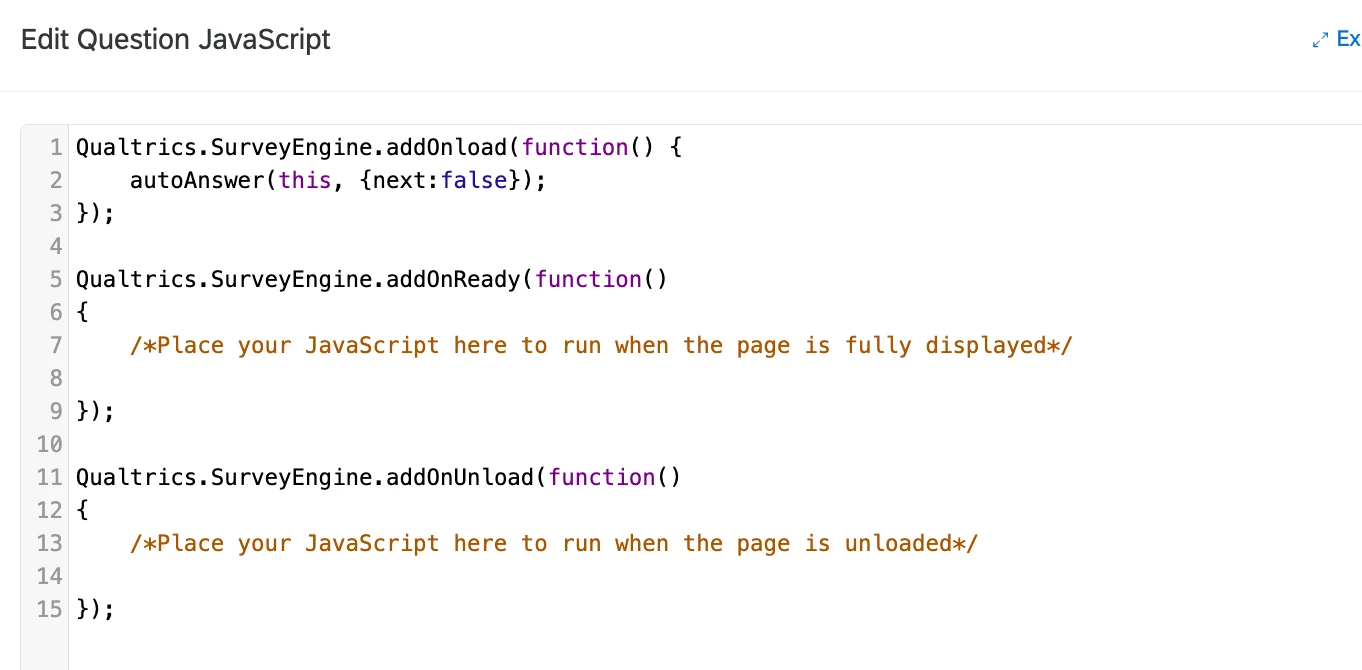
  • Include the code for the 2nd question (‘Consideration’) and the 3rd question (First Choice’) and JavaScript Function Call. These 2 codes below have been included for the 2nd and the 3rd question of the funnel, but not the 1st one (aided Brand Awareness)

<style>#survey-canvas, .Skin { opacity:0; }</style>

Qualtrics.SurveyEngine.addOnload(function() {
    autoAnswer(this, {next:false});    
});

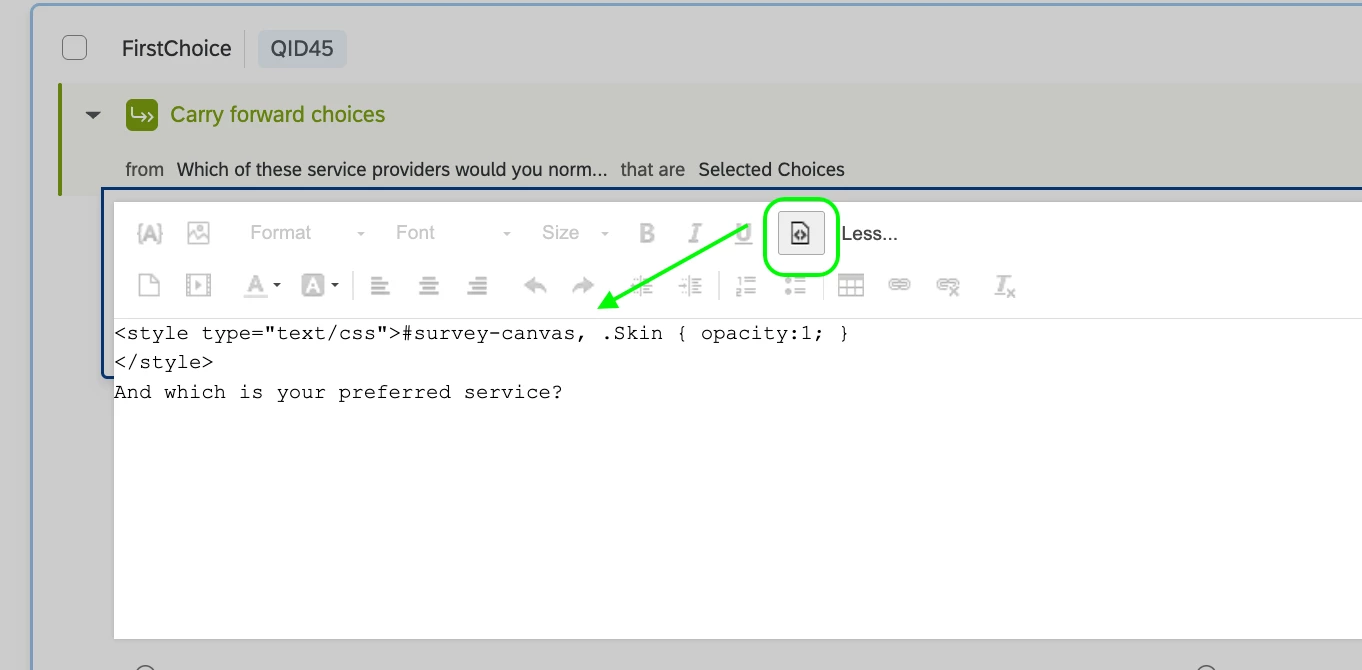
  • Include the code for the last question of the funnel, the 3rd question (‘First Choice’).

<style>#survey-canvas, .Skin { opacity:1; }</style>


Thanks for your feedback!