CX Dashboard: Compare user's data restricted results vs global results | Experience Community
Skip to main content
Question

CX Dashboard: Compare user's data restricted results vs global results

  • February 18, 2026
  • 2 replies
  • 21 views

Forum|alt.badge.img+8

I have a CX dashboard where we are using data restrictions to limit what records users can view from the full survey response dataset. They mostly should only be seeing results from their own customers’ data. However, we would like them to be able to compare their results to the overall company/global results within the same page.

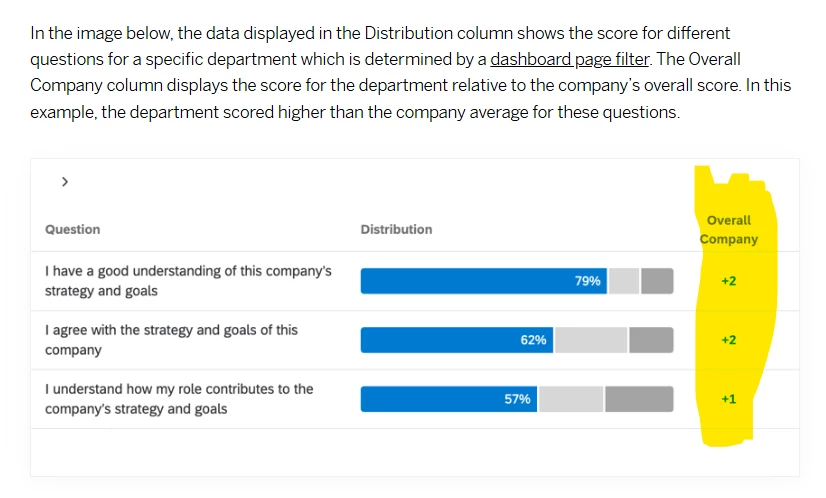
In EX dashboards this can be enabled with Comparisons that allow for filtered data comparisons that show results for the whole company or for your org hierarchy leader for example. In CX dashboards, we do not have the same available Comparisons feature.

The only way I am seeing to do this would be to setup Custom Metrics that are set to a value equal to the value for the whole company. We would need to get the note down the value for each survey question and then configure a separate custom metric for every question with these static values. These custom metrics could then be displayed in the dashboard.

Has anyone else had this issue before or found a workaround to display comparisons while using role-based data restrictions?


2 replies

vgayraud
QPN Level 7 ●●●●●●●
Forum|alt.badge.img+61
  • QPN Level 7 ●●●●●●●
  • February 19, 2026

Hi,

Not sure if I understand your issue correctly, but checking the “allow rollup data” in the role should allow you to display aggregate results for the while company while still limiting individual records to the data restricted setting.


Forum|alt.badge.img+8
  • Author
  • QPN Level 4 ●●●●
  • February 19, 2026

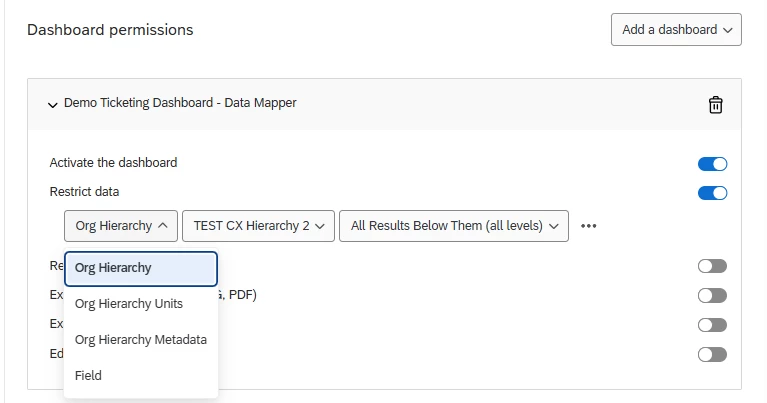
Hi ​@vgayraud - Thanks so much for the reply. This was very helpful to investigate, but it seems to not work for org hierarchy data restrictions. If we were doing data restrictions based on a “Field” restrictions (ie, only show data where records match user’s attribute), then I think the “Allow rollup data” option could work for us. See below when the Org Hierarchy filter type is selected, that toggle does not display.


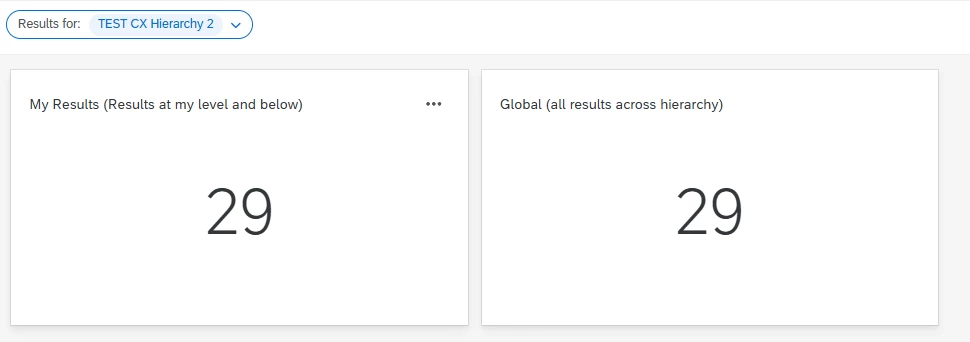
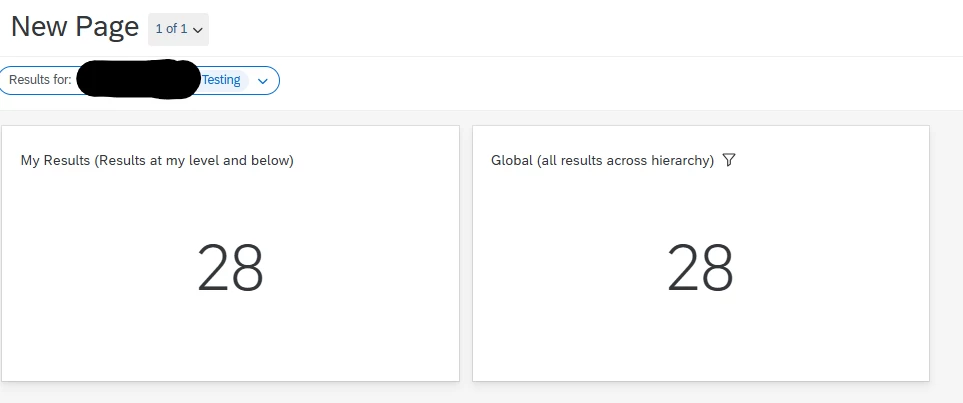
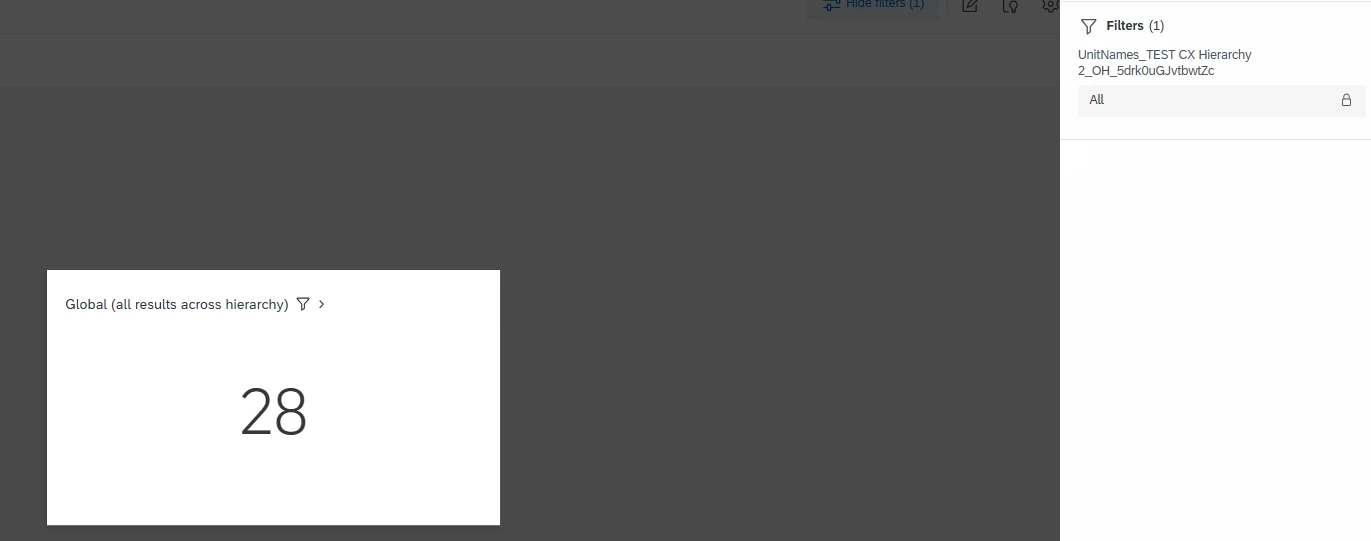
What we are trying to enable is something like the mockup below. We would like to have two widgets side by side, that allow for comparisons between the active dashboard viewer’s results (which are determined by their location in the hierarchy) vs the overall company’s results (all results across the hierarchy including above them). The “Global” results widget should be locked to the global results while the “My Results” widget should update to reflect whoever in my org hierarchy (units myself and below) I select in the filter. I tried adding a locked filter to the Global widget to show all unit names, but the data in the Global widget still updates when changing to a sub-unit in the hierarchy. I would want it to not change and continue to show all results from the hierarchy.


This seems to only be possible via inserting screenshots of the global results or creating a separate dashboard with the hierarchy filter disabled. In EX dashboards, we can create comparisons to accomplish this as shown below.