
Solved
How to fix Map View Country name


 +27
+27Dear,
In our survey, we have used the "List of Countries" question from the Qualtrics Template Library in the Demographics section.
This template country list has "United States of America" and "United Kingdom of Great Britain and Northern Ireland" among its values.
Those values are not supported by the Map View widget in CX Dashboards apparently.
https://www.qualtrics.com/support/vocalize/widgets/other-widgets/map-view-widget/#FieldTypeCompatibility
_"The United States of America must always be written as United States
United Kingdom cannot be abbreviated as UK"_
So I tried to Recode Values in the Survey to "United Kingdom".
In Data&Analysis this value now shows.
But the Map View widget still refuses to accept it.
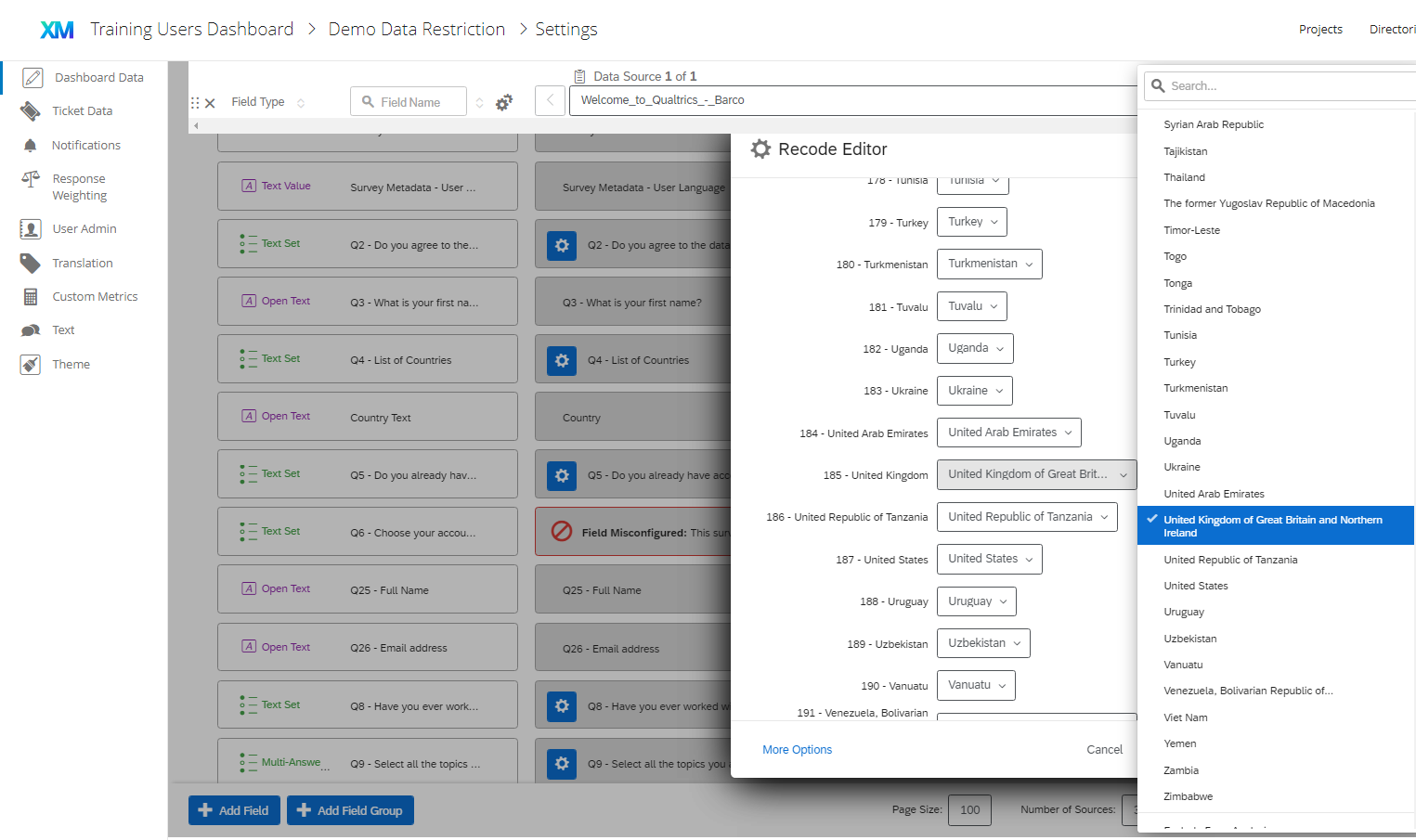
In the Dashboard Data, on the Country field, in the Recode Editor, it now shows:
185 - United Kingdom [United Kingdom of Great Britain and Northern Ireland]
between [] is a dropdown list. In this dropdown list there's still the long name. The short name doesn't show up.
How can I fix the widget?
(and why does the Qualtrics Template question have these values while its dashboards won't accept it...)
Kr
Joyca
Best answer by ChristianB
Hi JoycaV ! If you have not yet already, I’d recommend reviewing this support page on Recoding Dashboard Fields to help you get started. It may also be useful to try recoding to the ISO ALPHA-3 codes if the country names are still causing problems. If you still have questions after reviewing the linked support pages, you'll want to reach out to the Support team, as they are best equipped to help answer questions and provide support! :)


Enter your E-mail address. We'll send you an e-mail with instructions to reset your password.