Hi all,
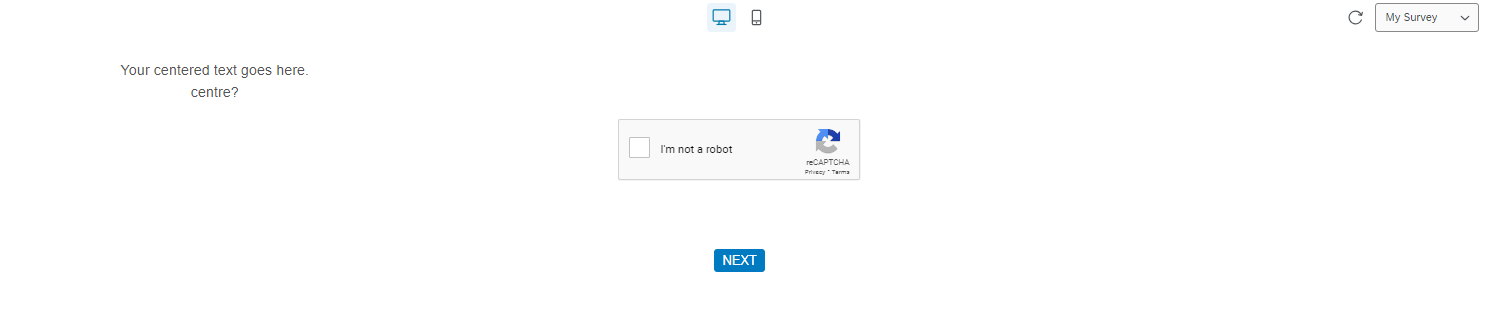
I want to use the Classic layout for space reasons. But when I use classic layout, centred text doesn’t display in the centre of the screen, but on the left.
All help appreciated :)

Hi all,
I want to use the Classic layout for space reasons. But when I use classic layout, centred text doesn’t display in the centre of the screen, but on the left.
All help appreciated :)
Best answer by Tom_1842
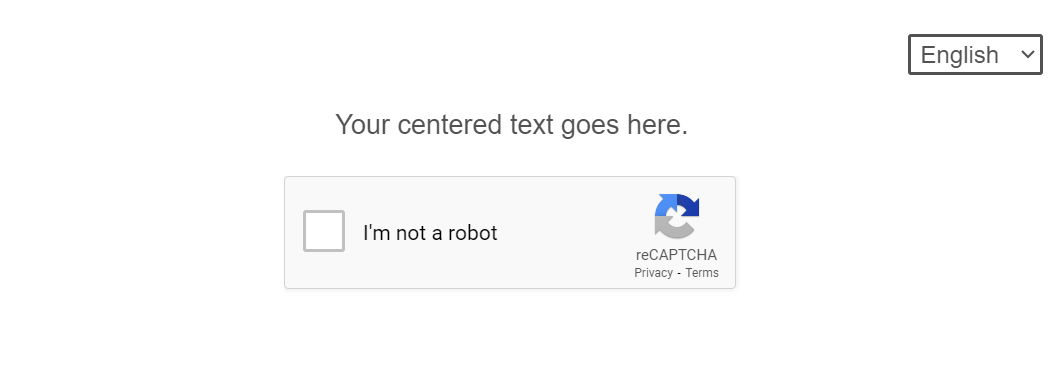
When previewing the survey through the Look & Feel, an !important is required for the centering to take. When previewing the survey through a Preview link, the centering worked without an !important. While it doesn’t look like the !important is needed for the live survey, I don't think it would hurt to have either. Try:
.Skin .Captcha label.QuestionText {
    width: 100% !important;
    text-align: -webkit-center;
}
Already have an account? Login

Welcome! To join the Qualtrics Experience Community, log in with your existing Qualtrics credentials below.
Confirm your username, share a bit about yourself, Once your account has been approved by our admins then you're ready to explore and connect .
Free trial account? No problem. Log in with your trial credentials to join. No free trial account? No problem! Register here
Already a member? Hi and welcome back! We're glad you're here 🙂
You will see the Qualtrics login page briefly before being taken to the Experience Community
Welcome! To join the Qualtrics Experience Community, log in with your existing Qualtrics credentials below.
Confirm your username, share a bit about yourself, Once your account has been approved by our admins then you're ready to explore and connect .
Free trial account? No problem. Log in with your trial credentials to join. No free trial account? No problem! Register here
Already a member? Hi and welcome back! We're glad you're here 🙂
You will see the Qualtrics login page briefly before being taken to the Experience Community
Enter your E-mail address. We'll send you an e-mail with instructions to reset your password.