Embedded data not showing in Library Email | Experience Community
Skip to main content
Question

Embedded data not showing in Library Email

  • April 28, 2026
  • 1 reply
  • 11 views

Forum|alt.badge.img

Hi All,


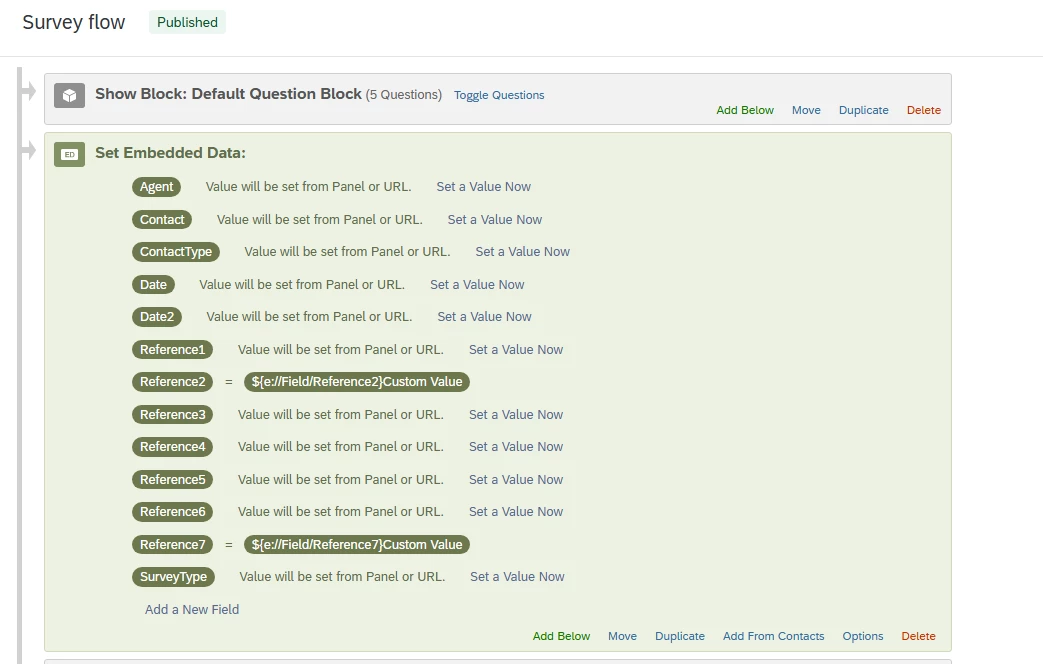
I (think) I have set embedded data from fields that are being imported Qualtrics, and I am trying to pull that information into the Library. The outcome is that I want the email to pipe in the subject of their enquiry with us so Customers know why they are getting the survey. 


I cant seem to see any embedded data fields when I go into the Library though:
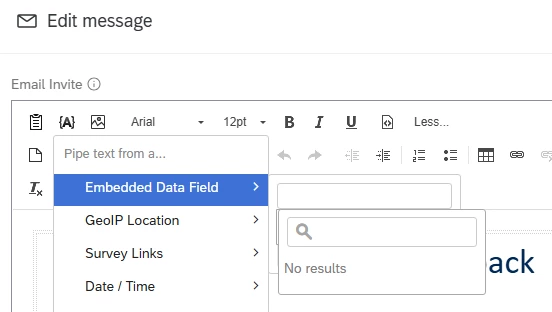
 

No embedded data available

Any help appreciated


Raechel

1 reply

Forum|alt.badge.img+26

Hi ​@Raechel ,

Usually, message in library is for a template because they are not linked to contact or survey projects.


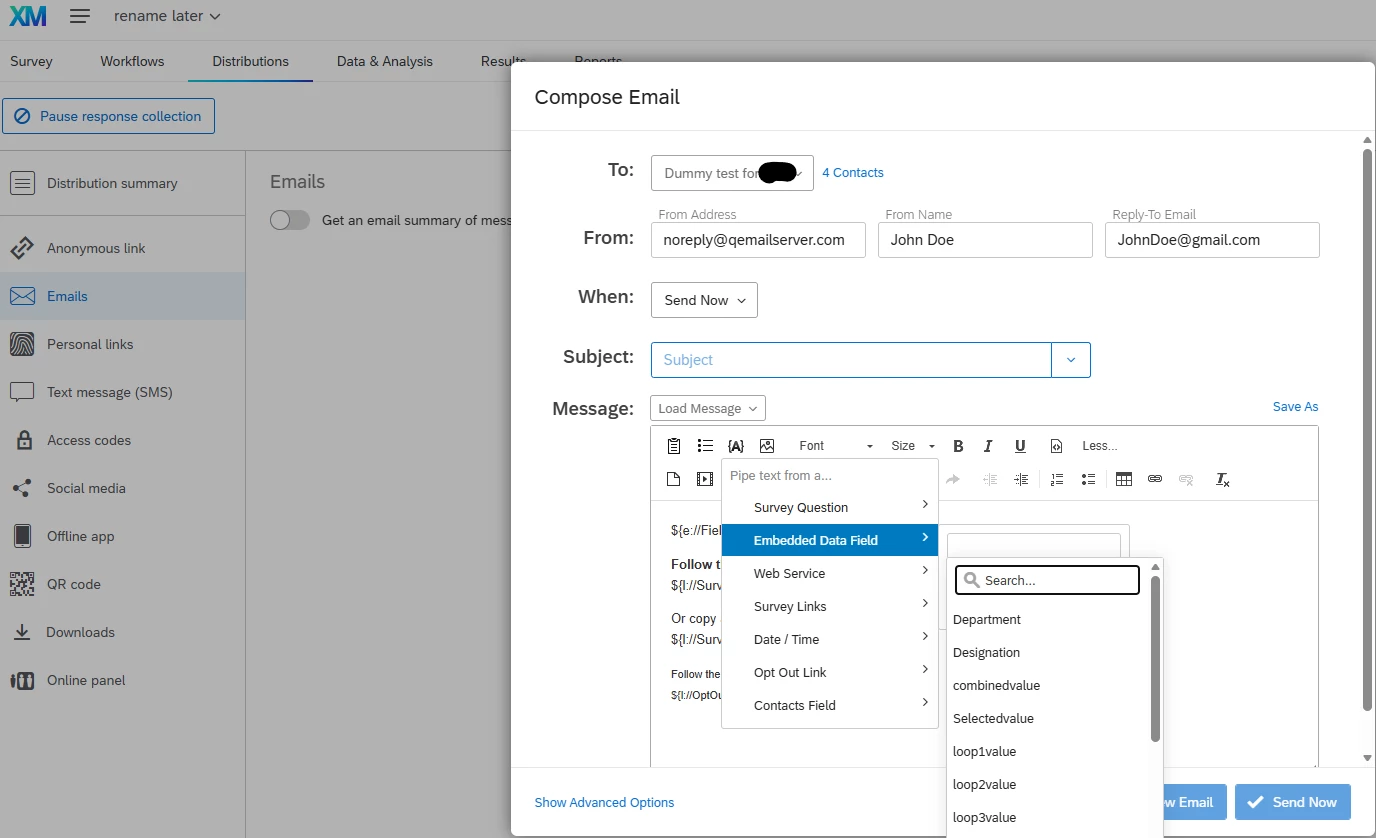
Assuming you have the data as embedded data within the contact list and added the embedded data element in the survey flow, you can go to the survey project’s distribution tab to compose email to pipe in the embedded data within the invitation.

For illustration only


Note: You can click on the ‘Save As’ to save this invitation message in the compose email, then you will be able to see it in the Library. However, I am not sure if another survey project can display the same message with the piped text, even if embedded data used in the other survey project are the same.


Hope this helps.