

I have three thumbnails that will display a full-size version of the images when clicked. What I want to do is force the respondent to see the 3 full-size versions of the images before advancing to the next question. Is this possible? They are currently set up as a Text/Graphic question type.

Solved
Force respondent to click all 3 thumbnails before advancing
Best answer by kgillis
on the question go into rich content editor then html source. wrap each thumbnail link with Wrap each thumbnail link with class="lightbox-img" and data-img="1" (2, 3 for the others)
Then add the below JS to the question:
Qualtrics.SurveyEngine.addOnload(function() {
var viewed = {};
var totalImages = 3;
var nextBtn = document.getElementById('NextButton');
// Disable Next button initially
nextBtn.disabled = true;
nextBtn.style.opacity = '0.4';
nextBtn.title = 'Please view all images before continuing.';
// Add status message above Next button
var msg = document.createElement('p');
msg.id = 'img-status';
msg.style.color = '#c0392b';
msg.style.fontWeight = 'bold';
msg.style.marginBottom = '10px';
msg.innerHTML = 'Please view all 3 images before continuing. (0 of 3 viewed)';
nextBtn.parentNode.insertBefore(msg, nextBtn);
function updateStatus() {
var count = Object.keys(viewed).length;
var statusMsg = document.getElementById('img-status');
if (count >= totalImages) {
statusMsg.style.color = '#27ae60';
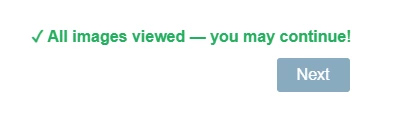
statusMsg.innerHTML = '✓ All images viewed — you may continue!';
nextBtn.disabled = false;
nextBtn.style.opacity = '1';
nextBtn.title = '';
} else {
statusMsg.innerHTML = 'Please view all 3 images before continuing. (' + count + ' of 3 viewed)';
}
}
// Attach click listeners to all lightbox links
var links = document.querySelectorAll('.lightbox-img');
links.forEach(function(link) {
link.addEventListener('click', function() {
var imgId = this.getAttribute('data-img');
viewed[imgId] = true;
updateStatus();
});
});
});





Sign up
Already have an account? Login

Welcome! To join the Qualtrics Experience Community, log in with your existing Qualtrics credentials below.
Confirm your username, share a bit about yourself, Once your account has been approved by our admins then you're ready to explore and connect .
Free trial account? No problem. Log in with your trial credentials to join.
No free trial account? No problem! Register here
Already a member? Hi and welcome back! We're glad you're here 🙂
You will see the Qualtrics login page briefly before being taken to the Experience Community.
Login with Qualtrics
Welcome! To join the Qualtrics Experience Community, log in with your existing Qualtrics credentials below.
Confirm your username, share a bit about yourself, Once your account has been approved by our admins then you're ready to explore and connect .
Free trial account? No problem. Log in with your trial credentials to join. No free trial account? No problem! Register here
Already a member? Hi and welcome back! We're glad you're here 🙂
You will see the Qualtrics login page briefly before being taken to the Experience Community.
Login to the Community
Welcome! To join the Qualtrics Experience Community, log in with your existing Qualtrics credentials below.
Confirm your username, share a bit about yourself, Once your account has been approved by our admins then you're ready to explore and connect .
Free trial account? No problem. Log in with your trial credentials to join.
No free trial account? No problem! Register here
Already a member? Hi and welcome back! We're glad you're here 🙂
You will see the Qualtrics login page briefly before being taken to the Experience Community.
Login with Qualtrics
Welcome! To join the Qualtrics Experience Community, log in with your existing Qualtrics credentials below.
Confirm your username, share a bit about yourself, Once your account has been approved by our admins then you're ready to explore and connect .
Free trial account? No problem. Log in with your trial credentials to join. No free trial account? No problem! Register here
Already a member? Hi and welcome back! We're glad you're here 🙂
You will see the Qualtrics login page briefly before being taken to the Experience Community.
Enter your E-mail address. We'll send you an e-mail with instructions to reset your password.