Hi,
I have 2 questions in the survey: one about birth year and the other about age group.
I want the age group category question to be pre-populated based on the birth year.
The age group choices are Boomer, Gen X, Millennials, and Gen Z. I do not want respondents to see the age group question, so I want to hide it.
But in the data, I need the answer values based on the birth year selected from the previous question.
Can we do it without using JavaScript? If not, help me with a JS code.

Solved
How to hide a question and preselect answer choice for it
 +1
+1Best answer by Prasad Bane
You can do this without JS-
Create normal open ended question for birth year. Then put the page break.
After that select a timer question and toggle Auto Advance switch. Keep Auto-advance after (seconds) as 0.01.
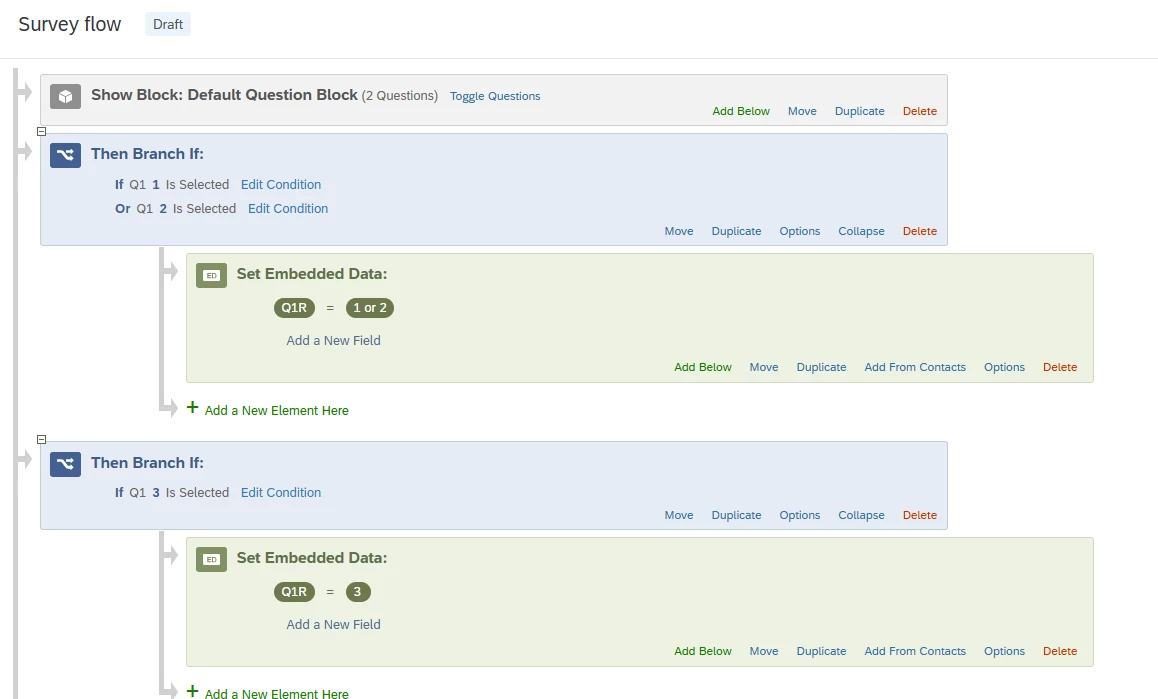
Then without page break create Age group question, make it multi choice and add your options. Then put necessary display logic on the option level. For example...Boomer will be displayed if respondent has enter the year greater than or equal to 1946 and less than equal to 1964. Then select default choices option for this question in left side pane. Attached Screen shots for clear reference.




Sign up
Already have an account? Login

Welcome! To join the Qualtrics Experience Community, log in with your existing Qualtrics credentials below.
Confirm your username, share a bit about yourself, then you're ready to explore and connect .
Free trial account? No problem. Log in with your trial credentials to join.
No free trial account? No problem! Register here
Already a member? Hi and welcome back! We're glad you're here 🙂
You will see the Qualtrics login page briefly before being taken to the Experience Community.
Login with Qualtrics
Welcome! To join the Qualtrics Experience Community, log in with your existing Qualtrics credentials below.
Confirm your username, share a bit about yourself, then you're ready to explore and connect .
Free trial account? No problem. Log in with your trial credentials to join. No free trial account? No problem! Register here
Already a member? Hi and welcome back! We're glad you're here 🙂
You will see the Qualtrics login page briefly before being taken to the Experience Community.
Login to the Community
Welcome! To join the Qualtrics Experience Community, log in with your existing Qualtrics credentials below.
Confirm your username, share a bit about yourself, then you're ready to explore and connect .
Free trial account? No problem. Log in with your trial credentials to join.
No free trial account? No problem! Register here
Already a member? Hi and welcome back! We're glad you're here 🙂
You will see the Qualtrics login page briefly before being taken to the Experience Community.
Login with Qualtrics
Welcome! To join the Qualtrics Experience Community, log in with your existing Qualtrics credentials below.
Confirm your username, share a bit about yourself, then you're ready to explore and connect .
Free trial account? No problem. Log in with your trial credentials to join. No free trial account? No problem! Register here
Already a member? Hi and welcome back! We're glad you're here 🙂
You will see the Qualtrics login page briefly before being taken to the Experience Community.
Enter your E-mail address. We'll send you an e-mail with instructions to reset your password.