
I have a matrix table that I'm looping over, with some freeform entry answers at the end (Other 1: _________, Other 2: _______ etc)
Currently, in the looping questions, these are displayed without the text entered, e.g.: This is obviously not helpful, as the respondent will have no idea what "Other 1" is. Is there any way to include the actual text they entered as well?

Solved
Loop & Merge over freeform entry answers
Best answer by JeremyK
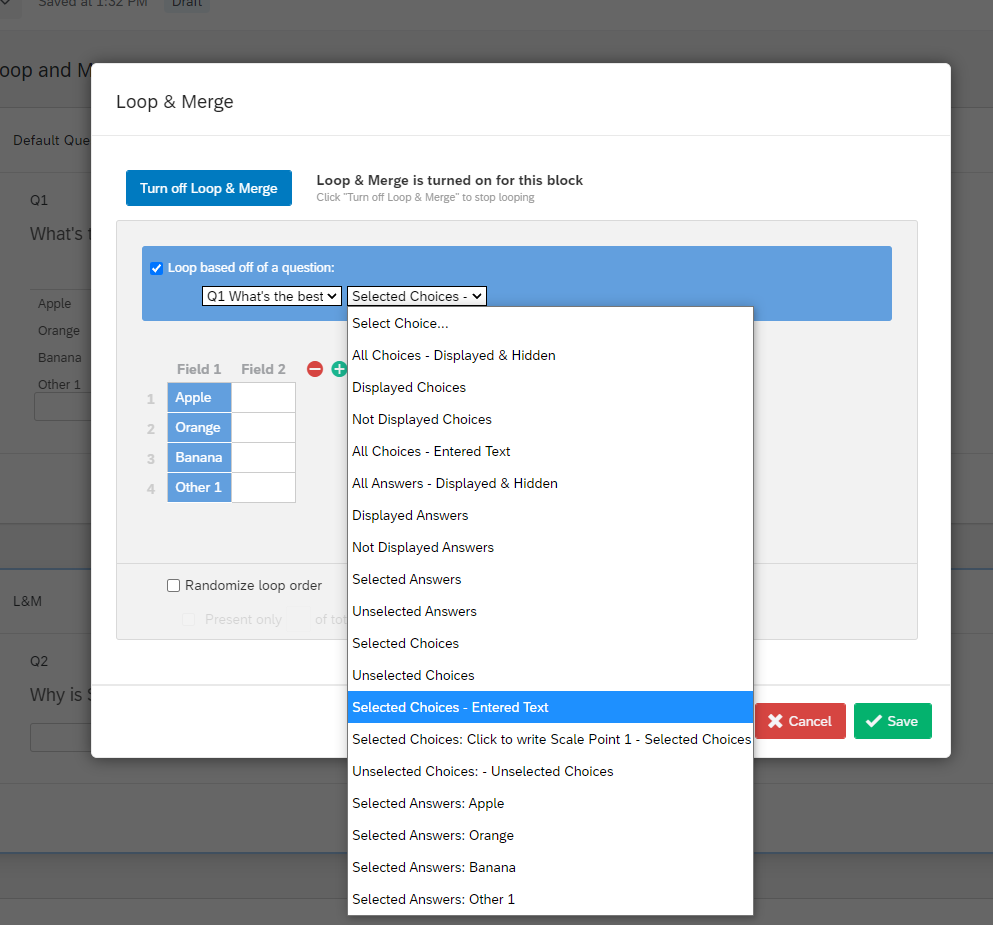
I actually am using a MT multi-answer, I only have 1 column :)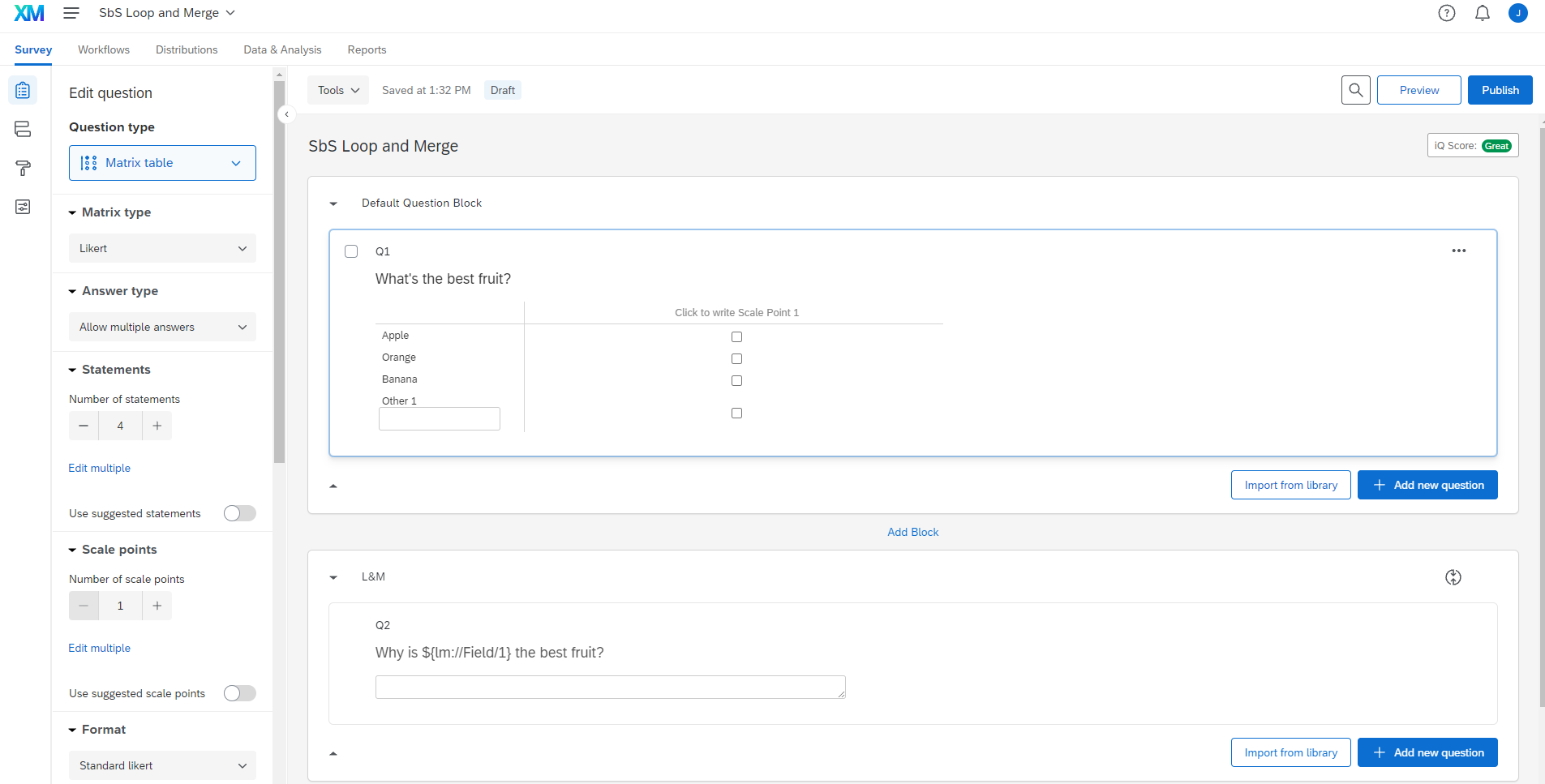 I am getting a better picture of what you're trying accomplish now, though. I added 3 more columns to my example for a more accurate solution and here is the best I could come up. I piped in the question text from the Other 1 Text (you'll need to add this for Other 2 as well) and added them as a second Field in The L&M Options. Then, I added in a hyphen and a space for readability:
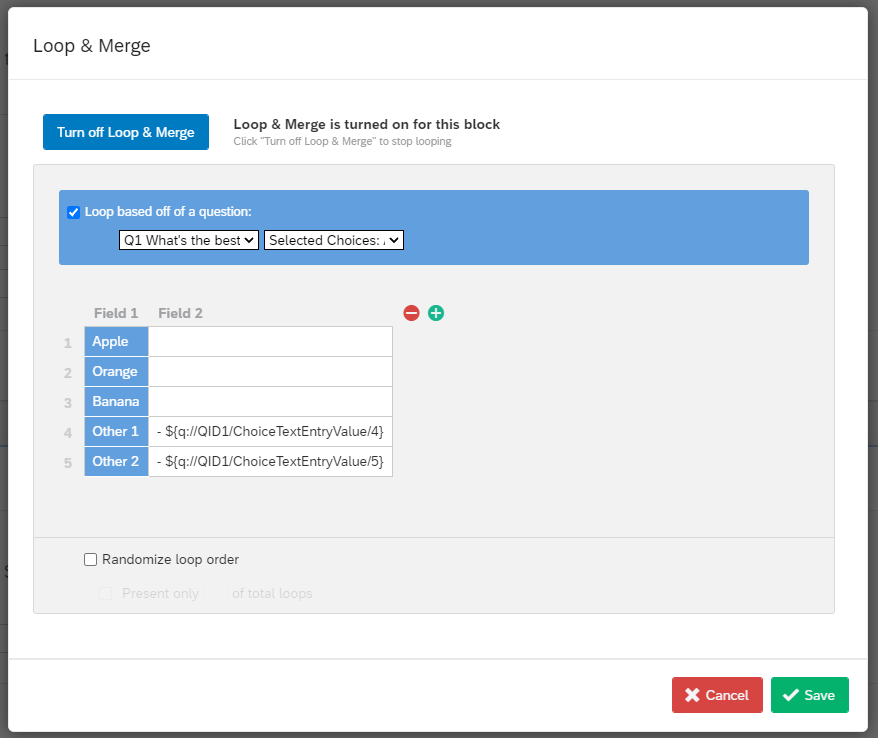 I then changed the Question text in the body of my question to include the second column of my L&M Options: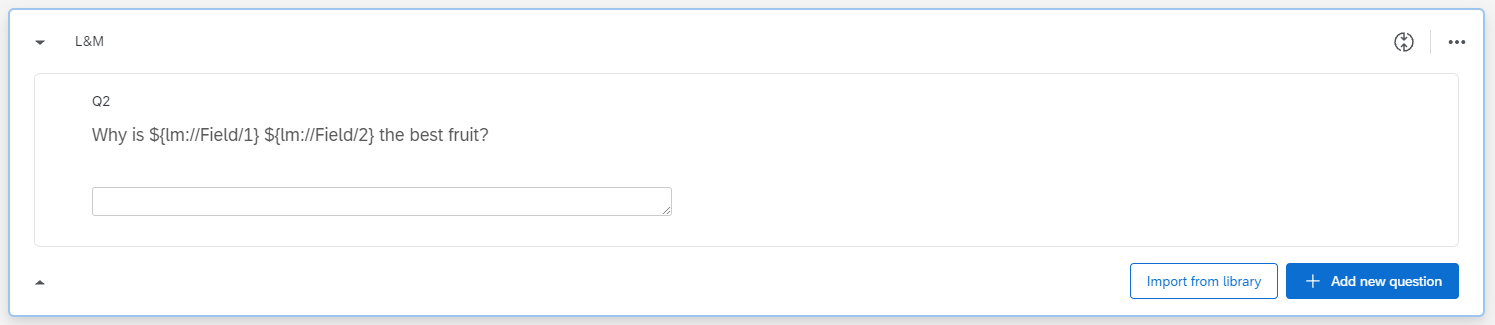
So the survey previews out like this: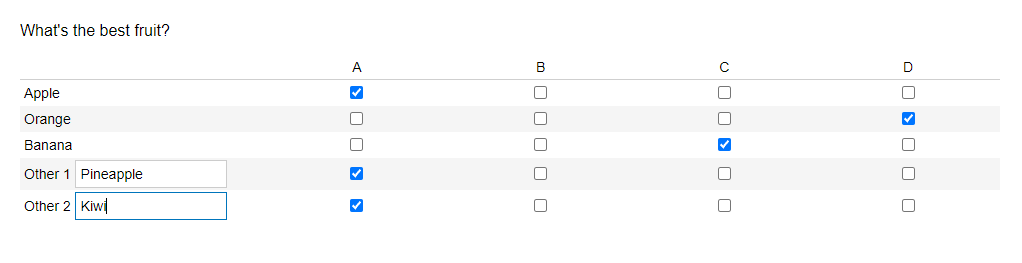


 If Field 2 is blank, no one's the wiser (cause the hyphen handling is done inside Field 2 itself rather than in the question text). if Field 2 exists, it displays to the user.
I apologize for misunderstanding your intentions at first. Coulda saved us a few messages. Let me know if that meets your standards.



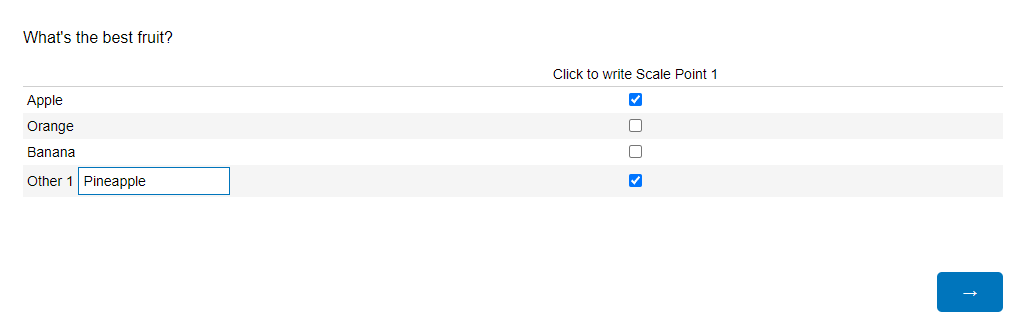
 Preliminary testing for me shows Apple but also Other 1's text entered:
 Loop 1
 See if that fits your needs!
Sign up
Already have an account? Login

Welcome! To join the Qualtrics Experience Community, log in with your existing Qualtrics credentials below.
Confirm your username, share a bit about yourself, Once your account has been approved by our admins then you're ready to explore and connect .
Free trial account? No problem. Log in with your trial credentials to join.
No free trial account? No problem! Register here
Already a member? Hi and welcome back! We're glad you're here 🙂
You will see the Qualtrics login page briefly before being taken to the Experience Community
Login with Qualtrics
Welcome! To join the Qualtrics Experience Community, log in with your existing Qualtrics credentials below.
Confirm your username, share a bit about yourself, Once your account has been approved by our admins then you're ready to explore and connect .
Free trial account? No problem. Log in with your trial credentials to join. No free trial account? No problem! Register here
Already a member? Hi and welcome back! We're glad you're here 🙂
You will see the Qualtrics login page briefly before being taken to the Experience Community
Login to the Community
Welcome! To join the Qualtrics Experience Community, log in with your existing Qualtrics credentials below.
Confirm your username, share a bit about yourself, Once your account has been approved by our admins then you're ready to explore and connect .
Free trial account? No problem. Log in with your trial credentials to join.
No free trial account? No problem! Register here
Already a member? Hi and welcome back! We're glad you're here 🙂
You will see the Qualtrics login page briefly before being taken to the Experience Community
Login with Qualtrics
Welcome! To join the Qualtrics Experience Community, log in with your existing Qualtrics credentials below.
Confirm your username, share a bit about yourself, Once your account has been approved by our admins then you're ready to explore and connect .
Free trial account? No problem. Log in with your trial credentials to join. No free trial account? No problem! Register here
Already a member? Hi and welcome back! We're glad you're here 🙂
You will see the Qualtrics login page briefly before being taken to the Experience Community
Enter your E-mail address. We'll send you an e-mail with instructions to reset your password.