Matrix question with text on both side and scales as Multi | Experience Community
Skip to main content
Question

Matrix question with text on both side and scales as Multi

  • February 2, 2026
  • 8 replies
  • 44 views

PeeyushBansal
Level 7 ●●●●●●●
Forum|alt.badge.img+47

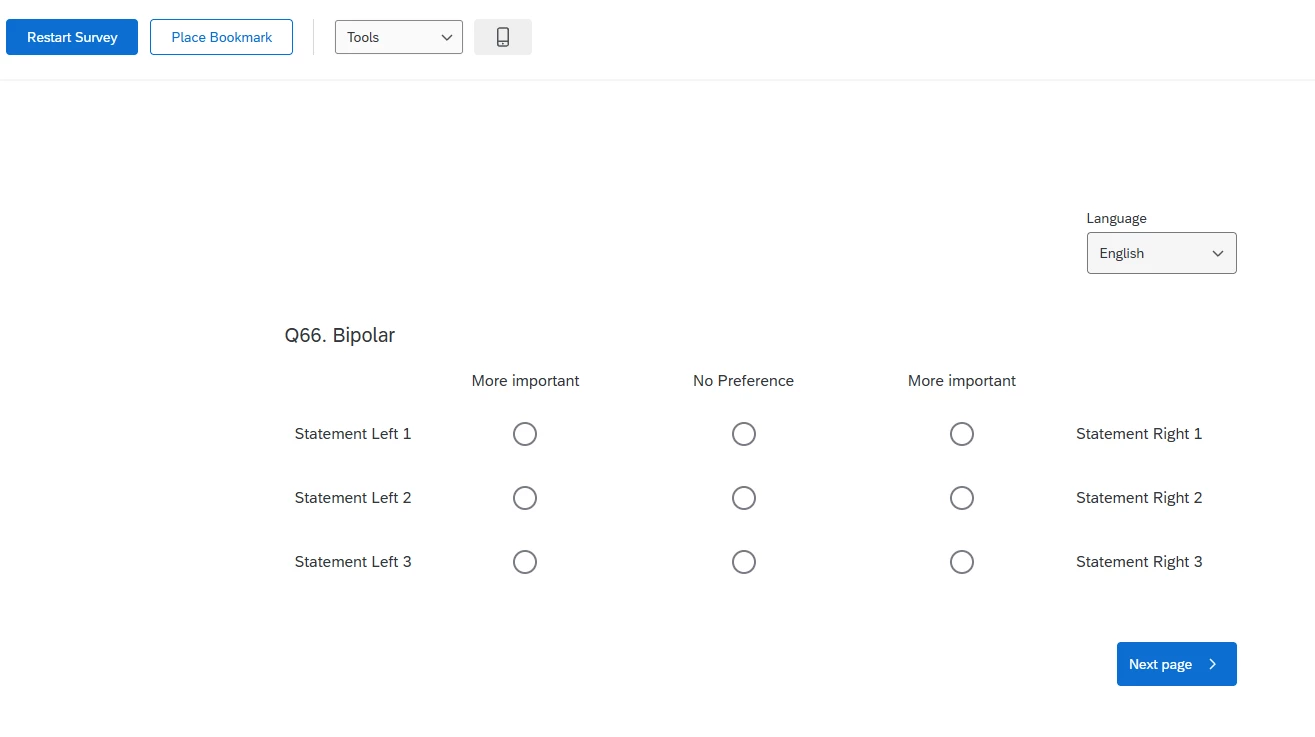
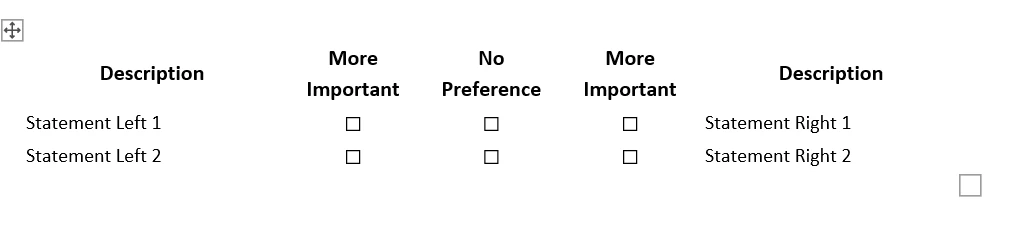
How can we make matrix like below, I checked bipolar but it does not looks like below:



8 replies

kgillis
Level 6 ●●●●●●
Forum|alt.badge.img+30
  • Level 6 ●●●●●●
  • February 3, 2026

Verifying here that the statements would be the same per line (statement left 1 = statement right 1)?


Forum|alt.badge.img+24

Verifying here that the statements would be the same per line (statement left 1 = statement right 1)?


I think the statements on the left and statement on the right are different and for respondents to compare.

For example, work-life balance (statement left) vs high salary (statement right), which is more important for respondent. 


PeeyushBansal
Level 7 ●●●●●●●
Forum|alt.badge.img+47
  • Author
  • Level 7 ●●●●●●●
  • February 4, 2026

Yes statement is on both side and are comparable like opposite of each other so user can select which have more weightage.


vgayraud
QPN Level 7 ●●●●●●●
Forum|alt.badge.img+61
  • QPN Level 7 ●●●●●●●
  • February 4, 2026

Hi ​@PeeyushBansal 

I’m not too sure I understand what you’re looking for, bipolar seems to be pretty much what you’re looking for no?


PeeyushBansal
Level 7 ●●●●●●●
Forum|alt.badge.img+47
  • Author
  • Level 7 ●●●●●●●
  • February 4, 2026

I want the scales to be multi select not radio.


vgayraud
QPN Level 7 ●●●●●●●
Forum|alt.badge.img+61
  • QPN Level 7 ●●●●●●●
  • February 4, 2026

Ah, I see. Yeah bipolar makes no sense in that case then, left and right cannot be both more important at the same time.


PeeyushBansal
Level 7 ●●●●●●●
Forum|alt.badge.img+47
  • Author
  • Level 7 ●●●●●●●
  • February 4, 2026

Yes I agree, is there any custom code we can use to make it looks like bipolar but with multi slect scales.


vgayraud
QPN Level 7 ●●●●●●●
Forum|alt.badge.img+61
  • QPN Level 7 ●●●●●●●
  • February 4, 2026

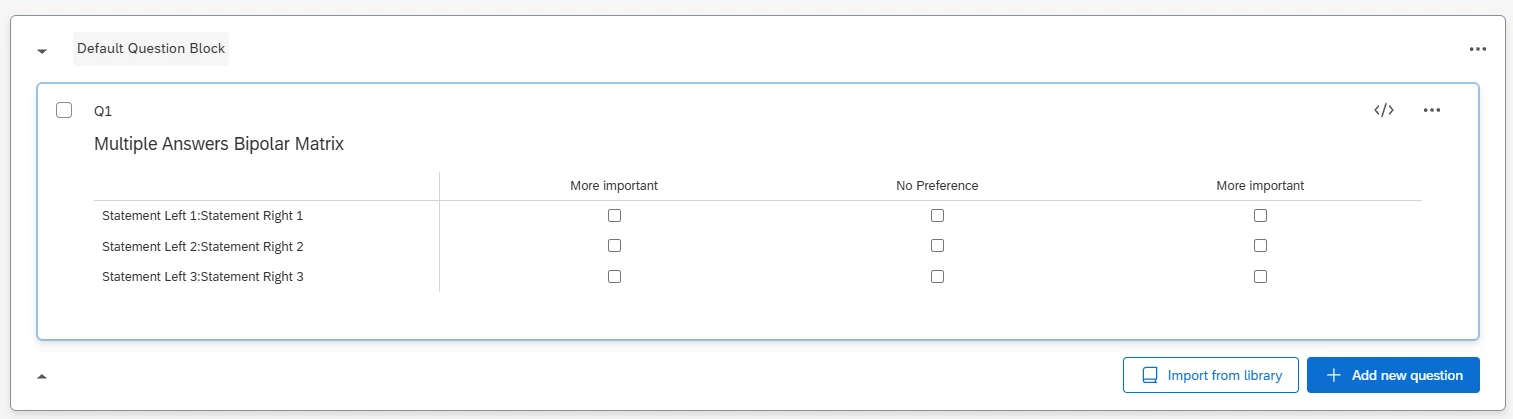
I would use a regular likert matrix question to provide a clean structure that integrates well with Qualtrics default grid behavior and validation logic.

- Define a separator (for example, a colon “:”) between the left pole and right pole of your statement to give the script a clear way to split the statement into two semantic halves.

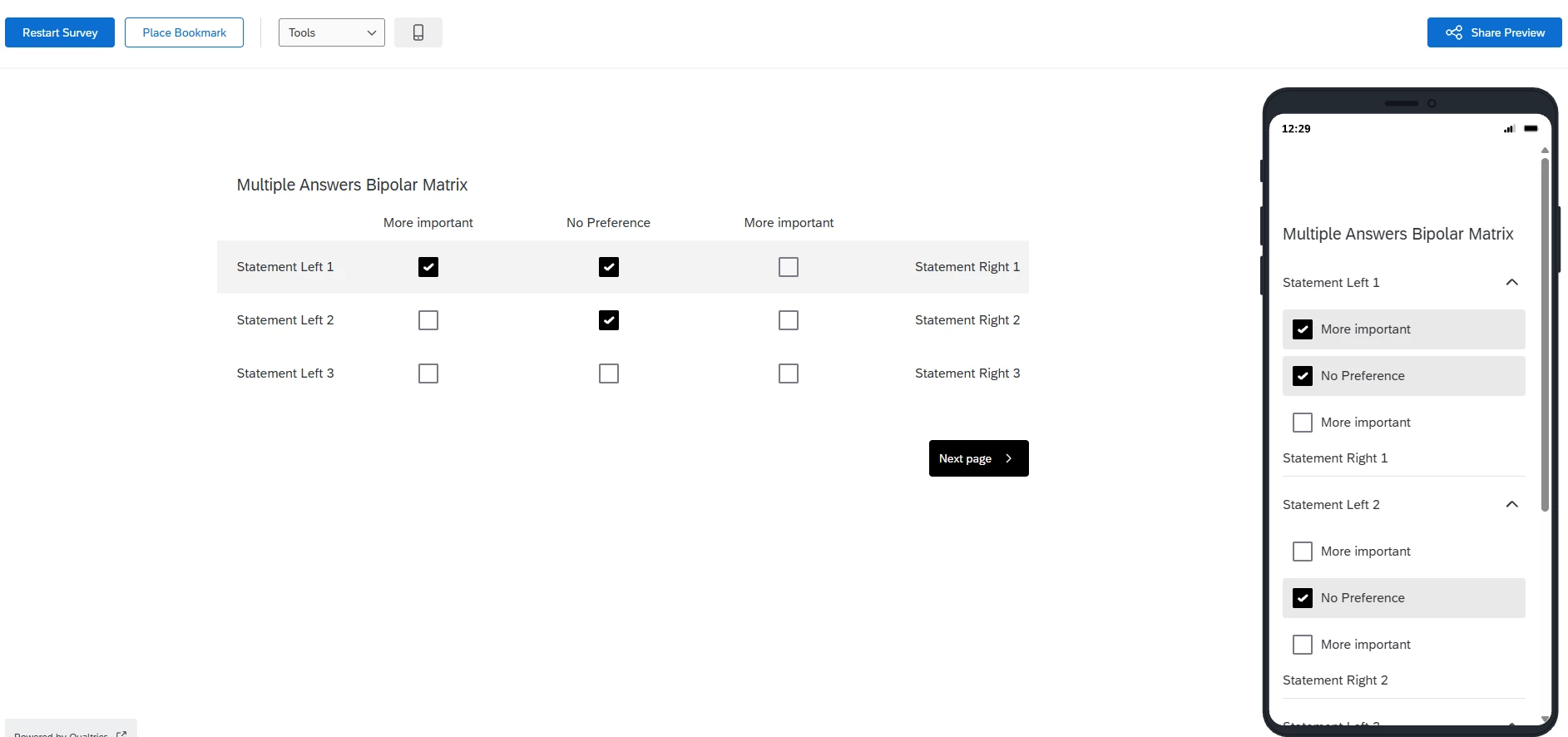
- Use JavaScript to restructure the layout for desktop (force the question container to use the right grid format, clone and reposition each label so that the left portion of the label appears at the left side and the right portion appears at the right side of the matrix).

- Adjust behavior for mobile accordion view (find each collapsible .foldout section and split the header text using the same separator, keep the left label visible at the top, insert a duplicate of the right-side label below the response options).

- Make changes responsive with a resize observer.