Hi,
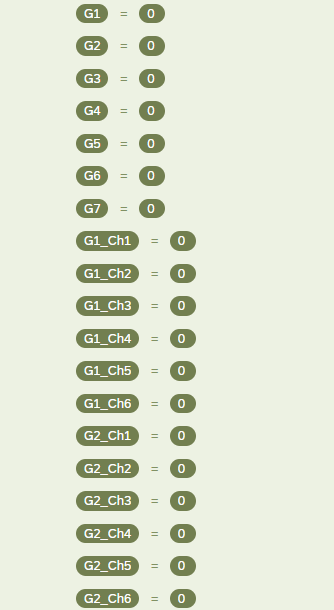
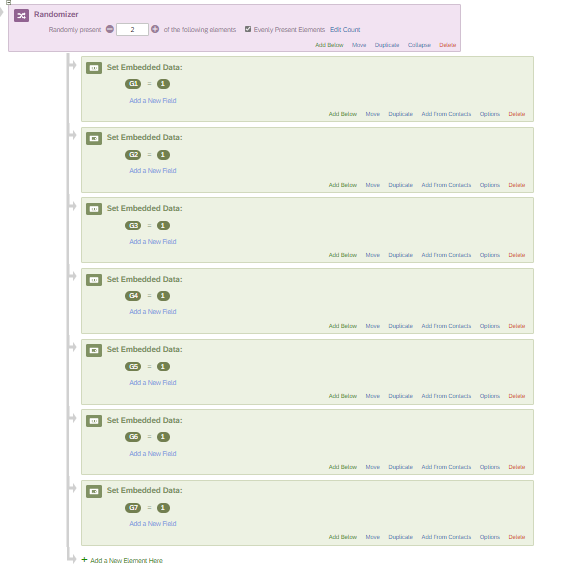
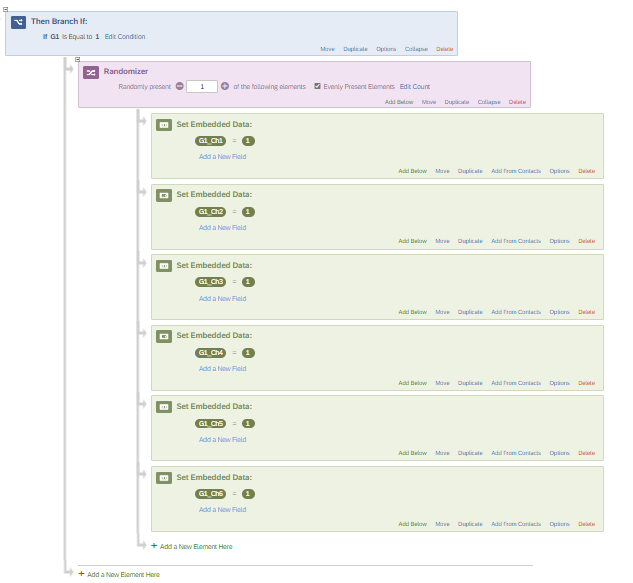
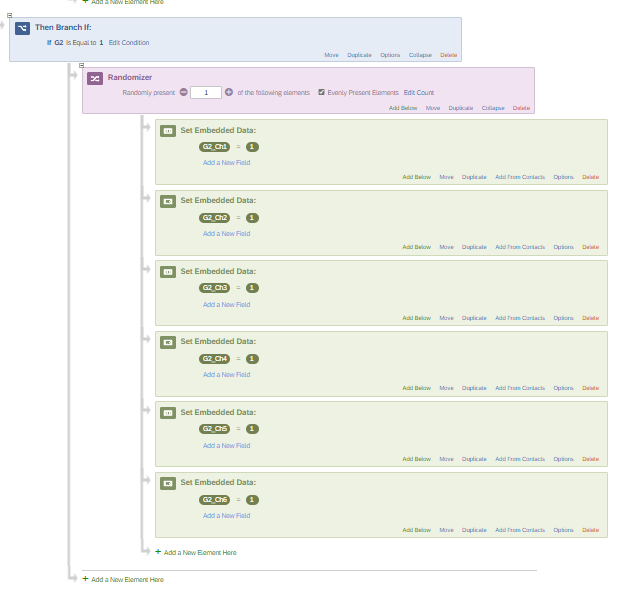
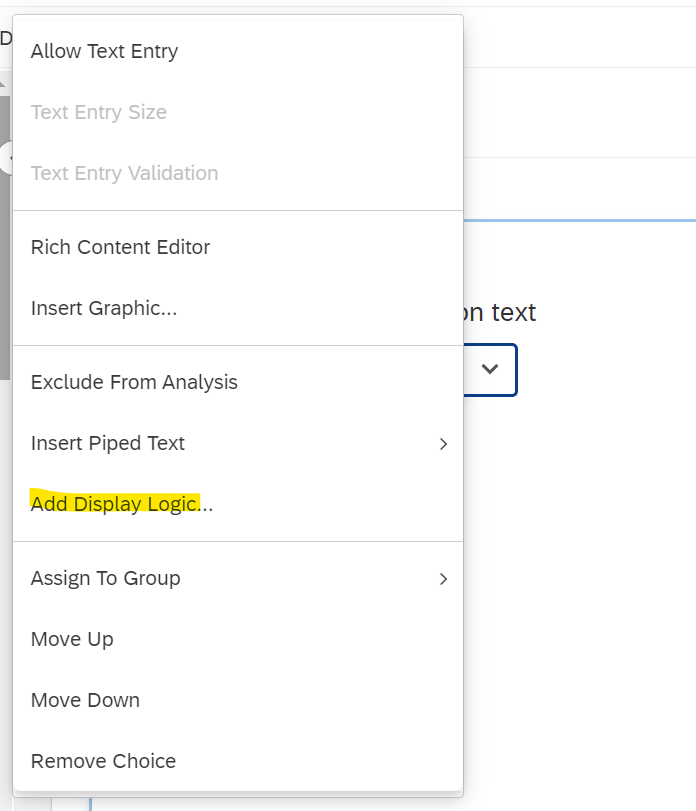
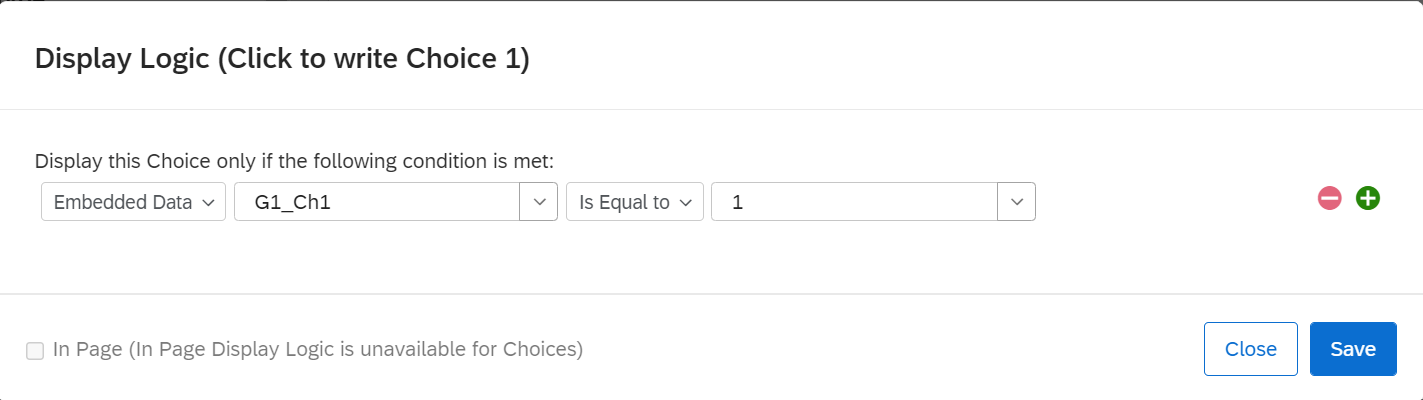
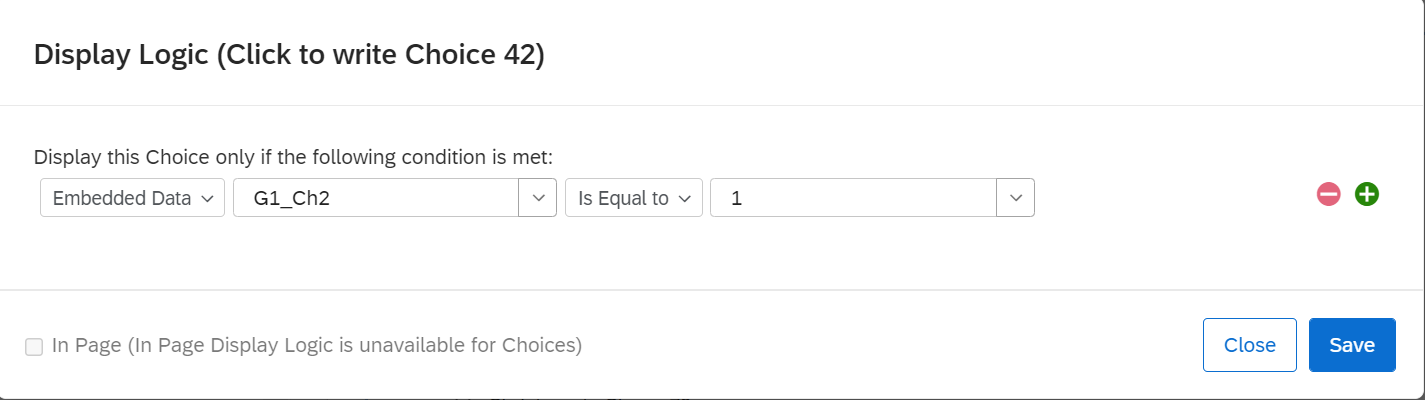
I have seven sets of choices in a question, want to show only two choices one from a set and the other one from another set, and the user will select one out of the two then user will be shown next two choices.
My question looks like this
Which one of these choices is more important to you?
Minimising Exposure to things that might make me ill appears as a choice OR Accumulating wealth ( and they would be shown only TWO choices and they select one or the other)
And then, they would be asked again in exactly the same format, presented with two more choices, one from each category.
So the categories with 6 choices in each category (divided by the space in between ) in full are:
1. Staying safe
2. Protecting myself from injury
3. Ensuring my personal safety
4. Avoiding dangerous places
5. Staying out of harm’s way
6. Keeping myself free from danger
7. Minimising exposure to things that might make me ill
8. Making sure I don’t get sick
9. Protecting myself from diseases
10. Avoiding any foods that might be contaminated
11. Maintaining practices to avoid illnesses
12. Being able to avoid sick people so I don’t get sick
13. Accumulating wealth
14. Acquiring resources
15. Ensuring my financial success in life
16. Seeking economic prosperity
17. Accruing resources for the future
18. Making sure I earn a high income
19. Looking for love
20. Trying to find a relationship
21. Finding a new romantic connection
22. Seeking a new romantic partner
23. Searching for a romantic companion
24. Seeking a love connection
25. Striving for success
26. Seeking high status
27. Climbing the social ladder
28. Pursing power and/or influence
29. Seeking social standing
30. Seeking elite status
31. Socialising with others
32. Building social connections
33. Participating in social activities
34. Connecting with others
35. Building a social community
36. Maintaining a social life
37. Caring for family members
38. Nurturing family relationships
39. Tending to the needs of family
40. Sustaining family connections
41. Promoting family unity
42. Encouraging family involvement
Hopefully that makes sense!!
Any help would be highly appreciated