

Hi All,
I sucessfuly got jquery UI autocomplete function to work on a text field but found it glitchy. I then discovered that Qualtrics (if you ask!) have an autocomplete function too but it's just a glitchy (I suspect they are using jquery UI too). Therefore I found a different app called easy-autocomplete (http://easyautocomplete.com/) and went about setting up the header in the look and feel and giving it a go.
This is the header info:
This is the JS code I place in the question addonload part. I based it on the 'basics' section of http://easyautocomplete.com/guide
Qualtrics.SurveyEngine.addOnload(function()
{
/*Place your JavaScript here to run when the page loads*/
//this returns the day of the week
//https://www.qualtrics.com/community/discussion/1607/inserting-month-as-piped-text
//https://stackoverflow.com/questions/24998624/day-name-from-date-in-js/24998705
var options = {
data: ["blue", "green", "pink", "red", "yellow"]
};
jQuery('.QR-' + this.questionId).easyAutocomplete(options);
});
However, when I go to run it I get some errors in the console:
SE API Error: TypeError: $.inArray is not a function
at c (VM200509 jquery.easy-autocomplete.min.js:10)
at g (VM200509 jquery.easy-autocomplete.min.js:10)
at new a.Configuration (VM200509 jquery.easy-autocomplete.min.js:10)
at new a.main (VM200509 jquery.easy-autocomplete.min.js:10)
at HTMLInputElement.
at Function.each (VM198649 vendor.ebcc59b90a2a037c75b9.js:1)
at yt.fn.init.each (VM198649 vendor.ebcc59b90a2a037c75b9.js:1)
at yt.fn.init.a.fn.easyAutocomplete (VM200509 jquery.easy-autocomplete.min.js:10)
at S.r.eval (eval at
at S.r.
After a little reading around I got the feeling that .inArray is relating to a function that the Qualtrics JavaScript code doesn't have and so I added to the header (as recommended by the easy-autocomplete website)
This stopped the errors apart from:
DevTools failed to load SourceMap: Could not load content for https://cdn.jsdelivr.net/npm/easy-autocomplete@1.3.5/dist/easy-autocomplete.min.css.map: HTTP error: status code 404, net::ERR_HTTP_RESPONSE_CODE_FAILURE
but nothing else happens so I don't think it's working. Please can someone help me try to get easy-autocomplete working? Or likewise if there is an alternative autocomplete app which works well pleae let me know and I'll give that a try.
Thanks
Rod Pestell

using easy-autocomplete in Qualtrics


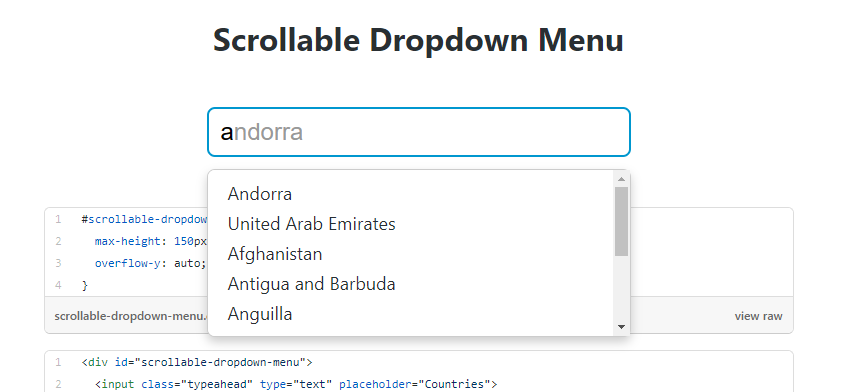
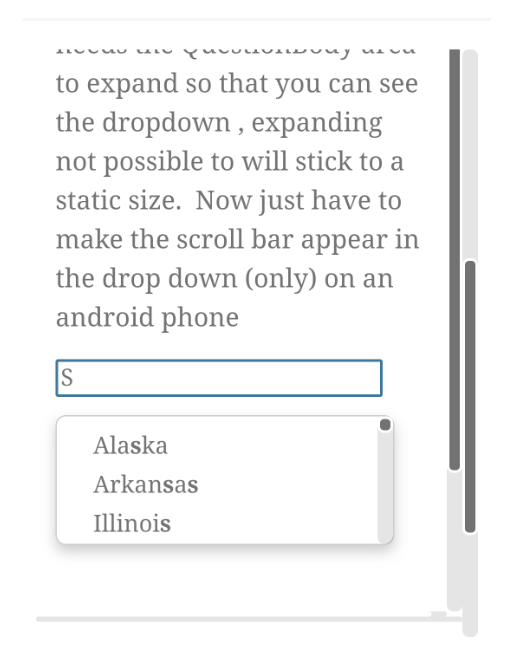
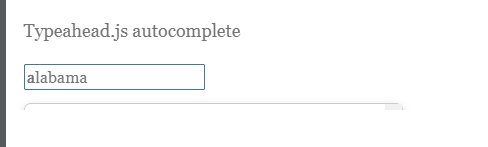 Can you point me in the right direction of expanding the height of the QuestionBody / area?
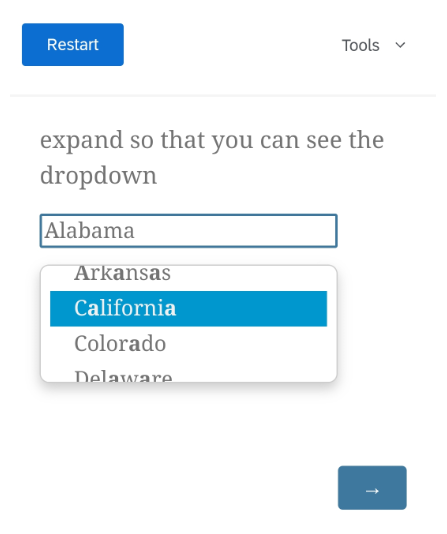 Desktop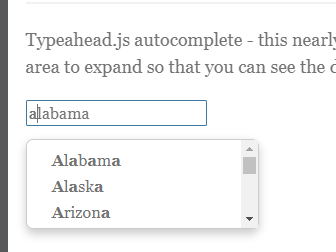
Sign up
Already have an account? Login

Welcome! To join the Qualtrics Experience Community, log in with your existing Qualtrics credentials below.
Confirm your username, share a bit about yourself, Once your account has been approved by our admins then you're ready to explore and connect .
Free trial account? No problem. Log in with your trial credentials to join.
No free trial account? No problem! Register here
Already a member? Hi and welcome back! We're glad you're here 🙂
You will see the Qualtrics login page briefly before being taken to the Experience Community
Login with Qualtrics
Welcome! To join the Qualtrics Experience Community, log in with your existing Qualtrics credentials below.
Confirm your username, share a bit about yourself, Once your account has been approved by our admins then you're ready to explore and connect .
Free trial account? No problem. Log in with your trial credentials to join. No free trial account? No problem! Register here
Already a member? Hi and welcome back! We're glad you're here 🙂
You will see the Qualtrics login page briefly before being taken to the Experience Community
Login to the Community
Welcome! To join the Qualtrics Experience Community, log in with your existing Qualtrics credentials below.
Confirm your username, share a bit about yourself, Once your account has been approved by our admins then you're ready to explore and connect .
Free trial account? No problem. Log in with your trial credentials to join.
No free trial account? No problem! Register here
Already a member? Hi and welcome back! We're glad you're here 🙂
You will see the Qualtrics login page briefly before being taken to the Experience Community
Login with Qualtrics
Welcome! To join the Qualtrics Experience Community, log in with your existing Qualtrics credentials below.
Confirm your username, share a bit about yourself, Once your account has been approved by our admins then you're ready to explore and connect .
Free trial account? No problem. Log in with your trial credentials to join. No free trial account? No problem! Register here
Already a member? Hi and welcome back! We're glad you're here 🙂
You will see the Qualtrics login page briefly before being taken to the Experience Community
Enter your E-mail address. We'll send you an e-mail with instructions to reset your password.