Hi all,
I believe I'm in need of some custom code here, although please point me to the source if a standard way of doing this exists already.
I have a rank-order question, with 4 statements and I want to use the radio-button option for the subjects to rank them (see pic attached). The choice options are 1/2/3/4.
I want to add the phrase "most important" on top of 1 and the phrase "least important" on top of 4. I wasn't able to create/locate custom code for this purpose, and I was hoping if anyone here can help me out with this.
Thanks in advance!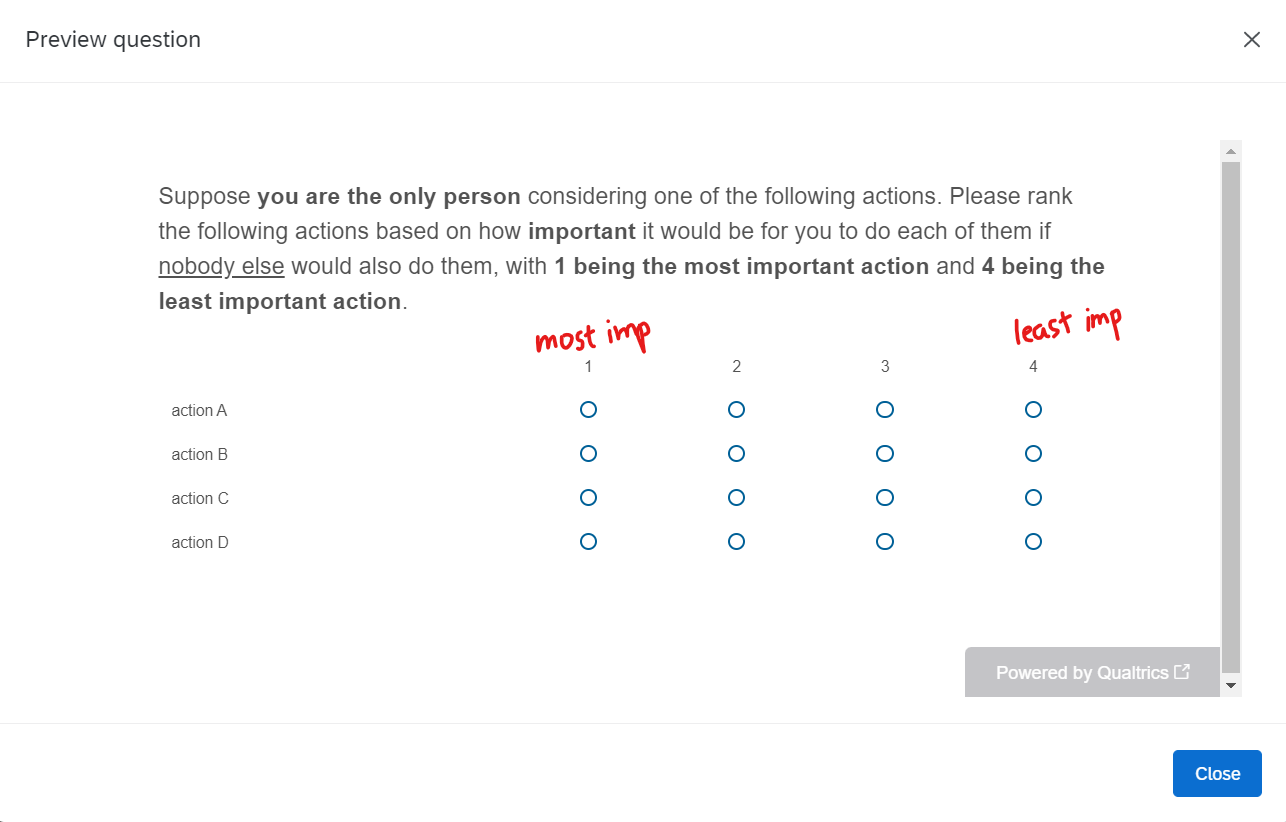

Solved
Ways to start and end label to choice values in rank-order questions
 +1
+1Best answer by Kate
If you're set on this format, I would use the Matrix question type and use the validation rules to ensure only one of each category is selected.
To get the "Most/Least" important bit above the numbers, simply add
to get a line break between the two items on the 1 and 5 label.... 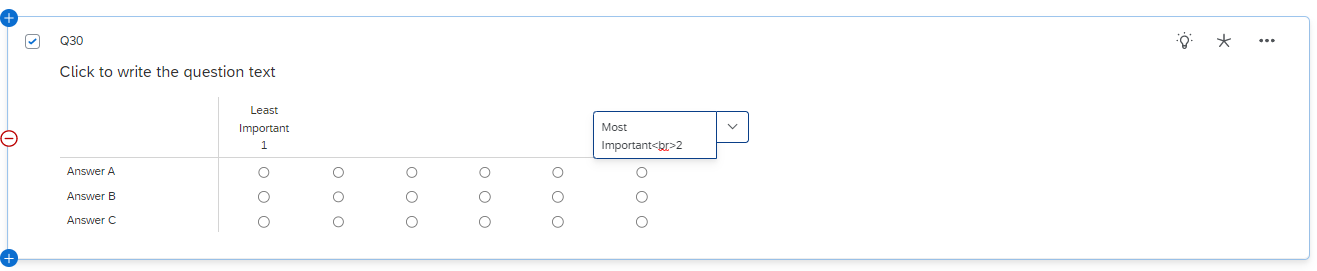
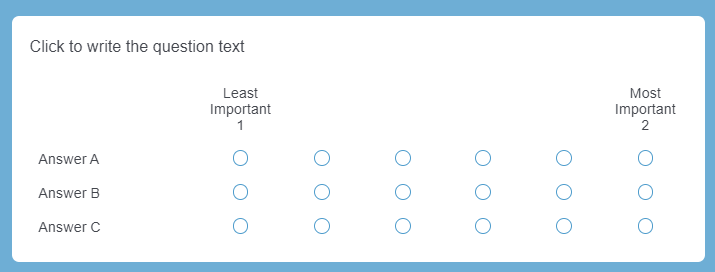 But remember to set up validation rules so that there can only be one answer selected for each ranking....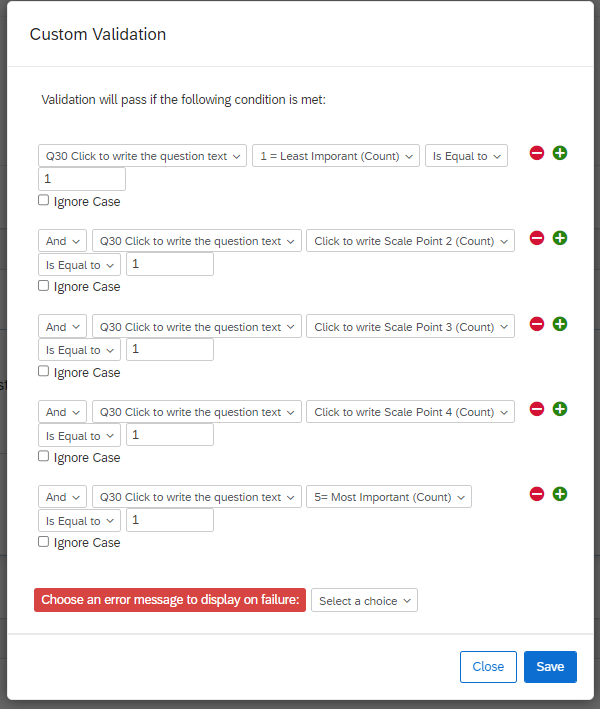


Sign up
Already have an account? Login

Welcome! To join the Qualtrics Experience Community, log in with your existing Qualtrics credentials below.
Confirm your username, share a bit about yourself, Once your account has been approved by our admins then you're ready to explore and connect .
Free trial account? No problem. Log in with your trial credentials to join.
No free trial account? No problem! Register here
Already a member? Hi and welcome back! We're glad you're here 🙂
You will see the Qualtrics login page briefly before being taken to the Experience Community
Login with Qualtrics
Welcome! To join the Qualtrics Experience Community, log in with your existing Qualtrics credentials below.
Confirm your username, share a bit about yourself, Once your account has been approved by our admins then you're ready to explore and connect .
Free trial account? No problem. Log in with your trial credentials to join. No free trial account? No problem! Register here
Already a member? Hi and welcome back! We're glad you're here 🙂
You will see the Qualtrics login page briefly before being taken to the Experience Community
Login to the Community
Welcome! To join the Qualtrics Experience Community, log in with your existing Qualtrics credentials below.
Confirm your username, share a bit about yourself, Once your account has been approved by our admins then you're ready to explore and connect .
Free trial account? No problem. Log in with your trial credentials to join.
No free trial account? No problem! Register here
Already a member? Hi and welcome back! We're glad you're here 🙂
You will see the Qualtrics login page briefly before being taken to the Experience Community
Login with Qualtrics
Welcome! To join the Qualtrics Experience Community, log in with your existing Qualtrics credentials below.
Confirm your username, share a bit about yourself, Once your account has been approved by our admins then you're ready to explore and connect .
Free trial account? No problem. Log in with your trial credentials to join. No free trial account? No problem! Register here
Already a member? Hi and welcome back! We're glad you're here 🙂
You will see the Qualtrics login page briefly before being taken to the Experience Community
Enter your E-mail address. We'll send you an e-mail with instructions to reset your password.