Hello,
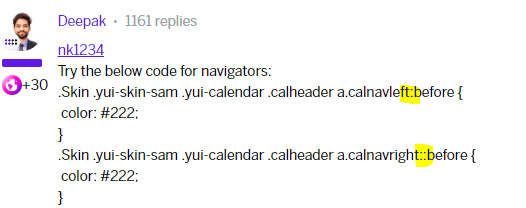
I have added the Calendar DatePicker from the Qualtrics Library to my survey, but the all the header text, including nav buttons, is white (see photo). How can I change the color to black?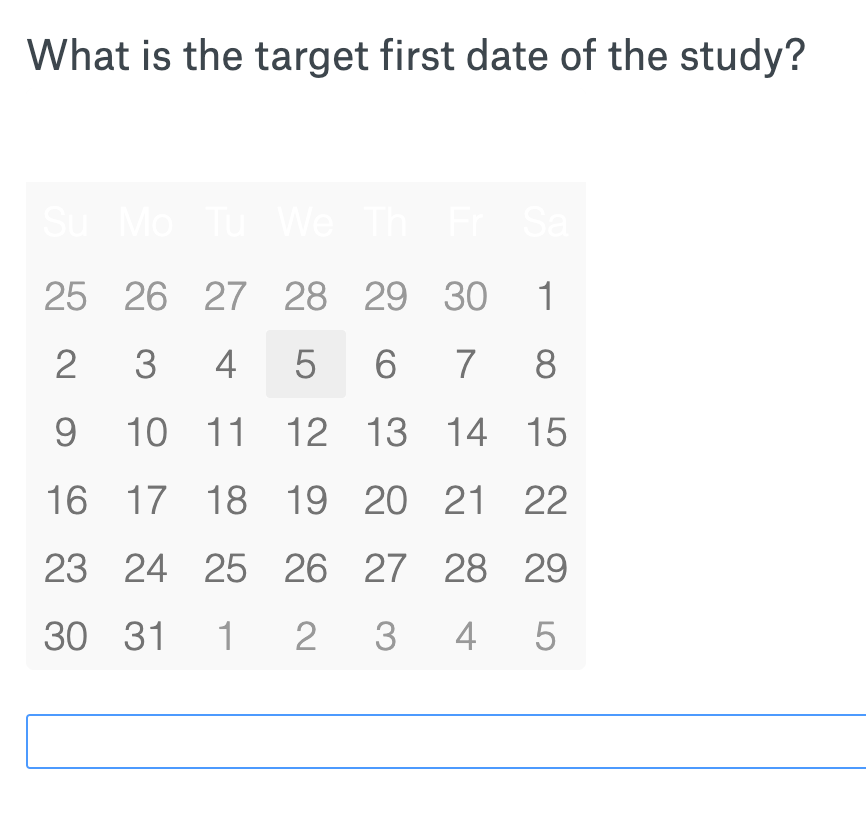
I have tried two things so far:
1) I have tried to edit the HTML view on the question itself, see below (note the multiple places I try to put color: 'black'
What is the target first date of the study?
">https://ajax.googleapis.com/ajax/libs/yui/2.9.0/build/calendar/assets/skins/sam/calendar.css">
">https://ajax.googleapis.com/ajax/libs/yui/2.9.0/build/yahoo-dom-event/yahoo-dom-event.js">
">https://ajax.googleapis.com/ajax/libs/yui/2.9.0/build/calendar/calendar-min.js">
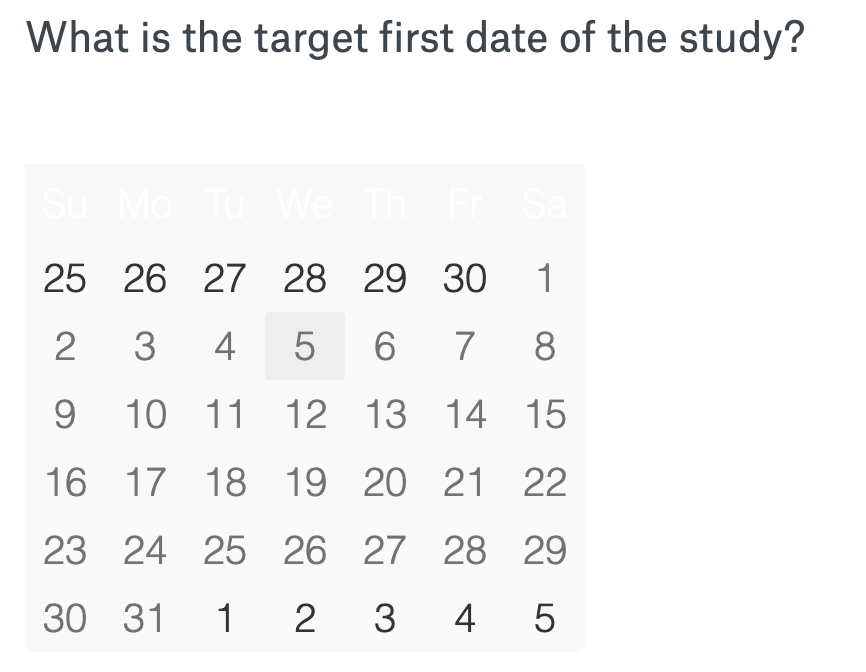
2) In the Custom CSS in Look and Feel - Style, I put in the following code. Editing the first section color to #333 will change the days of the previous months to black, but nothing happens for the second section (see two screenshots below to see the color change):
.yui-skin-sam .yui-calendar td.calcell.oom {
background-color:#cccccc;
color:#333!important;
cursor:default;
}
.yui-skin-sam .yui-calendar td.calcell.previous {
color:#333!important;
}
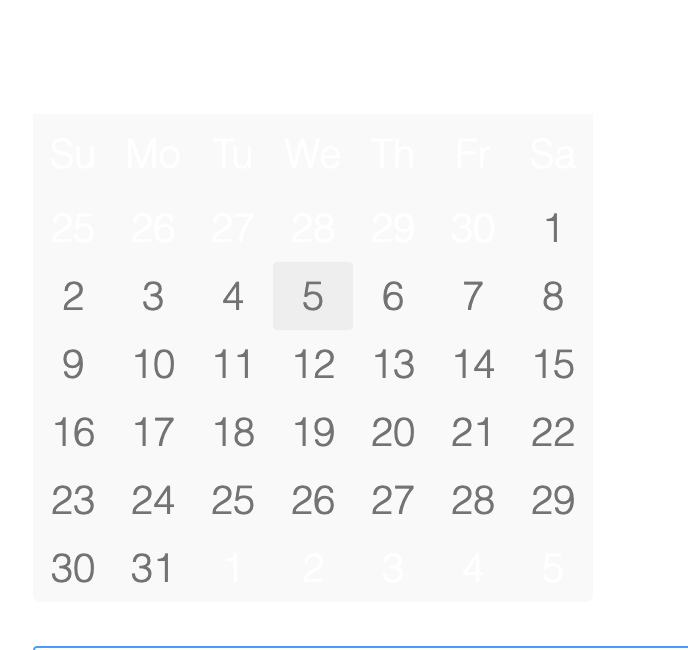
For both codes, when viewing and editing in the JavaScript Console Inspector, the colors do change for all headers, but not when I edit the actual code in the builder/look and feel. Thoughts? Thanks in advance!
*Please note that I have no JavaScript experience, just got this far by piecing stuff together through other community discussions and my friend who knows some code.

How to change header colors on calendar datepicker?
 +1
+1







Sign up
Already have an account? Login

Welcome! To join the Qualtrics Experience Community, log in with your existing Qualtrics credentials below.
Confirm your username, share a bit about yourself, Once your account has been approved by our admins then you're ready to explore and connect .
Free trial account? No problem. Log in with your trial credentials to join.
No free trial account? No problem! Register here
Already a member? Hi and welcome back! We're glad you're here 🙂
You will see the Qualtrics login page briefly before being taken to the Experience Community
Login with Qualtrics
Welcome! To join the Qualtrics Experience Community, log in with your existing Qualtrics credentials below.
Confirm your username, share a bit about yourself, Once your account has been approved by our admins then you're ready to explore and connect .
Free trial account? No problem. Log in with your trial credentials to join. No free trial account? No problem! Register here
Already a member? Hi and welcome back! We're glad you're here 🙂
You will see the Qualtrics login page briefly before being taken to the Experience Community
Login to the Community
Welcome! To join the Qualtrics Experience Community, log in with your existing Qualtrics credentials below.
Confirm your username, share a bit about yourself, Once your account has been approved by our admins then you're ready to explore and connect .
Free trial account? No problem. Log in with your trial credentials to join.
No free trial account? No problem! Register here
Already a member? Hi and welcome back! We're glad you're here 🙂
You will see the Qualtrics login page briefly before being taken to the Experience Community
Login with Qualtrics
Welcome! To join the Qualtrics Experience Community, log in with your existing Qualtrics credentials below.
Confirm your username, share a bit about yourself, Once your account has been approved by our admins then you're ready to explore and connect .
Free trial account? No problem. Log in with your trial credentials to join. No free trial account? No problem! Register here
Already a member? Hi and welcome back! We're glad you're here 🙂
You will see the Qualtrics login page briefly before being taken to the Experience Community
Enter your E-mail address. We'll send you an e-mail with instructions to reset your password.