





Happy Friday, Community! Whether you are wrapping up a big project or just clearing out the week’s tabs, we’ve got your recap ready from this week.

Before the weekend hits, let's celebrate members who leveled up this week:
-
@matt.fowles , @joel bautista for reaching Level 1! -
@zzh for reaching Level 2!

Shoutout to @pamelalbeck for showing off the official community pen! Want to get your hands on one? Keep engaging to earn those points.


The Multi-Select Challenge: Members are discussing how to implement Select2 or Selectize for better dropdown experiences.
Quality Control: How do you flag vague or ambiguous open-text responses automatically?
Visual Tweaks: A great thread on adding vertical lines to matrix questions, even when headers are repeated.

Academic Design: Looking for a student-to-supervisor portfolio workflow? Advice is being shared here.
Channel Distribution: How to separate your trigger counts for Email vs. WhatsApp on a single dashboard.
Multi-Channel Metrics: Ever needed to report on how many survey links were actually sent via Email vs. WhatsApp, rather than just how many people responded?

If you are using the New Survey Taking Experience, you might have noticed setEmbeddedData() behaving differently with iframes.
The Fix: Use Qualtrics.SurveyEngine.setJSEmbeddedData() instead. It’s a small change that saves hours of debugging!

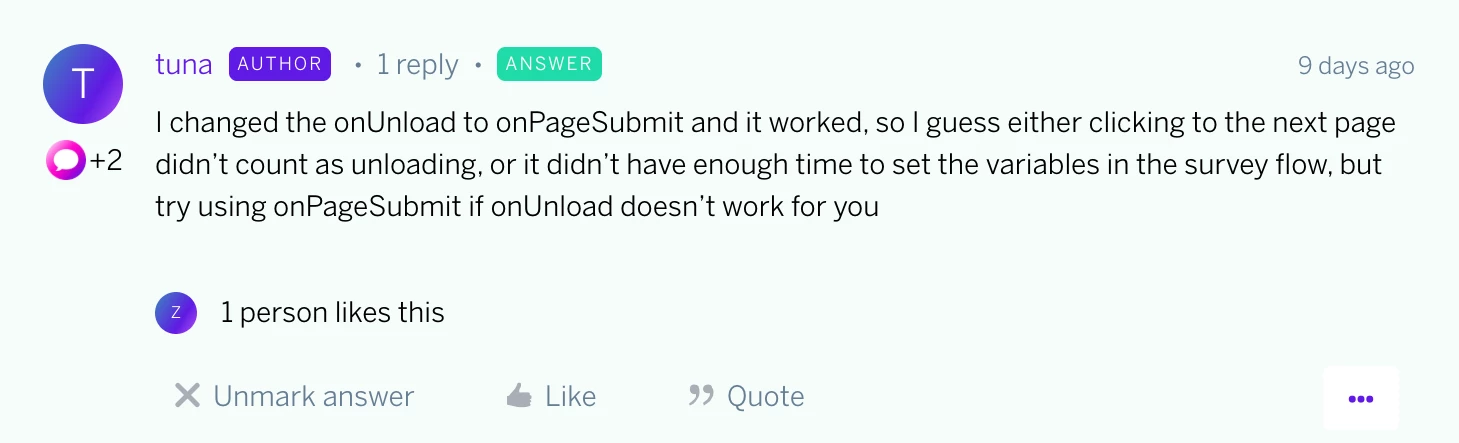
This week’s outstanding comment goes to
Which of these updates is going to save you the most time next week?
Let us know in the comments below! We’ll be hanging out here to chat until you all head off for the weekend.
Subscribe to Week in Review and get it delivered every Friday morning—perfect with your coffee, tea, or whatever keeps you warm.
