


The Beautiful Community | Badge of the Month | June 2026 | Experience Community
Skip to main content

The Beautiful Community | Badge of the Month | June 2026

  • June 1, 2026
  • 32 replies
  • 518 views
Show first post

32 replies

vgayraud
QPN Level 7 ●●●●●●●
Forum|alt.badge.img+65
  • QPN Level 7 ●●●●●●●
  • June 9, 2026
  • In my experience, this script will NOT overwrite changes if a variable has already been edited in the Data & Analysis tab


To be able to overwrite manual edits, you could make these small changes to your script:

## Overwrite manual edits made in Data & Analysis? TRUE or FALSE
## TRUE = this job removes existing edits on the fields it updates, so the new values stick.
## FALSE (default) = manual edits in Data & Analysis are NOT overwritten.
removeEdits_boolean <- FALSE
payload <- toJSON(list(updates=allResponses, removeEdits=removeEdits_boolean), auto_unbox = TRUE)


Temily B
Level 2 ●●
Forum|alt.badge.img+6
  • Level 2 ●●
  • June 9, 2026

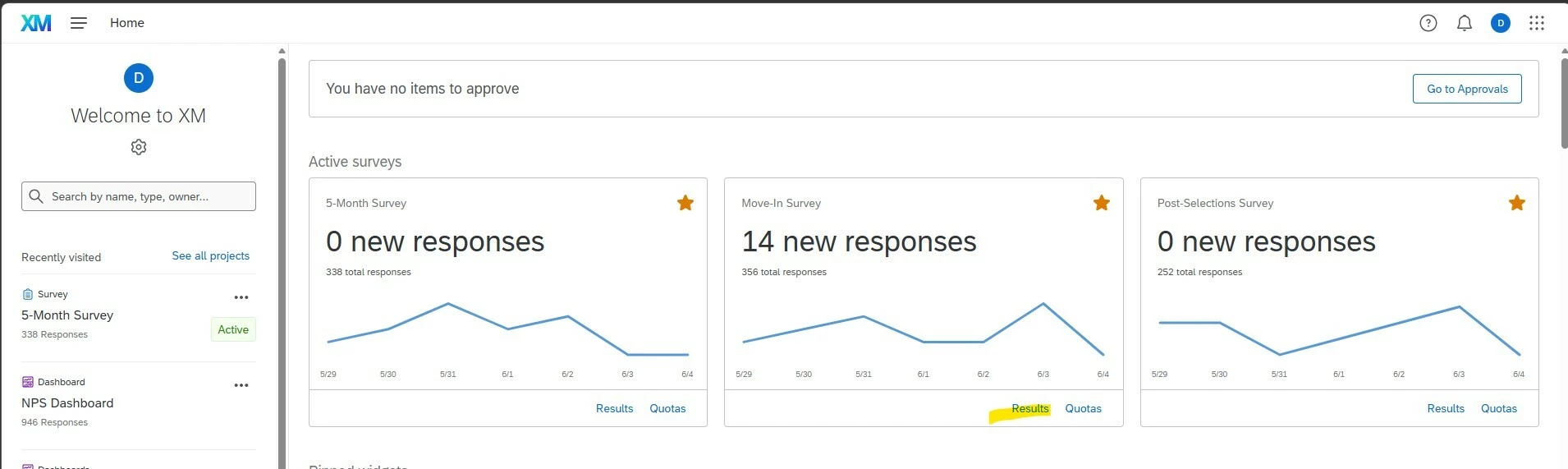
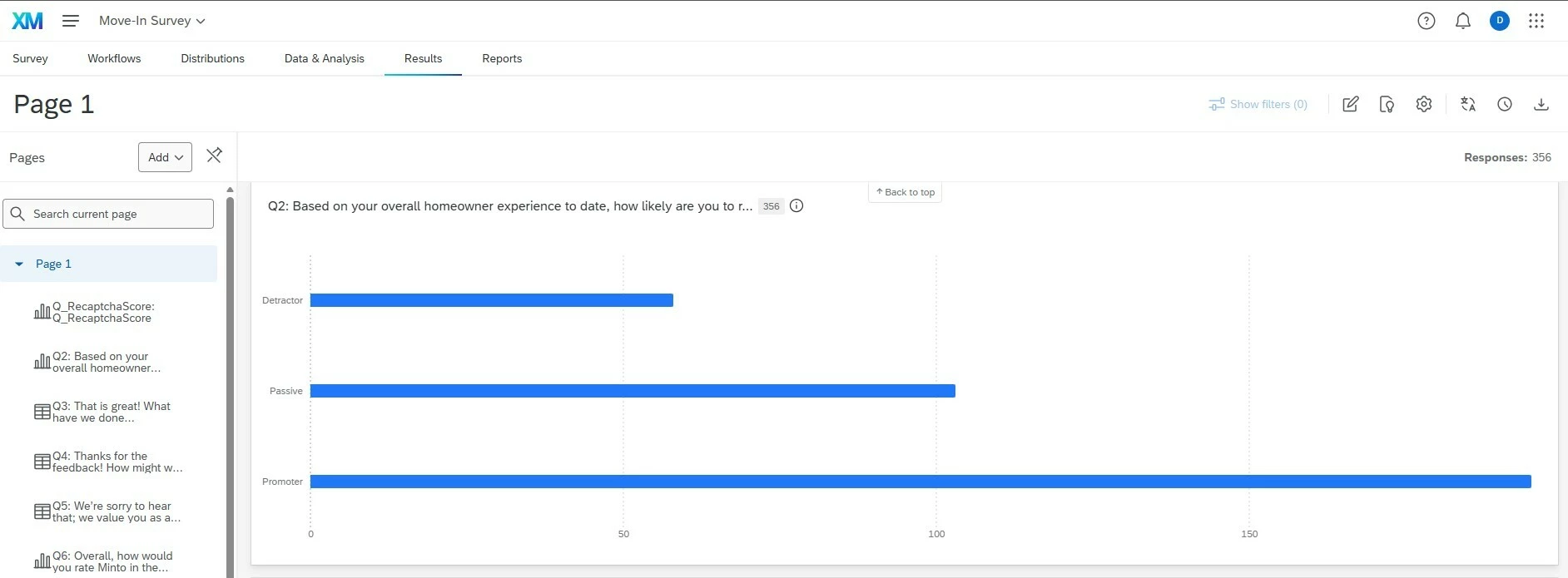
We are 8 months going live with Qualtrics - and still learning tips and tricks during this first year. One thing that would have been very helpful to know earlier related to my home dashboard view. I recently discovered that when I click results on the home page, it automatically brought me to the results chart. i.e. for Promoters, Passive and Detractors. This is great for reporting to front line managers when I need some quick charts to include in a presentation or email.


Aaaand you can program/share the reports to any email recipient that you need :)


Forum|alt.badge.img+28

Qualtrics TIP


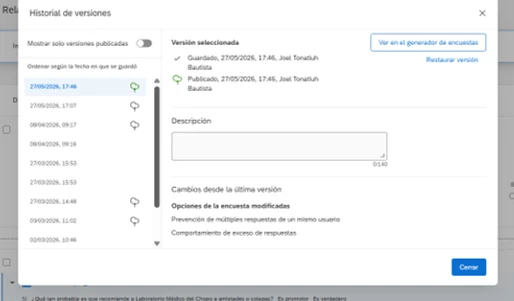
A helpful tip I wish I had known earlier is that you can easily restore your survey format if something gets deleted by mistake. All you have to do is go to “Versions” and open the “Version History” to recover your survey settings.

There was a time when a new team member accidentally deleted the answer options for a question, and we had to rewrite everything and reconfigure the logic from scratch. If I had known this tip back then, it would have saved me a lot of time.


This version history feature has been a saver for my colleagues and me for so many times.

And it will be easier to restore to a specific version from a long list of versions based on the description input.


bench
Level 4 ●●●●
Forum|alt.badge.img+11
  • Level 4 ●●●●
  • June 10, 2026

Due to employee terminations in SuccessFactors often not being approved until payroll is ready to do their final pay out, a workaround if wanting to automate the sending out of employee exit surveys is to use the termination workflow data.

In the case of SuccessFactors, this means not using the native Qualtrics SuccessFactors integration and opting for employee directory ingestion using a workflow (SFTP step). 


NewHomeCXManager
Level 3 ●●●
Forum|alt.badge.img+8

We are 8 months going live with Qualtrics - and still learning tips and tricks during this first year. One thing that would have been very helpful to know earlier related to my home dashboard view. I recently discovered that when I click results on the home page, it automatically brought me to the results chart. i.e. for Promoters, Passive and Detractors. This is great for reporting to front line managers when I need some quick charts to include in a presentation or email.


Aaaand you can program/share the reports to any email recipient that you need :)


Yes!!!! I have used that feature quite a bit which has helped with buy in from front line employees as we’ve launched. 


gdyczyak
Level 4 ●●●●
Forum|alt.badge.img+24
  • Level 4 ●●●●
  • June 12, 2026

Hey Everyone,

Task: Share a real AI use case using AI tools alongside Qualtrics.


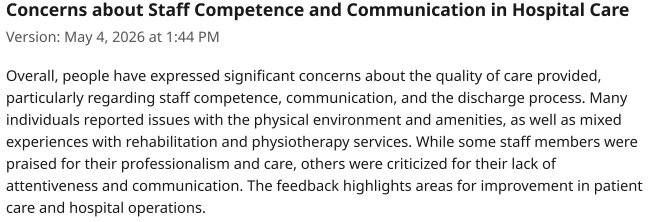
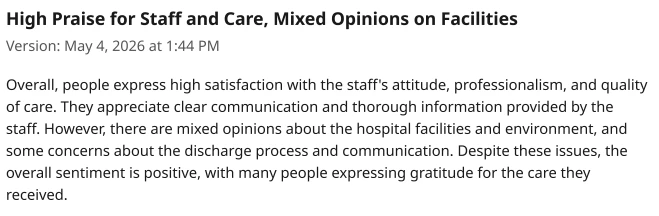
Ive recently sent all of my hospital directors an Insights Explorer (AI functionality) breakdown of their results for those patients scoring between 0-7 out of 10 and those scoring 8-10 out of 10. Immediately you can see the difference 


 Here is the Insights Explorer summary for those patients scoring between 0-7


gdyczyak
Level 4 ●●●●
Forum|alt.badge.img+24
  • Level 4 ●●●●
  • June 12, 2026

Hey Everyone,

Task: Share a real AI use case using AI tools alongside Qualtrics.


Ive recently sent all of my hospital directors an Insights Explorer (AI functionality) breakdown of their results for those patients scoring between 0-7 out of 10 and those scoring 8-10 out of 10. Immediately you can see the difference 


 Here is the Insights Explorer summary for those patients scoring between 0-7


Apologies on my original post, i think i submitted too quickly, what i was trying to say what that while you can quickly see the difference between the 0-7 vs the 8 or higher scores, i thought it was interesting that both the low and high scoring groups both complained about the facilities, showing that even among the high scoring group there are items that bother them and we could aim to fix.

I also wnated to add some helpful prompts for Qualtrics Assist:

  • Analyze what patients are saying about wait times. Separate root causes from symptoms. (switching “wait times” for another topic like “discharge, cleanliness, medications lets you dive into other topics)
  •  Summarize the patient experience story in 150 words, emphasizing both achievements and key risks.
  •  Group the main topics into strengths and weaknesses and summarize each in 2–3 bullet points.
  •  List the top 5 improvement opportunities based on volume and negative sentiment
  • What patterns stand out when comparing positive and negative comments?
  • Are there any emerging indications of declining patient experience?
  • Identify any emerging or unusual themes.