





Welcome! This guide will help you control which emails you receive from the Experience Community.
Understanding Email Settings
Your email subscriptions work in two levels:
Level 1: The Main Email Switch
There is one main setting called "Subscribe to Experience Community Emails". Think of this as the power button for all community emails.
When this is OFF:
- You will not receive any emails from the community
- It doesn't matter what other settings you choose
- All emails are stopped
When this is ON:
- You can receive emails based on your choices
- You can pick which types of emails you want
- Your other subscription settings will now work
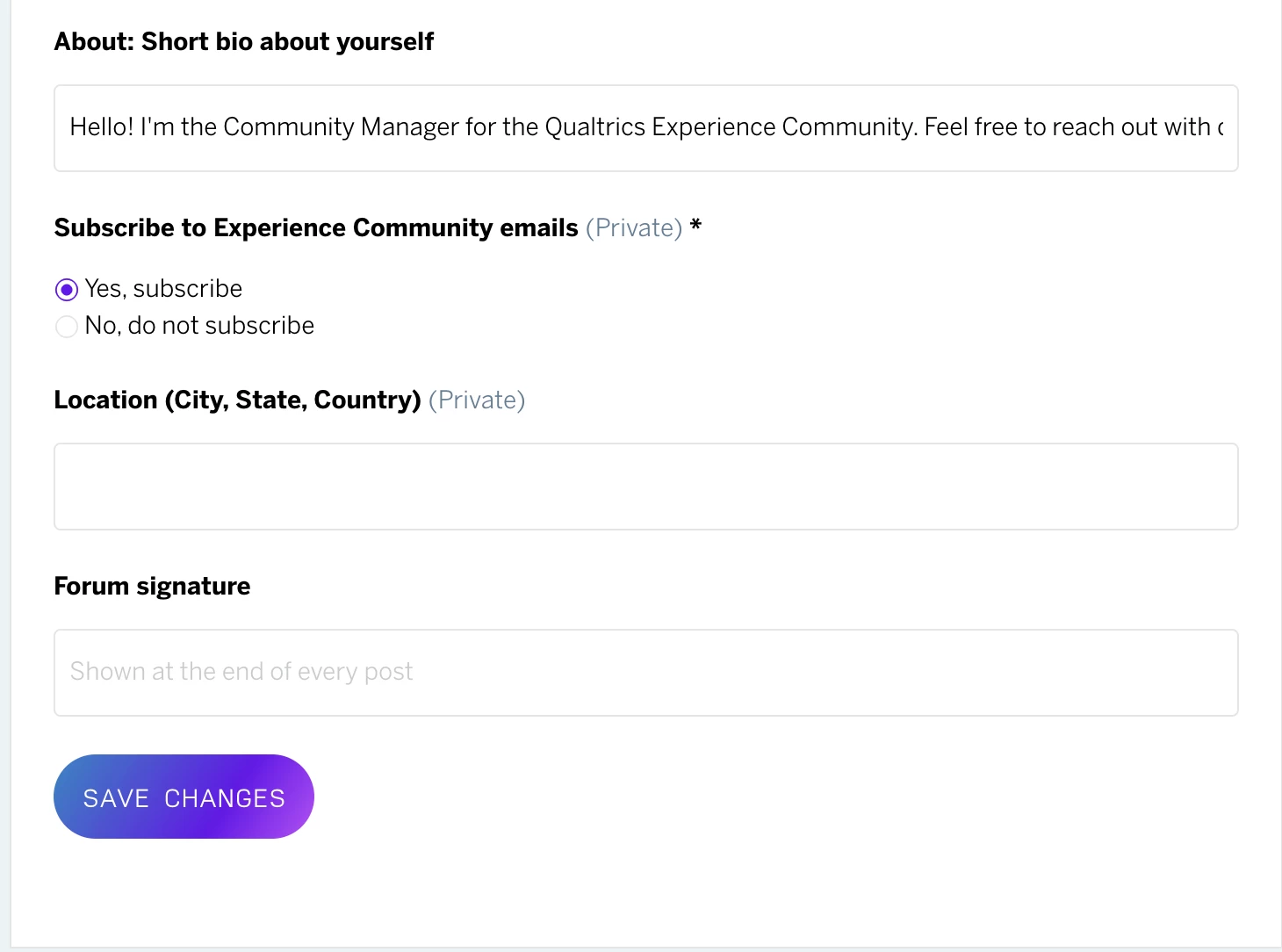
Level 2: Your Personal Choices
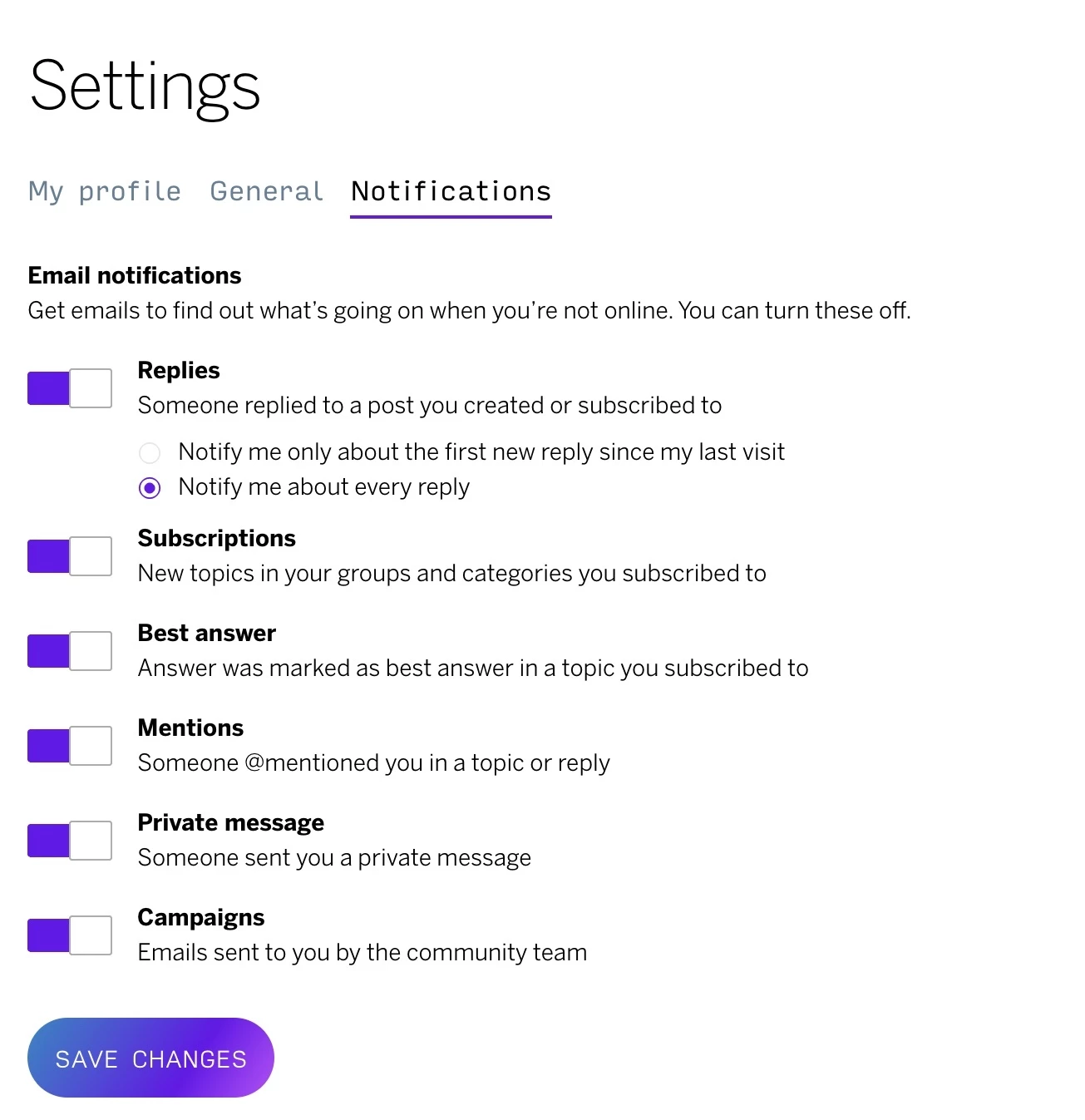
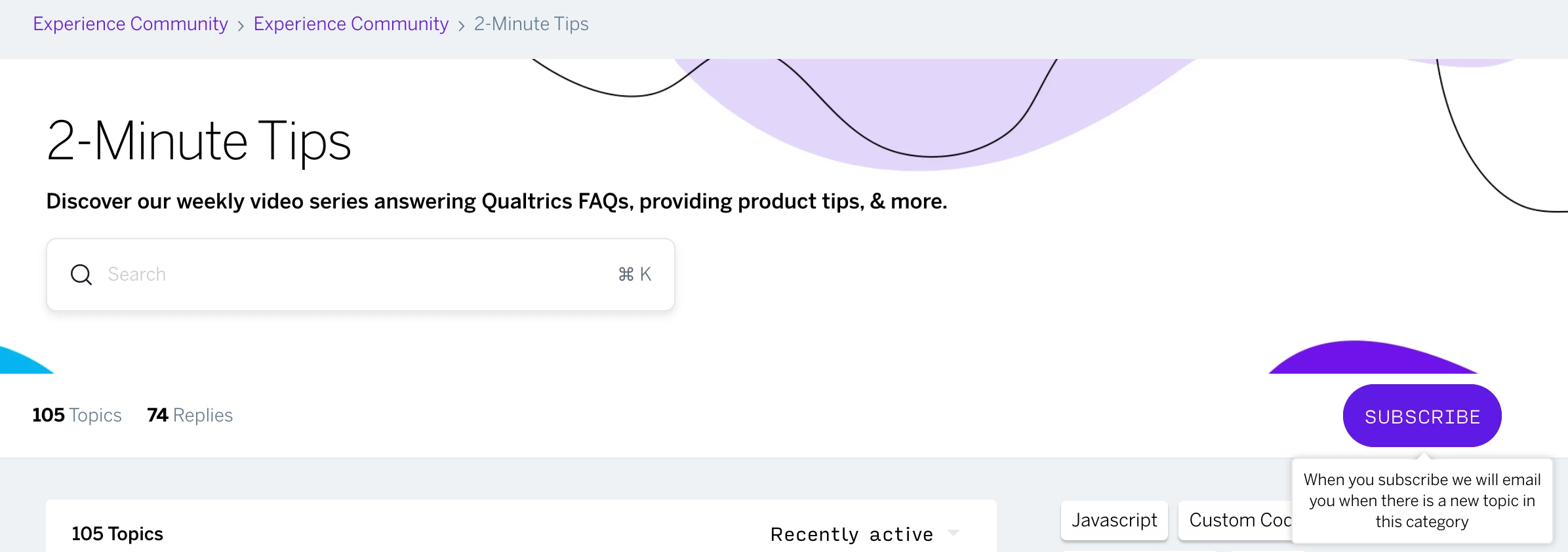
Once the main switch is ON, you can choose which specific emails you want to receive. This might include:
- Updates from specific categories by subscribing
- Replies to your posts, Notifications about topics you follow, etc by going to Notifications
How to Stop All Emails
- Find the "Subscribe to Experience Community Emails" setting
- Turn it OFF
- Done! You will not receive any more emails
How to Choose Specific Emails
- Make sure "Subscribe to Experience Community Emails" is turned ON
- Look at your subscription options for categories and topics
- Choose only the ones you want to hear about
- Save your changes
Need Help?
If you have questions about managing your subscriptions, our community support team is here to help you. Feel free to reach out anytime to
