Hello,
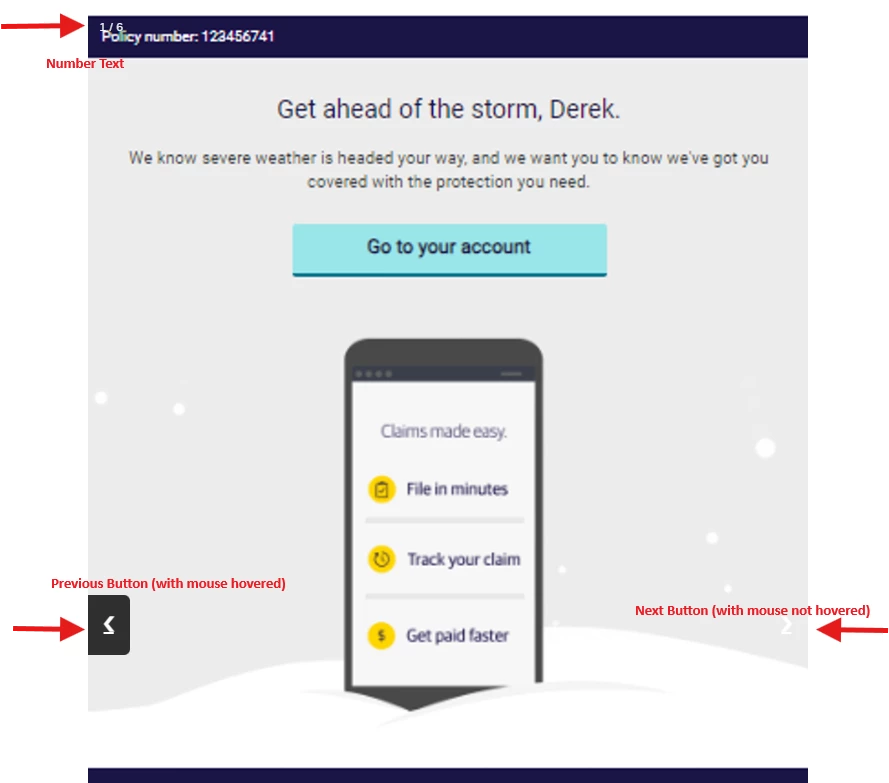
I'm hoping someone can help me diagnose a problem with custom JS. Following these steps (https://www.w3schools.com/howto/howto_js_slideshow_gallery.asp), I can create an image gallery but the next/previous buttons are not functional.
A similar dead thread from 2018 (https://community.qualtrics.com/XMcommunity/discussion/2514/is-there-a-way-to-include-an-image-slideshow-in-my-survey) ran into this issue, but no solution was offered (the 2020 suggestion to use an Imgur album will not work, unless there is a way to prevent the imgur image from linking out of the survey and over to imgur.com).
Thank you!

Solved
Clickable image slideshow
Best answer by qualtrics_nerd
Hi
I don't have the above HTML file.
But you can implement the Slideshow using below HTML code :
<style>* {
box-sizing: border-box;
}
/* Position the image container (needed to position the left and right arrows) */
.container {
position: relative;
}
/* Hide the images by default */
.mySlides {
display: none;
}
/* Add a pointer when hovering over the thumbnail images */
.cursor {
cursor: pointer;
}
/* Next & previous buttons */
.prev,
.next {
cursor: pointer;
position: absolute;
top: 40%;
width: auto;
padding: 16px;
margin-top: -50px;
color: white;
font-weight: bold;
font-size: 20px;
border-radius: 0 3px 3px 0;
user-select: none;
-webkit-user-select: none;
}
/* Position the "next button" to the right */
.next {
right: 0;
border-radius: 3px 0 0 3px;
}
/* On hover, add a black background color with a little bit see-through */
.prev:hover,
.next:hover {
background-color: rgba(0, 0, 0, 0.8);
}
/* Number text (1/3 etc) */
.numbertext {
color: #f2f2f2;
font-size: 12px;
padding: 8px 12px;
position: absolute;
top: 0;
}
/* Container for image text */
.caption-container {
text-align: center;
background-color: #222;
padding: 2px 16px;
color: white;
}
.row:after {
content: "";
display: table;
clear: both;
}
/* Six columns side by side */
.column {
float: left;
width: 16.66%;
}
/* Add a transparency effect for thumnbail images */
.demo {
opacity: 0.6;
}
.active,
.demo:hover {
opacity: 1;
}</style>
<!-- Container for the image gallery -->
<div class="container">
<!-- Full-width images with number text -->
<div class="mySlides">
<div class="numbertext">1 / 6</div>
<img src="https://www.w3schools.com/howto/img_woods_wide.jpg" style="width:100%">
</div>
<div class="mySlides">
<div class="numbertext">2 / 6</div>
<img src="https://www.w3schools.com/howto/img_5terre_wide.jpg" style="width:100%">
</div>
<div class="mySlides">
<div class="numbertext">3 / 6</div>
<img src="https://www.w3schools.com/howto/img_mountains_wide.jpg" style="width:100%">
</div>
<div class="mySlides">
<div class="numbertext">4 / 6</div>
<img src="https://www.w3schools.com/howto/img_lights_wide.jpg" style="width:100%">
</div>
<div class="mySlides">
<div class="numbertext">5 / 6</div>
<img src="https://www.w3schools.com/howto/img_nature_wide.jpg" style="width:100%">
</div>
<div class="mySlides">
<div class="numbertext">6 / 6</div>
<img src="https://www.w3schools.com/howto/img_snow_wide.jpg" style="width:100%">
</div>
<!-- Next and previous buttons -->
<a class="prev" >❮</a>
<a class="next" >❯</a>
<!-- Image text -->
<div class="caption-container">
<p id="caption"></p>
</div>
<!-- Thumbnail images -->
<div class="row">
<div class="column">
<img class="demo cursor" src="https://www.w3schools.com/howto/img_woods_wide.jpg" style="width:100%" alt="The Woods">
</div>
<div class="column">
<img class="demo cursor" src="https://www.w3schools.com/howto/img_5terre_wide.jpg" style="width:100%" alt="Cinque Terre">
</div>
<div class="column">
<img class="demo cursor" src="https://www.w3schools.com/howto/img_mountains_wide.jpg" style="width:100%" alt="Mountains and fjords">
</div>
<div class="column">
<img class="demo cursor" src="https://www.w3schools.com/howto/img_lights_wide.jpg" style="width:100%" alt="Northern Lights">
</div>
<div class="column">
<img class="demo cursor" src="https://www.w3schools.com/howto/img_nature_wide.jpg" style="width:100%" alt="Nature and sunrise">
</div>
<div class="column">
<img class="demo cursor" src="https://www.w3schools.com/howto/img_snow_wide.jpg" style="width:100%" alt="Snowy Mountains">
</div>
</div>
</div>
Just copy those in HTML(<>) tabs and replace them with link of your image files.
and add below JS to your question:
Qualtrics.SurveyEngine.addOnload(function()
{
	/*Place your JavaScript here to run when the page loads*/

});

Qualtrics.SurveyEngine.addOnReady(function()
{
	// Get the elements
var prevBtn = document.querySelector(".prev");
var nextBtn = document.querySelector(".next");
var slides = document.querySelectorAll(".mySlides");
var dots = document.querySelectorAll(".demo");

// Set the initial slide index
var slideIndex = 1;
showSlides(slideIndex);

// Function to move to the next slide
function plusSlides(n) {
  showSlides(slideIndex += n);
}

// Function to show a specific slide
function currentSlide(n) {
  showSlides(slideIndex = n);
}

// Function to display the slides
function showSlides(n) {
  // Reset the index if it exceeds the number of slides
  if (n > slides.length) {
    slideIndex = 1;
  } else if (n < 1) {
    slideIndex = slides.length;
  }

  // Hide all the slides
  for (var i = 0; i < slides.length; i++) {
    slides[i].style.display = "none";
  }

  // Remove the active class from all the dots
  for (var i = 0; i < dots.length; i++) {
    dots[i].className = dots[i].className.replace(" active", "");
  }

  // Display the current slide and add the active class to its corresponding dot
  slides[slideIndex-1].style.display = "block";
  dots[slideIndex-1].className += " active";
}

// Event listener for the previous and next buttons
prevBtn.addEventListener("click", function() {
  plusSlides(-1);
});

nextBtn.addEventListener("click", function() {
  plusSlides(1);
});

// Event listener for the dots
for (var i = 0; i < dots.length; i++) {
  dots[i].addEventListener("click", function() {
    var slideNumber = parseInt(this.alt.split(" ")[0]);
    currentSlide(slideNumber);
  });
}


});

Qualtrics.SurveyEngine.addOnUnload(function()
{
	/*Place your JavaScript here to run when the page is unloaded*/

});
Hope this resolves your query😊








Sign up
Already have an account? Login

Welcome! To join the Qualtrics Experience Community, log in with your existing Qualtrics credentials below.
Confirm your username, share a bit about yourself, Once your account has been approved by our admins then you're ready to explore and connect .
Free trial account? No problem. Log in with your trial credentials to join.
No free trial account? No problem! Register here
Already a member? Hi and welcome back! We're glad you're here 🙂
You will see the Qualtrics login page briefly before being taken to the Experience Community
Login with Qualtrics
Welcome! To join the Qualtrics Experience Community, log in with your existing Qualtrics credentials below.
Confirm your username, share a bit about yourself, Once your account has been approved by our admins then you're ready to explore and connect .
Free trial account? No problem. Log in with your trial credentials to join. No free trial account? No problem! Register here
Already a member? Hi and welcome back! We're glad you're here 🙂
You will see the Qualtrics login page briefly before being taken to the Experience Community
Login to the Community
Welcome! To join the Qualtrics Experience Community, log in with your existing Qualtrics credentials below.
Confirm your username, share a bit about yourself, Once your account has been approved by our admins then you're ready to explore and connect .
Free trial account? No problem. Log in with your trial credentials to join.
No free trial account? No problem! Register here
Already a member? Hi and welcome back! We're glad you're here 🙂
You will see the Qualtrics login page briefly before being taken to the Experience Community
Login with Qualtrics
Welcome! To join the Qualtrics Experience Community, log in with your existing Qualtrics credentials below.
Confirm your username, share a bit about yourself, Once your account has been approved by our admins then you're ready to explore and connect .
Free trial account? No problem. Log in with your trial credentials to join. No free trial account? No problem! Register here
Already a member? Hi and welcome back! We're glad you're here 🙂
You will see the Qualtrics login page briefly before being taken to the Experience Community
Enter your E-mail address. We'll send you an e-mail with instructions to reset your password.