Loop and Merge with Calculated Embedded Data Field | Experience Community
Skip to main content

Loop and Merge with Calculated Embedded Data Field

  • April 27, 2026
  • 6 replies
  • 57 views

Forum|alt.badge.img+8

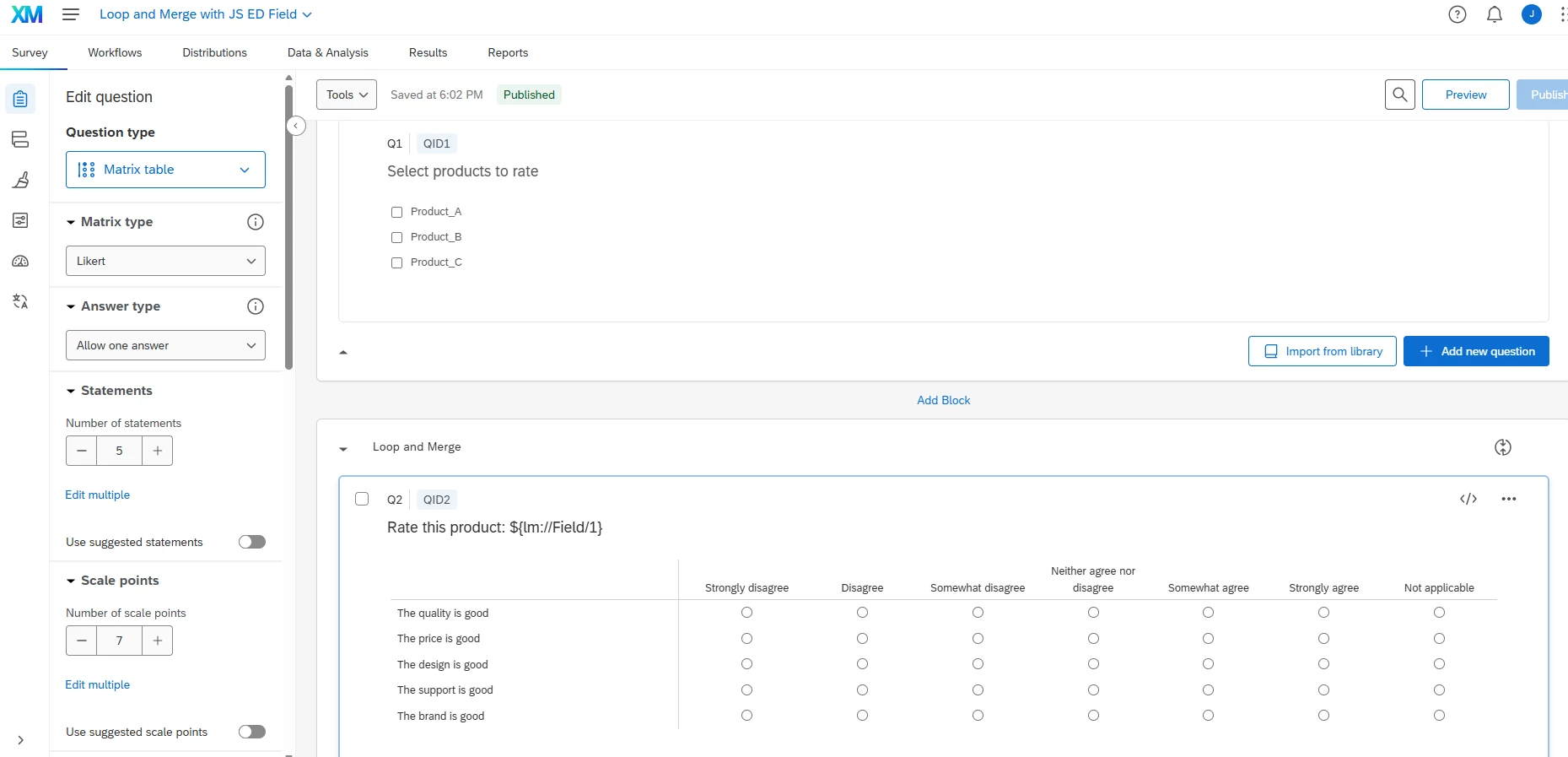
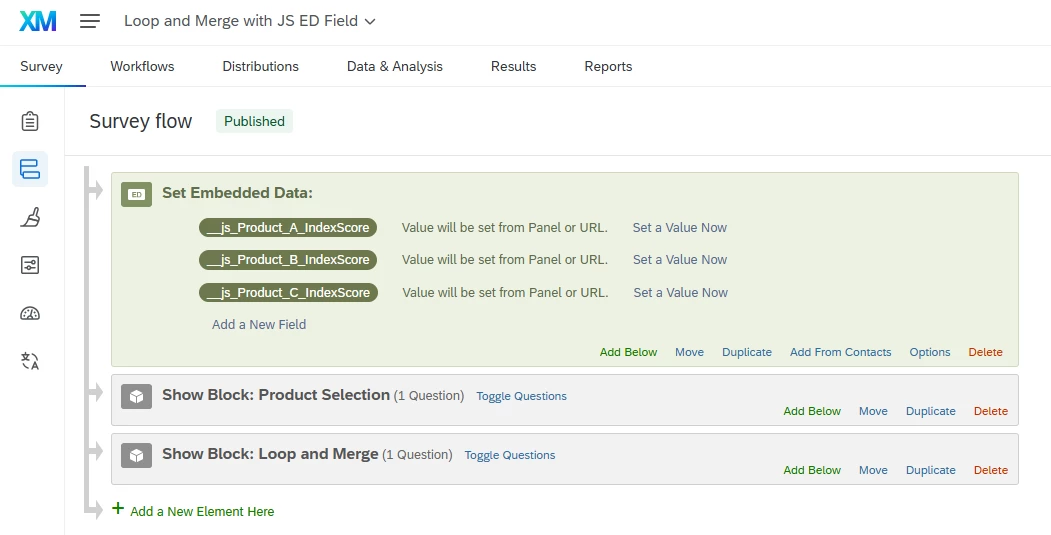
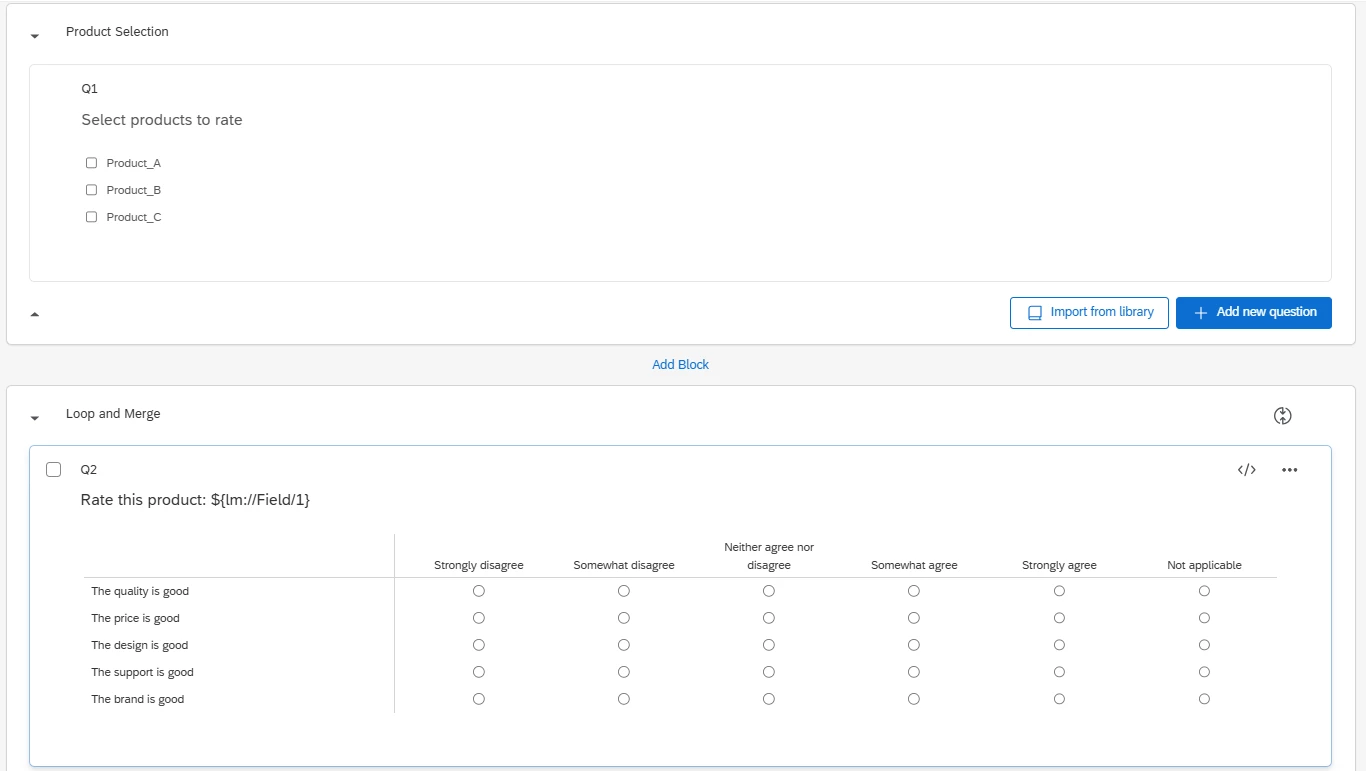
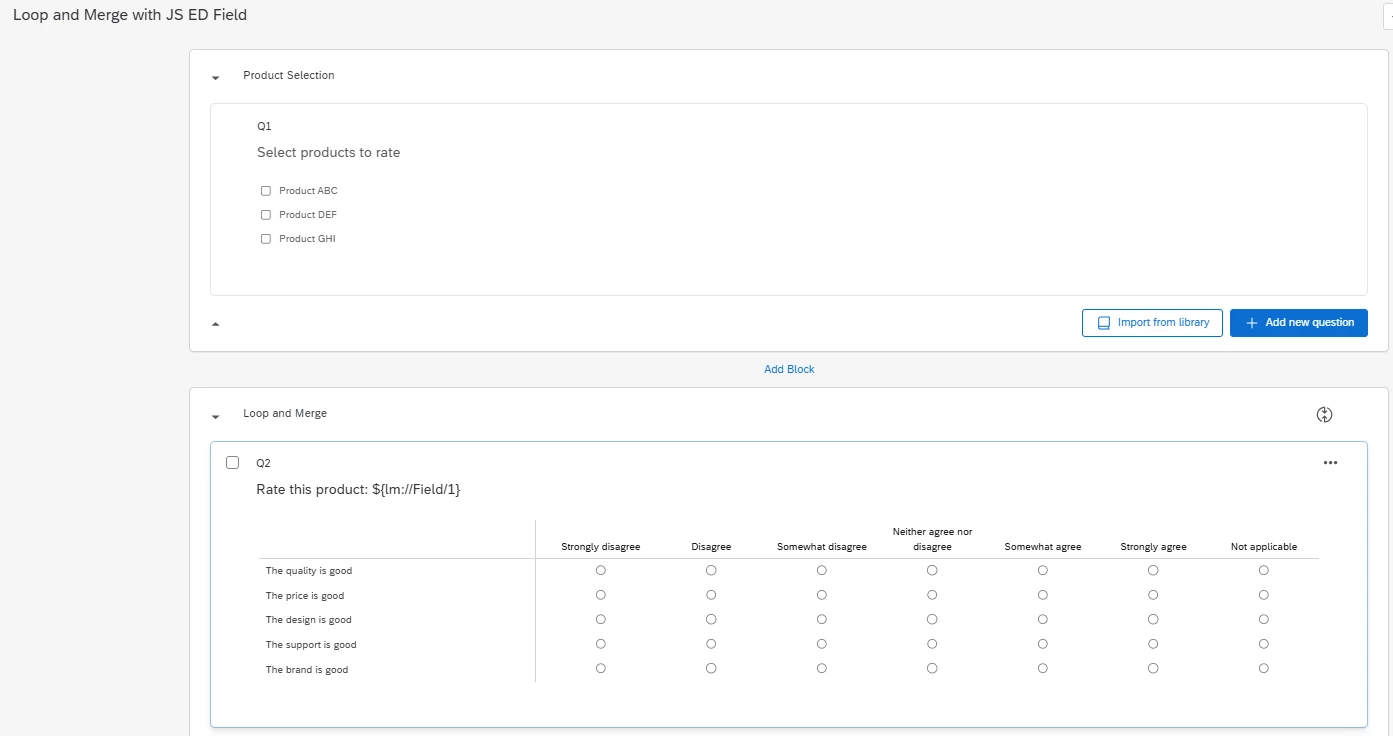
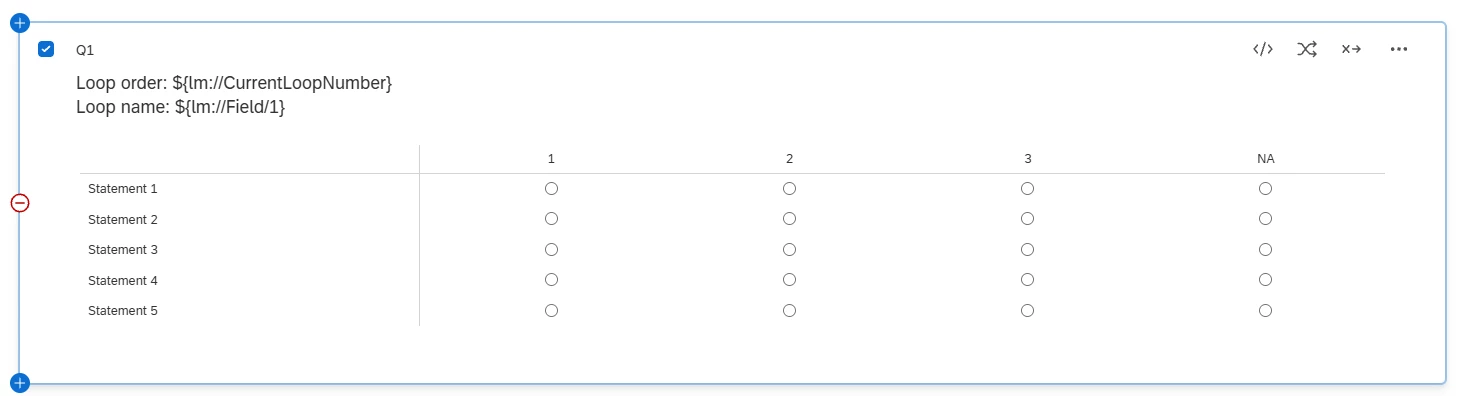
I am looking to create a calculated embedded data field that acts as a score/index for each looped through item in a loop and merge. See an example survey design below, where the respondent selects from a list of products to rate in the 1st block. The 2nd block then loops through each selected product with a series of 5 matrix statement questions.


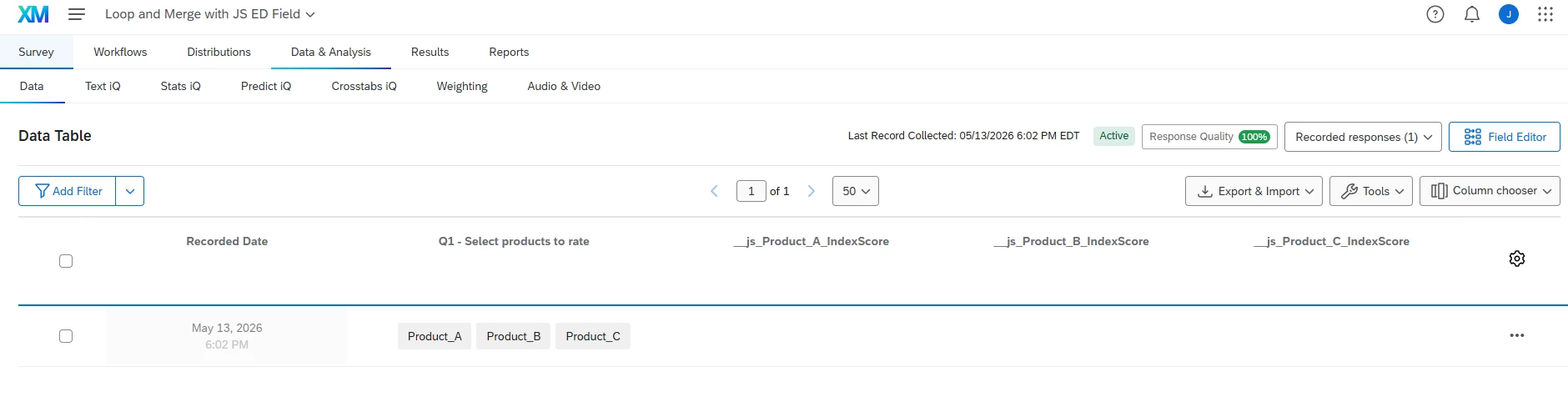
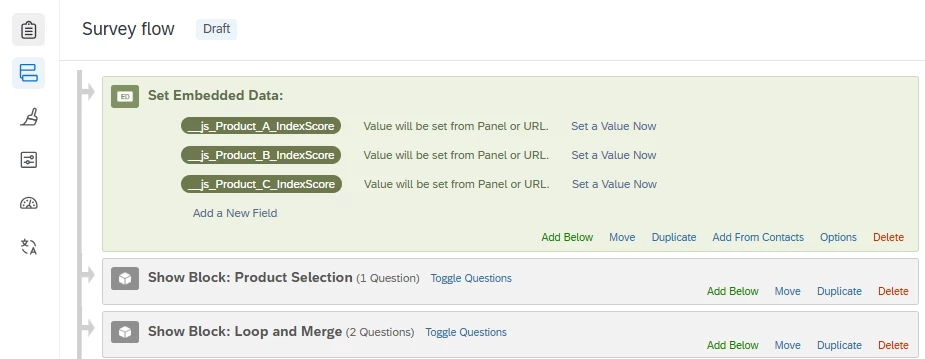
For each selected product, I want to output an index to an embedded data field that is named “[selected product] - Index Score”.​​​​​ So if all 3 of the available products were selected and rated, then 3 index score embedded data fields would be generated on the response, with dynamic field names based on the current loop.

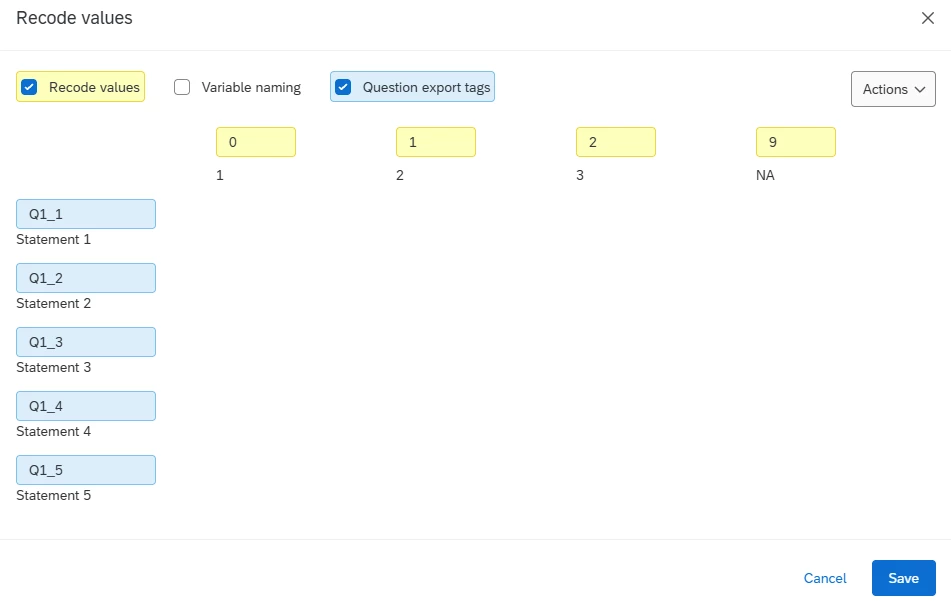
The scale labels then have scores assigned to them:

  • Strongly disagree: 0
  • Somewhat disagree: 1
  • Neither agree nor disagree: 2
  • Somewhat agree: 3
  • Strongly agree: 4

To get the product’s index score, you sum up the scores from each question that was answered (excluding “Not applicable”), divide by (4 * # answered questions), and multiple by 100.

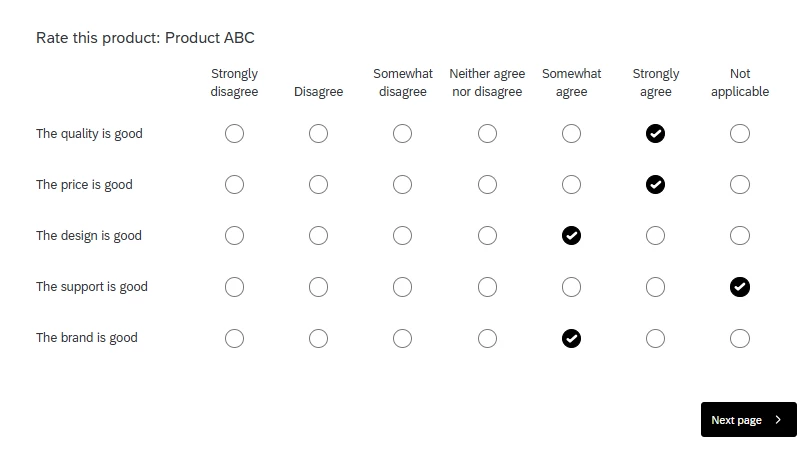
For each question where “Not applicable” was selected or a matrix statement was not answered, this should not result in a lower score. See an example response below and how the score would be calculated.
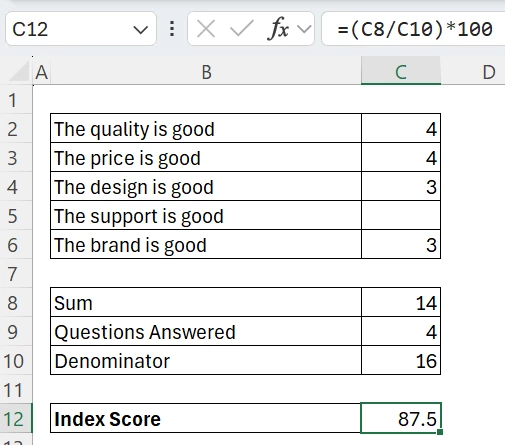


I tried using scoring to do this but that doesn’t work with looping questions. This could be done with extensive survey flow logic, but we have 50+ products in our survey to select from so it would not be efficient or easy to maintain. Does anyone have a JavaScript solution to this? This would need to work in the Simple/New Survey Taking Experience layout. Thank you!
6 replies

Lpena
Qualtrics Employee
Forum|alt.badge.img+4
  • Qualtrics Employee
  • May 13, 2026

With scores inside a Loop & Merge block can definitely be a bit tricky since there  isn't a native "out-of-the-box" scoriing feature that plays nice with loop.s. Relying on Survey Flow logic gets messy fast, especially if you have a long list of products.

The most efficient way to handle this is definitely through a bit of JavaScript. You can use the Qualtrics.SurveyEngine.addOnload function within your loop block to dynamically calculate that index. Basically, your script would grab the matrix responses for the current iteration, map those scale labels to  your 0-4 values (skipping the "N/A" options), and then run your math: $(\text{sum} / (4 \times \text{answered})) \times 100$.  From there, you can use the API to save that value into a dynamically named embedded data field, like ${lm://Field/1} - Index Score, so it stays organized for every item.


Forum|alt.badge.img+8
  • Author
  • QPN Level 4 ●●●●
  • May 13, 2026

Hi Luis, thanks for the response.

Most efficient way to handle this is definitely through a bit of JavaScript. You can use the Qualtrics.SurveyEngine.addOnload function within your loop block to dynamically calculate that index. Basically, your script would grab the matrix responses for the current iteration, map those scale labels to  your 0-4 values (skipping the "N/A" options), and then run your math: $(\text{sum} / (4 \times \text{answered})) \times 100$.  From there, you can use the API to save that value into a dynamically named embedded data field, like ${lm://Field/1} - Index Score, so it stays organized for every item.


This is exactly what I am looking to do and what I was looking for help from the community on the code design. I was not able to find anything posted on the community to do this, and I’m not a JavaScript developer myself. See what I tested from Copilot below and how I tested it but it did not work.

Qualtrics.SurveyEngine.addOnPageSubmit(function () {
// ---- CONFIG ----
// Replace with the QID of the MATRIX question you want to score (the 5-statement Likert matrix)
var MATRIX_QID = "QID2";

// If "Not applicable" is the 6th column, set NA_COL = 6.
// (i.e., Strongly disagree..Strongly agree = 1..5, Not applicable = 6)
var NA_COL = 6;

// Max score for a non-NA response (Strongly agree = 4 in your scoring scheme)
var MAX_SCORE = 4;

// Column -> score mapping (adjust if your column order differs)
// 1: Strongly disagree (0)
// 2: Somewhat disagree (1)
// 3: Neither (2)
// 4: Somewhat agree (3)
// 5: Strongly agree (4)
var COL_TO_SCORE = { 1: 0, 2: 1, 3: 2, 4: 3, 5: 4 };

// Current loop item (product name) coming from Loop & Merge Field 1
var productLabel = "${lm://Field/1}";

// Build a "safe" key for Embedded Data field names
// (avoid spaces/special chars per ED naming best practices)
var productKey = (productLabel || "")
.trim()
.replace(/[^A-Za-z0-9]+/g, "_")
.replace(/^_+|_+$/g, "");

// ---- READ RESPONSES FROM THE MATRIX ----
// We find checked radios belonging to the matrix by ID pattern: QR~QIDxxxx~ROW~COL
var selector = 'input[type="radio"][id^="QR~' + MATRIX_QID + '~"]:checked';
var checked = document.querySelectorAll(selector);

var sum = 0;
var answeredCount = 0;

checked.forEach(function (inp) {
var parts = inp.id.split("~"); // ["QR", "QID...", "row", "col"]
if (parts.length < 4) return;

var col = parseInt(parts[3], 10);
if (!isFinite(col)) return;

// Exclude Not applicable
if (col === NA_COL) return;

var score = COL_TO_SCORE[col];
if (score === undefined || score === null) return;

sum += score;
answeredCount += 1;
});

// ---- CALCULATE INDEX ----
// sum(scores) / (4 * #answered) * 100
// If 0 answered, keep blank
var indexScore = "";
if (answeredCount > 0) {
indexScore = (sum / (MAX_SCORE * answeredCount)) * 100;
// optional rounding (1 decimal)
indexScore = Math.round(indexScore * 10) / 10;
}

// ---- WRITE EMBEDDED DATA ----
// Safe, analysis-friendly field names:
// <productKey>_IndexScore
// <productKey>_Label (stores the human-readable product label)
Qualtrics.SurveyEngine.setEmbeddedData(productKey + "_IndexScore", indexScore);
Qualtrics.SurveyEngine.setEmbeddedData(productKey + "_Label", productLabel);

// If you *insist* on human-readable dynamic ED names like "[Selected Product] - Index Score",
// you *can* also set it like this — but it may create messy column names:
// Qualtrics.SurveyEngine.setEmbeddedData(productLabel + " - Index Score", indexScore);
});


vgayraud
QPN Level 7 ●●●●●●●
Forum|alt.badge.img+64
  • QPN Level 7 ●●●●●●●
  • May 14, 2026

Hi ​@jake_dufinetz 

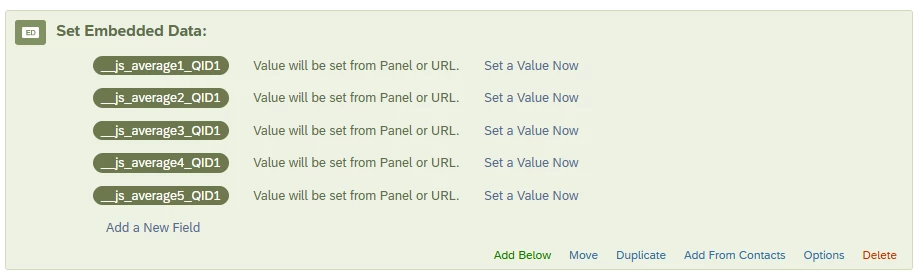
I had a similar use case based of a fixed loop. From there, it shouldn’t be too difficult to adapt for a loop based off a question and integrate dynamic names for your ED fields.

Qualtrics.SurveyEngine.addOnPageSubmit(function (type) {

console.log("[avgScore] addOnPageSubmit fired, type:", type);
if (type !== "next") return;

// configuration
var EXCLUDED_RECODE_VALUES = ["9"];
var DECIMAL_PLACES = 2;

var qid = this.questionId;
console.log("[avgScore] qid:", qid);

var statements = this.getSelectedChoices();
var scalePoints = this.getAnswers();
console.log("[avgScore] statements:", statements, "| scalePoints:", scalePoints);

var recodeMap = {};
for (var c = 0; c < scalePoints.length; c++) {
var spId = String(scalePoints[c]);
var rv = this.getChoiceRecodeValue(spId);
recodeMap[spId] = (rv !== null && rv !== undefined) ? String(rv) : null;
}
console.log("[avgScore] recodeMap:", recodeMap);

var sum = 0;
var count = 0;

for (var r = 0; r < statements.length; r++) {
var stmtId = String(statements[r]);
var selectedSpId = null;

for (var c = 0; c < scalePoints.length; c++) {
var spId = String(scalePoints[c]);
if (this.getChoiceValue(stmtId, spId)) {
selectedSpId = spId;
break;
}
}

var recodeVal = recodeMap[selectedSpId];

if (recodeVal === null || recodeVal === undefined || EXCLUDED_RECODE_VALUES.indexOf(recodeVal) !== -1) {
console.log("[avgScore] stmt", stmtId, "→ col", selectedSpId, "recode", recodeVal, "→ excluded, skipped");
continue;
}

console.log("[avgScore] stmt", stmtId, "→ col", selectedSpId, "recode", recodeVal, "→ counted");
sum += parseFloat(recodeVal);
count += 1;
}

console.log("[avgScore] sum:", sum, "| count:", count);

var edKey = "average" + qid;
var result = count > 0 ? (sum / count).toFixed(DECIMAL_PLACES) : "";

console.log("[avgScore] storing ED key:", "__js_" + edKey, "| value:", result === "" ? "(empty)" : result);
Qualtrics.SurveyEngine.setJSEmbeddedData(edKey, result);
});


Forum|alt.badge.img+8
  • Author
  • QPN Level 4 ●●●●
  • May 14, 2026

Hi ​@vgayraud - Thanks so much for the starting point there. I was able to use that framework and have Copilot adjust it to fully meet the requirements. Just got a working version that creates the dynamic ED field names and maps the scoring based on my scale recodes of 1-6. Thank you!

Qualtrics.SurveyEngine.addOnPageSubmit(function (type) {
if (type !== "next") return;

/* ===========================
CONFIGURATION
=========================== */

// QID of the MATRIX question being scored
var MATRIX_QID = "QID2"; // <-- REPLACE

// "Not applicable" recode
var NA_RECODE_VALUE = "6";

// Maximum score after adjustment (Strongly agree = 4)
var MAX_SCORE = 4;

// Decimal places in final index
var DECIMALS = 1;

/* ===========================
LOOP CONTEXT
=========================== */

var productLabel = "${lm://Field/1}";
var productKey = productLabel
.trim()
.replace(/[^A-Za-z0-9]+/g, "_")
.replace(/^_+|_+$/g, "");

/* ===========================
READ MATRIX RESPONSES
=========================== */

var statements = this.getSelectedChoices();
var scalePoints = this.getAnswers();

var sum = 0;
var answeredCount = 0;

for (var r = 0; r < statements.length; r++) {
var stmtId = String(statements[r]);
var selectedScaleId = null;

for (var c = 0; c < scalePoints.length; c++) {
var scaleId = String(scalePoints[c]);
if (this.getChoiceValue(stmtId, scaleId)) {
selectedScaleId = scaleId;
break;
}
}

if (!selectedScaleId) continue;

var recode = this.getChoiceRecodeValue(selectedScaleId);
if (recode === null || recode === undefined) continue;

recode = Number(recode);

// Exclude N/A
if (String(recode) === NA_RECODE_VALUE) continue;

// Convert 1–5 → 0–4
var score = recode - 1;

sum += score;
answeredCount += 1;
}

/* ===========================
CALCULATE INDEX SCORE
(sum / (4 × answered)) × 100
=========================== */

var indexScore = "";
if (answeredCount > 0) {
indexScore = (sum / (MAX_SCORE * answeredCount)) * 100;
indexScore = Number(indexScore.toFixed(DECIMALS));
}

/* ===========================
STORE EMBEDDED DATA
=========================== */

Qualtrics.SurveyEngine.setJSEmbeddedData(
productKey + "_IndexScore",
indexScore
);
});


Forum|alt.badge.img+4

You could recode the values of the question and use a custom metric in the dashboard so it calculates the result by product. Once you recode the response values, in the dashboard settings you need to create another field as a numeric set so you can use it with sum or average metrics.


Forum|alt.badge.img+8
  • Author
  • QPN Level 4 ●●●●
  • May 14, 2026

Hi ​@joel bautista - Thanks for the response, although I don’t think that works here because the formula would be more dynamic than what a custom metric can handle. The rating questions are optional and respondents may select “Not applicable” which would change the denominator/formula of the score so that scores are not lowered due to questions that aren’t answered.