Hello,
Sorry if this is really basic but have been trying to solve this for a while and cannot figure it out. The questions to my survey are statements formatted on a Likert scale where people can indicate their level of agreement with given statement. I also want to provide participants with the option to provide an explanation for their rating. Lastly, I am choosing the "request response" options in my survey as I want participants to be prompted if they did not indicate their level of agreement for a given statement.
On Qualtrics, I have chosen the side-by-side format so that you have the statement in the 1st column, the Likert scale on the 2nd column and a comment box on the 3rd one.
The problem that I have is that although I want to make answering the comment box optional, when I take the survey, Qualtrics tells me I have not answered all questions because I did not enter anything in the comment boxes. My question is thus: how do I make the comment box optional while leaving the Likert-scale clolumn with the "request response" option active?
Here is a screenshot of the message I get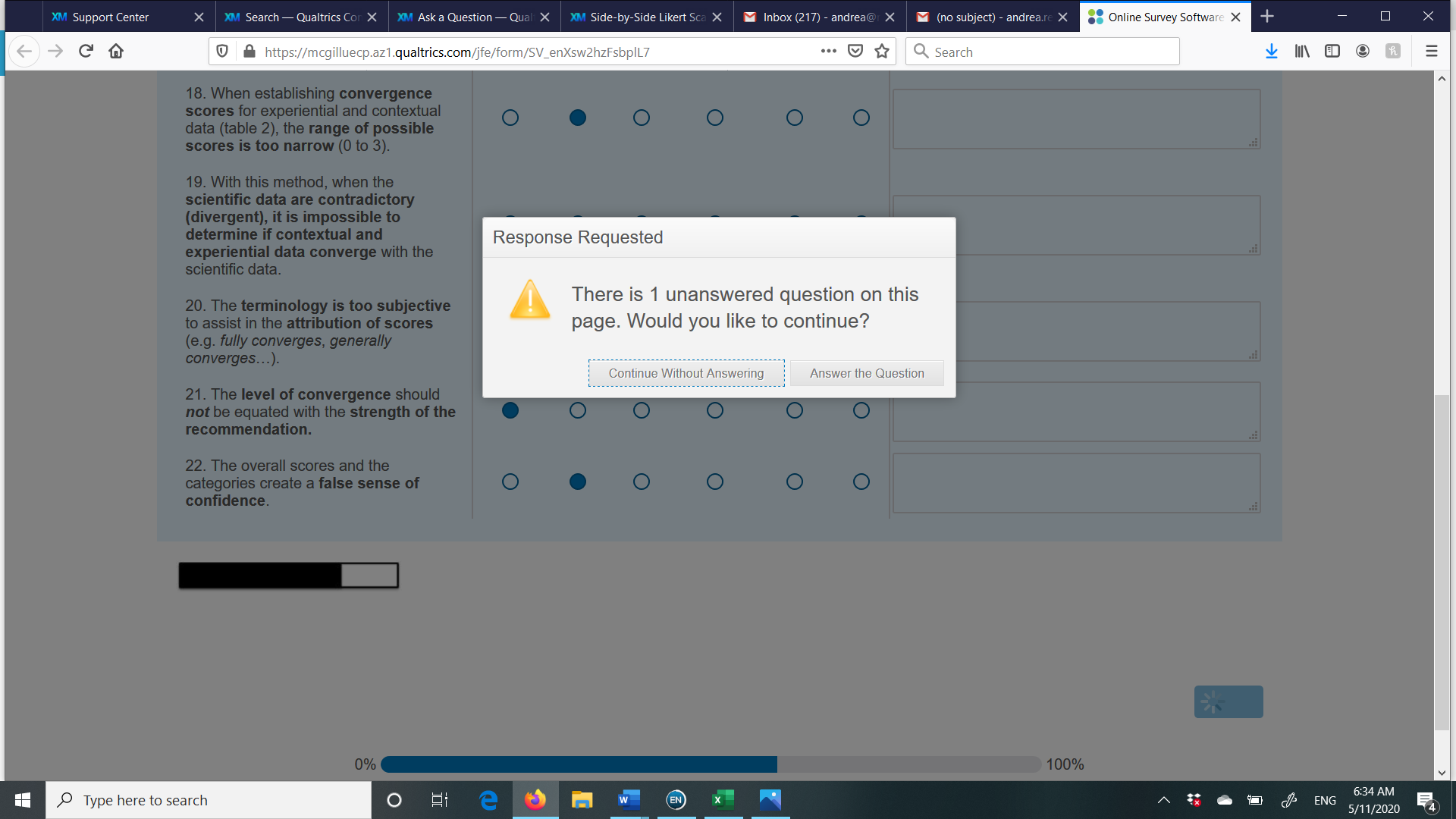 Thanks!
Andrea
PS I have tried to play around with the "Text Entry Validation" options for the comment section Column options (Force Response unchecked, Force response checked + minimum length= 0, Force Response Range =0), but nothing seems to resolve my problem

Side-by-Side Likert Scale + optional comment




Sign up
Already have an account? Login

Welcome! To join the Qualtrics Experience Community, log in with your existing Qualtrics credentials below.
Confirm your username, share a bit about yourself, Once your account has been approved by our admins then you're ready to explore and connect .
Free trial account? No problem. Log in with your trial credentials to join.
No free trial account? No problem! Register here
Already a member? Hi and welcome back! We're glad you're here 🙂
You will see the Qualtrics login page briefly before being taken to the Experience Community
Login with Qualtrics
Welcome! To join the Qualtrics Experience Community, log in with your existing Qualtrics credentials below.
Confirm your username, share a bit about yourself, Once your account has been approved by our admins then you're ready to explore and connect .
Free trial account? No problem. Log in with your trial credentials to join. No free trial account? No problem! Register here
Already a member? Hi and welcome back! We're glad you're here 🙂
You will see the Qualtrics login page briefly before being taken to the Experience Community
Login to the Community
Welcome! To join the Qualtrics Experience Community, log in with your existing Qualtrics credentials below.
Confirm your username, share a bit about yourself, Once your account has been approved by our admins then you're ready to explore and connect .
Free trial account? No problem. Log in with your trial credentials to join.
No free trial account? No problem! Register here
Already a member? Hi and welcome back! We're glad you're here 🙂
You will see the Qualtrics login page briefly before being taken to the Experience Community
Login with Qualtrics
Welcome! To join the Qualtrics Experience Community, log in with your existing Qualtrics credentials below.
Confirm your username, share a bit about yourself, Once your account has been approved by our admins then you're ready to explore and connect .
Free trial account? No problem. Log in with your trial credentials to join. No free trial account? No problem! Register here
Already a member? Hi and welcome back! We're glad you're here 🙂
You will see the Qualtrics login page briefly before being taken to the Experience Community
Enter your E-mail address. We'll send you an e-mail with instructions to reset your password.