Bulk Update of Open Tickets to Expired Status Using API | Experience Community
Skip to main content
Question

Bulk Update of Open Tickets to Expired Status Using API

  • June 25, 2026
  • 1 reply
  • 6 views

Forum|alt.badge.img+10

Hi Team,

We have a requirement to update approximately 90,000 existing open tickets to Expired status in Qualtrics.

The tickets need to be identified based on ticket name and only those tickets that have remained in Open status for more than 7 days from their creation date should be updated.

Could you please advise on the most efficient approach to perform this activity in bulk using Qualtrics APIs in detail?


1 reply

Forum|alt.badge.img+21
  • QPN Level 5 ●●●●●
  • June 27, 2026

 hey ​@Nikeeta,

STEP 1: Export the tickets in a .csv file as per the required time period. It will help you identify which ones you want to update as it has ticket key, name, status, etc. here is the support page link for the same.https://api.qualtrics.com/8ee8a54048288-get-statuses

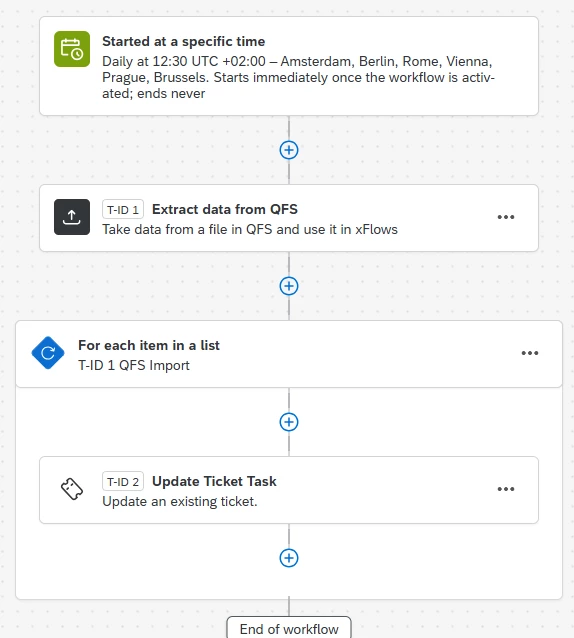
STEP 2: You will need to create a workflow to run this setup. something like this - 

  • A workflow trigger like a scheduled based event. It can be scheduled at any time as we will be keeping the worklfow always off and running it immediately based on our requirement.
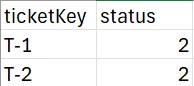
  • Then a QFS task. The endpoint it contains should be used in an external tool like postman where we will be uploading the tickets file that needs to be updated. It will also ask for a sample file to be uploaded. This file should like this - 
    The api runs only on the unique identifer - ticketKey, so please retreive it by running vlookup on ‘ticket name’ column from the earlier file export. it will contain the keys that needs to be updated. And next column will contain status (it only accepts integer value and not the text - open/closed, etc.) if you have custom statues created, retreive thier integer value using this api - https://api.qualtrics.com/8ee8a54048288-get-statuses


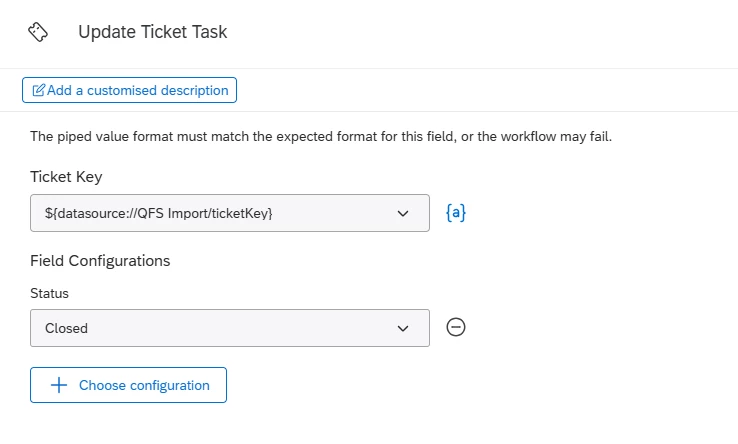
Next will be a loop and it will contain the update ticket task. it will look like this - 

please add the required details. and Status should be set as ‘expired’.

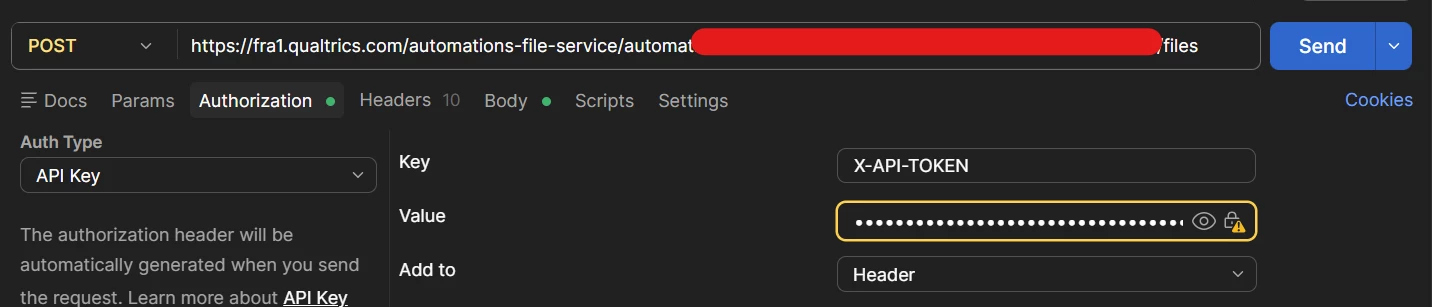
STEP 3: You can use a tool like postman.

add a POST request while using the QSF’s endpoint. add your Qualtrics API token in the authorization section.
in the Body section, upload your desired file along with key as ‘file.’ once all is set, click blue Send button and it should a success message below.


​​​Once the postman request is success, click Run immediately in Qualtrics and your task will be executed.

END!