

setting embedded data based off a block rather than a single question | Experience Community
Skip to main content
Question

setting embedded data based off a block rather than a single question

  • January 6, 2026
  • 5 replies
  • 49 views

kgillis
Level 6 ●●●●●●
Forum|alt.badge.img+30

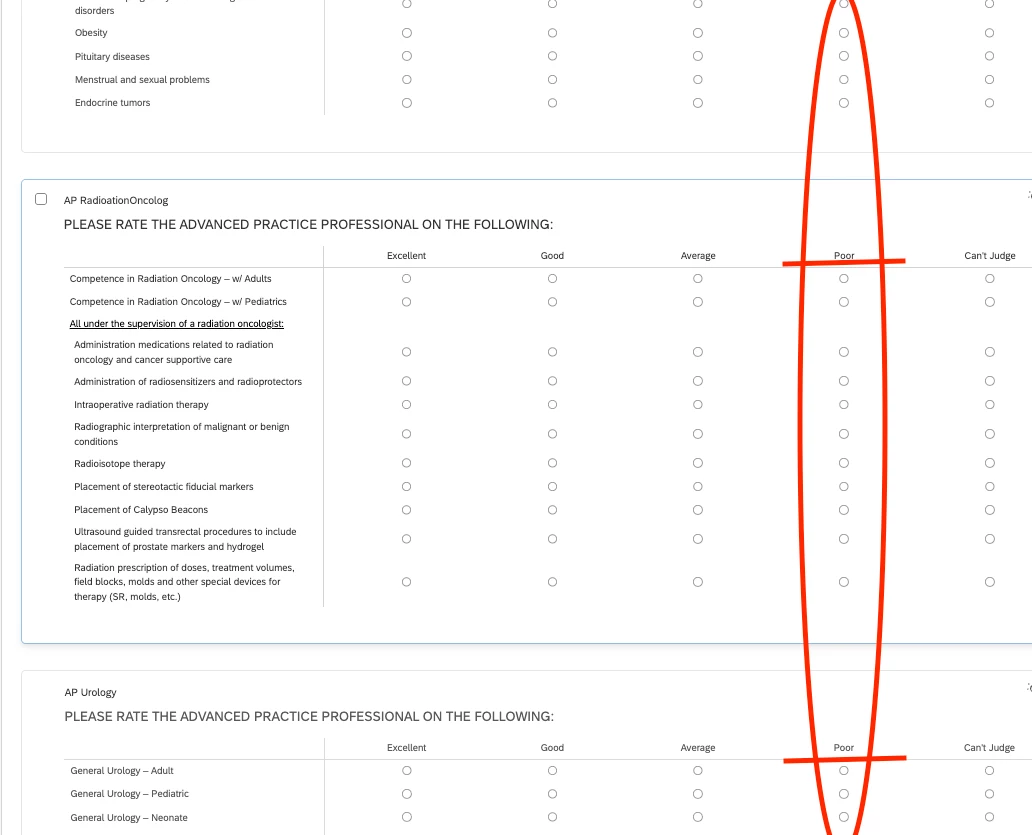
I have a massive survey with over 60 matrix questions that all have the same scale points, these questions are all contained within their own block. (I have not yet done this but each question will have display logic on it so that each participant only sees one of the matrix questions, not all 60+). I need to add a piece of embedded data in the survey flow where it places a negative value in the embedded field if “Poor” is selected. I know that I can do this by creating a whole bunch of OR statements, one for each question, but am wondering if there is a way to do this for the entire block since the entire block only contains matrix questions which all have this same scale point.
 

5 replies

Forum|alt.badge.img+23

Hi ​@kgillis ,


 I need to add a piece of embedded data in the survey flow where it places a negative value in the embedded field if “Poor” is selected. 

If the negative value is fixed regardless of the number of poor selected across the questions, perhaps you can consider combining all of the poor selection of 60+ matrix questions into another embedded data poor_selection using the poor - selected choices piped text. Then, if this poor_selection is not empty, assign the negative value.


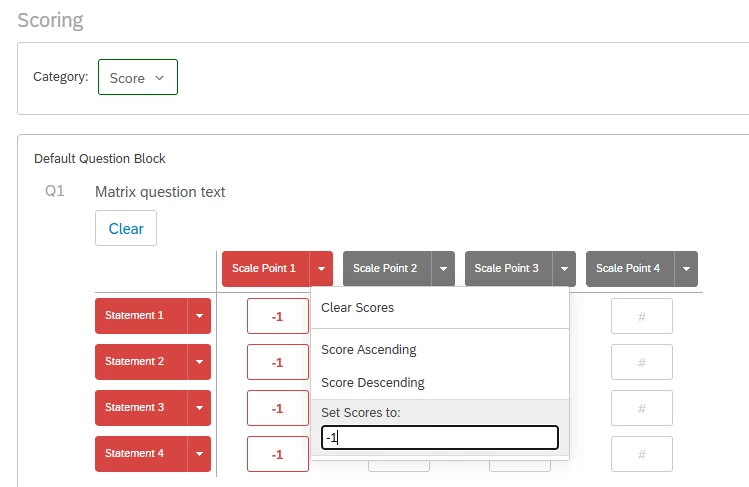
If the negative value is cumulative based on the number of poor selected, you can try to use scoring and assign the negative value to the poor column. However, you will need to set it 60+ times.


Romanoman
Level 3 ●●●
Forum|alt.badge.img+9
  • Level 3 ●●●
  • January 7, 2026

...

perhaps you can consider combining all of the poor selection of 60+ matrix questions into another embedded data poor_selection using the poor - selected choices piped text. Then, if this poor_selection is not empty, assign the negative value.


I tried exactly that and it seems to work, with a shortcut:

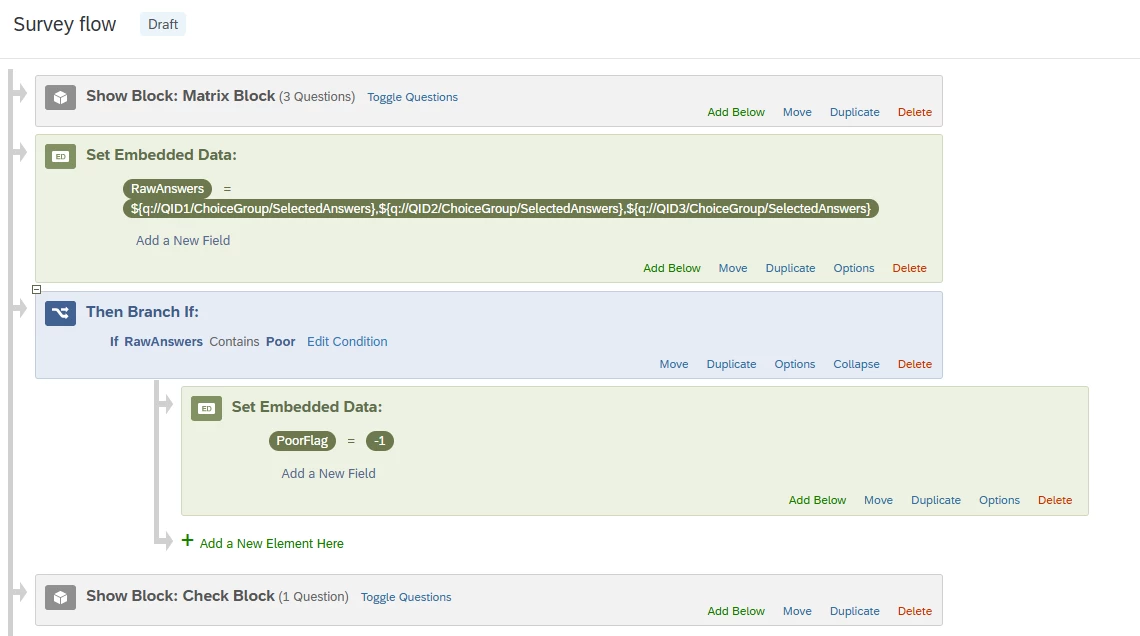
In this case, after the Matrix Block, I created a new RawAnswers Embedded Data field, and populated it with all the SelectedAnswers from each Matrix.It really just bundles it together - you can try to add it as a piped text to a question to see what is inside.

Then it checks the contents of this summarized text for “Poor” by a standard condition, and if it’s there, it assigns “-1” to the “PoorFlag” embedded field.


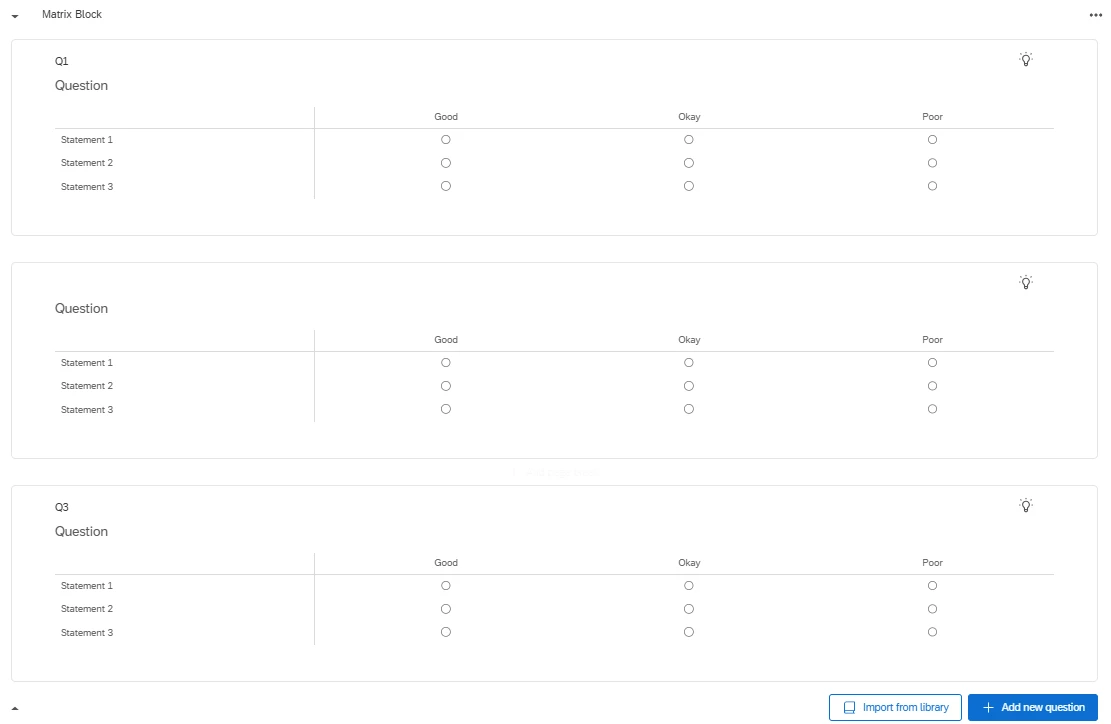
In my simple case for matrices like these:

the mentioned piped text ( ${q://QID1/ChoiceGroup/SelectedAnswers},${q://QID2/ChoiceGroup/SelectedAnswers},${q://QID3/ChoiceGroup/SelectedAnswers}
)
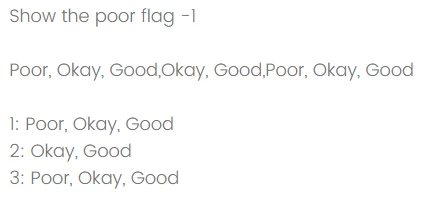
gives me this:
Poor,Okay,Good,Okay,Good,Poor,Okay,Good

That is then checked for existence of “Poor”, it is there, hence the “-1” is assigned to “PoorFlag” and shown in my check question:


I am not sure it is​​​​​​ much better, you still need to collect IDs of all the questions and put them into this horrible long piped text structure, but it is an alternative for sure.


kgillis
Level 6 ●●●●●●
Forum|alt.badge.img+30
  • Author
  • Level 6 ●●●●●●
  • January 8, 2026

I like the idea but with what ended up being 90 matrix questions that is just as many steps.


arunxmarchitect
Level 2 ●●
Forum|alt.badge.img+3

@kgillis 

  1. Qualtrics Survey Flow logic can’t natively evaluate “any question in a block,” so doing this with built-in logic would require a long OR chain across all matrix questions.
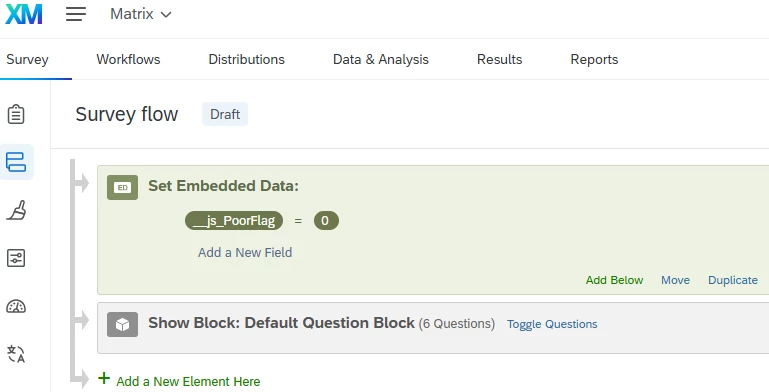
  2. Instead, create an Embedded Data field in Survey Flow (e.g., PoorFlag) and set a default value (e.g., 0).
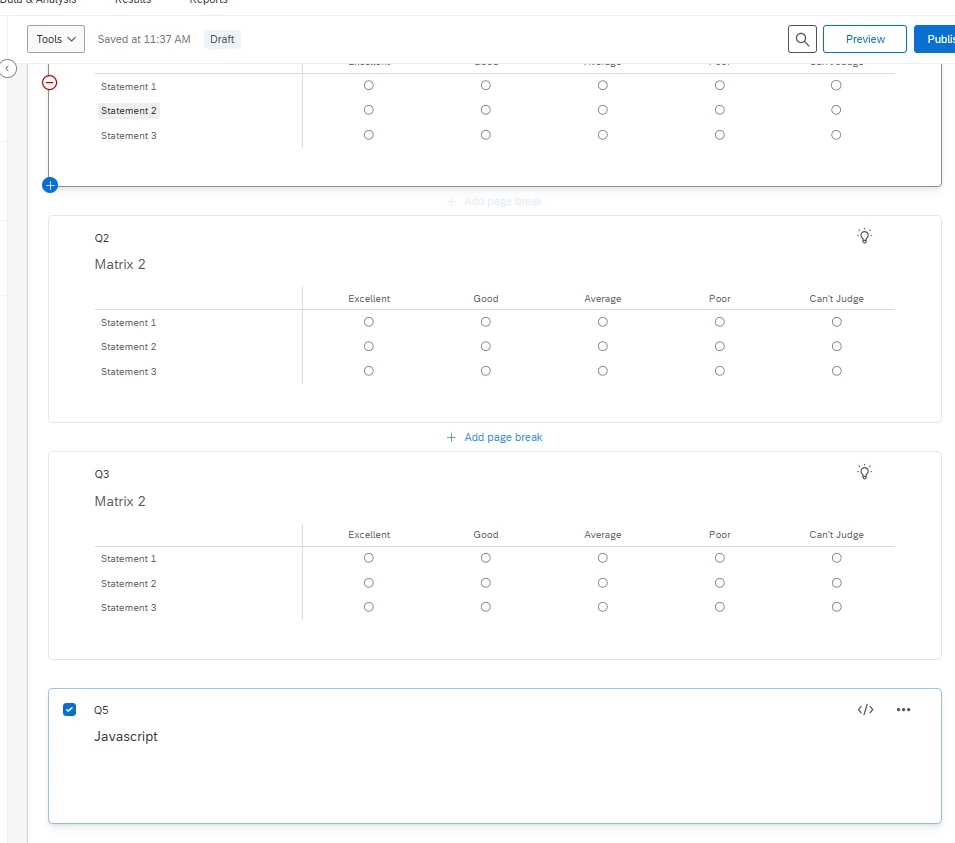
  3. Add one JavaScript snippet (once, e.g., in a single Descriptive Text question at the end of the block or in the Look & Feel header) that runs on page submit:
    1. It scans all checked radio buttons in any matrix questions on the current page.
    2. For each checked option, it uses the input’s aria-labelledby to identify which column label it belongs to.
    3. If the referenced column label text equals “Poor”, it sets PoorFlag = -1; otherwise it leaves it as 0.
  4. This avoids maintaining 60+ separate OR conditions and works even with the newer div/grid matrix HTML (no tables required).

Setup

  1. In Survey Flow, add Embedded Data (default):
  • __js_PoorFlag0

2. Add this JS once (best place: a single Descriptive Text question at the end of that block, or Look & Feel header if you want it survey-wide):

Qualtrics.SurveyEngine.addOnPageSubmit(function () {
var poorSelected = false;

// Get any checked radio that belongs to a matrix question
var checked = document.querySelectorAll(
'section.question.matrix input[type="radio"]:checked'
);

checked.forEach(function (inp) {
// aria-labelledby may contain multiple IDs; take the first token
var labelledBy = (inp.getAttribute("aria-labelledby") || "").trim();
if (!labelledBy) return;

var firstId = labelledBy.split(/\s+/)[0];
var labelEl = document.getElementById(firstId);
if (!labelEl) return;

var colText = (labelEl.textContent || "").trim();
if (colText === "Poor") {
poorSelected = true;
}
});

Qualtrics.SurveyEngine.setJSEmbeddedData("PoorFlag", poorSelected ? -1 : 0);
});


Thanks,

Arun


vgayraud
QPN Level 7 ●●●●●●●
Forum|alt.badge.img+60
  • QPN Level 7 ●●●●●●●
  • January 9, 2026

For something less depending on custom code and still not too painful to setup, you could always use scoring and base your condition on score <= -1. That would also give you the number of “poor” elements if you ever need it.