I'd like to hide the question text for a question in my survey. Is there code that will allow me to do this? I've read this thread: https://community.qualtrics.com/XMcommunity/discussion/2256/hiding-question-text, but when I add the code to rich content editor HTML view, the question still appears when I preview the study. This problem was brought up in the above thread but never answered. Thanks

Solved
Removing question text
 +1
+1Best answer by coffye
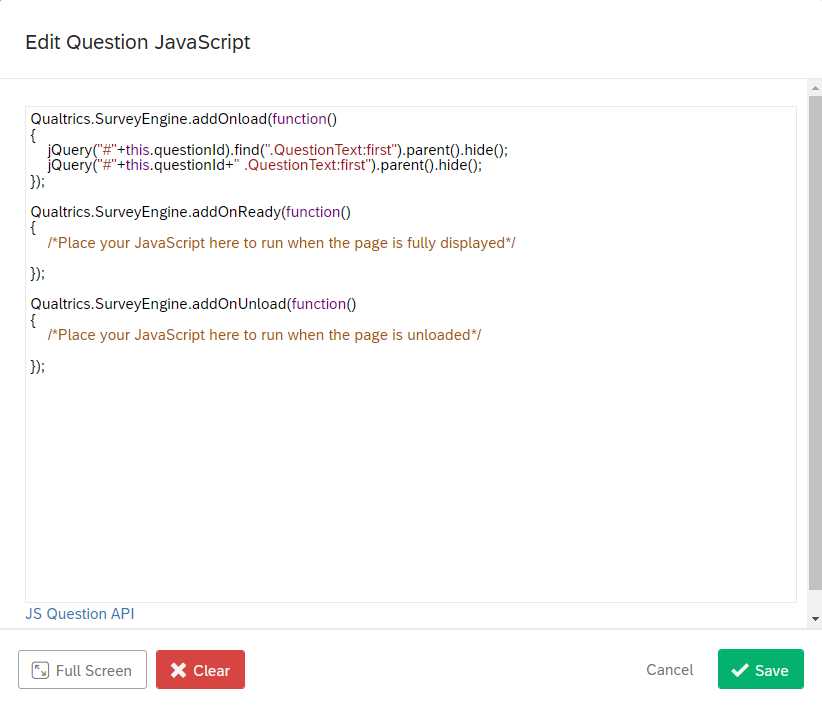
Nevermind, I figured out how to do it. For anyone who finds this question, I used this code:
Qualtrics.SurveyEngine.addOnload(function() { jQuery("#"+this.questionId).find(".QuestionText:first").parent().hide(); jQuery("#"+this.questionId+" .QuestionText:first").parent().hide();});
});
From this link: https://gist.github.com/marketinview/00c6b7790bec6c8178bf/revisions (the top revision). I added it by right clicking on the question box (not question name) and clicking ' add Javascript', then adding it to the 'addOnload' (top) section
Although the below screenshot still shows the question text 'Click to write the question text', when the study is previewed this no longer appears.
Thanks for your suggestions everyone!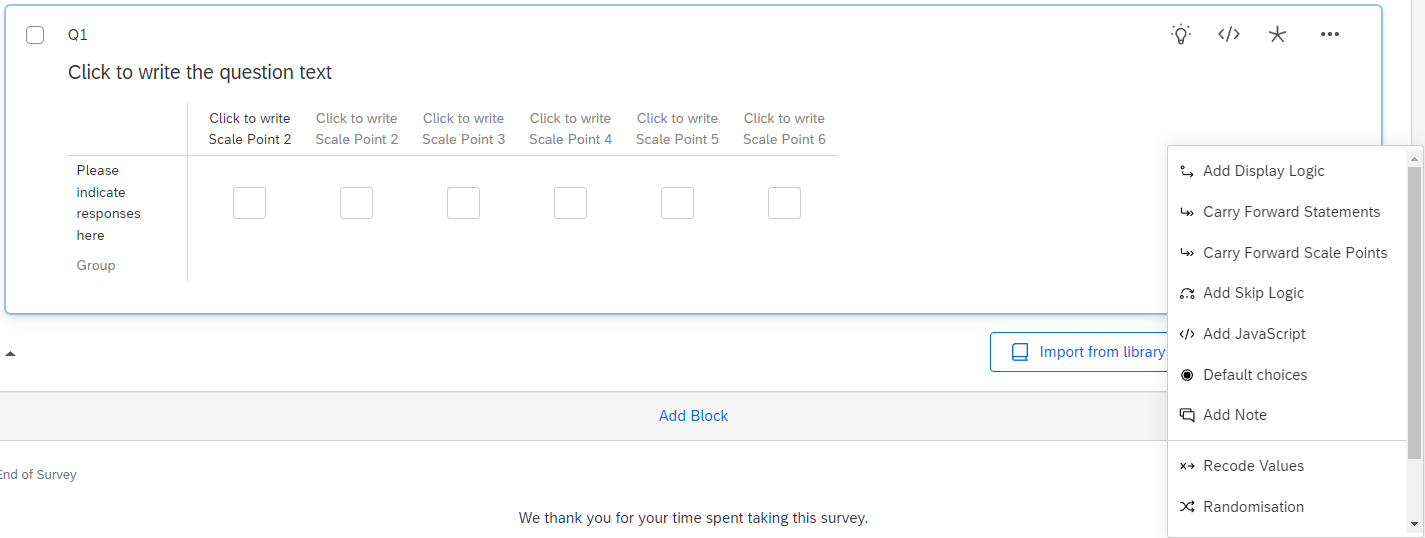



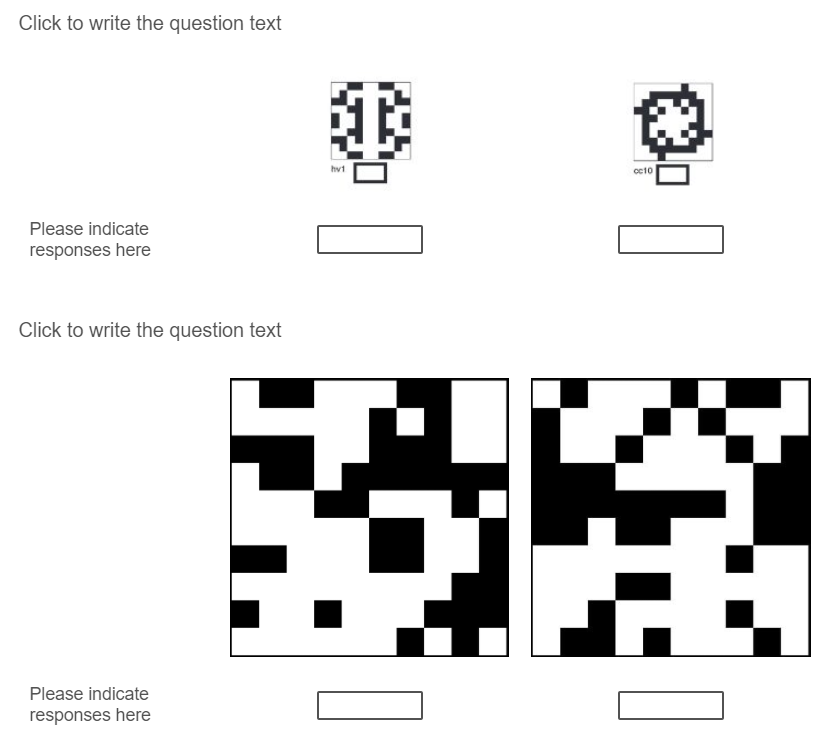 This is what the preview looks like. I'm creating a table which will include 6 x 10 images, which participants will include a rating for in the answer boxes under each image. I've done this by using two 'matrix table' questions (see below). I only need to ask the question once: all the images should be rated whilst considering the other images. If I ask the question in each matrix table, people may only compare the images to the ones next to it, rather than the whole 6 x 10 set. An easier way to do it would be to include multiple 'text entry' boxes within the same question and just put them in a table, but I'm not sure if I can do that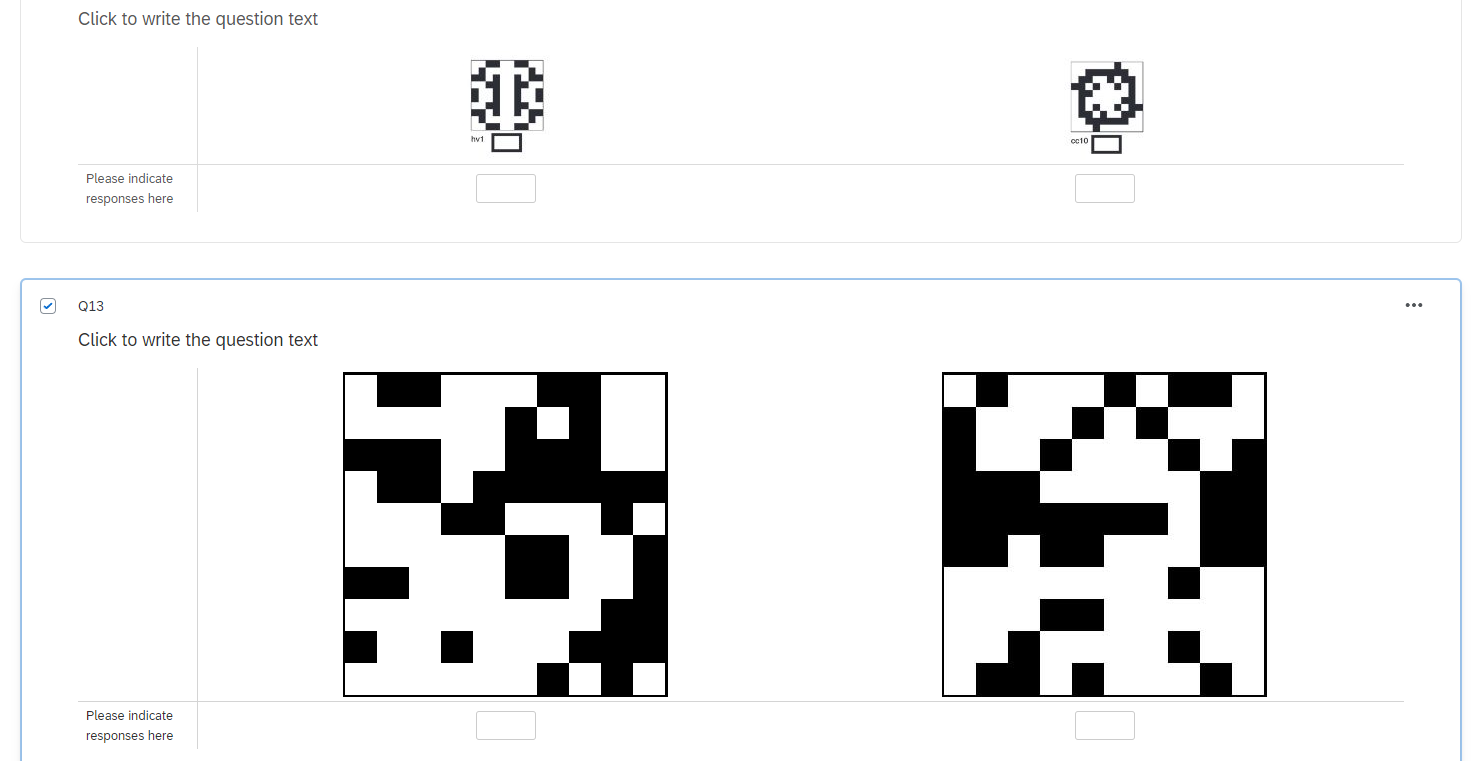



Sign up
Already have an account? Login

Welcome! To join the Qualtrics Experience Community, log in with your existing Qualtrics credentials below.
Confirm your username, share a bit about yourself, Once your account has been approved by our admins then you're ready to explore and connect .
Free trial account? No problem. Log in with your trial credentials to join.
No free trial account? No problem! Register here
Already a member? Hi and welcome back! We're glad you're here 🙂
You will see the Qualtrics login page briefly before being taken to the Experience Community
Login with Qualtrics
Welcome! To join the Qualtrics Experience Community, log in with your existing Qualtrics credentials below.
Confirm your username, share a bit about yourself, Once your account has been approved by our admins then you're ready to explore and connect .
Free trial account? No problem. Log in with your trial credentials to join. No free trial account? No problem! Register here
Already a member? Hi and welcome back! We're glad you're here 🙂
You will see the Qualtrics login page briefly before being taken to the Experience Community
Login to the Community
Welcome! To join the Qualtrics Experience Community, log in with your existing Qualtrics credentials below.
Confirm your username, share a bit about yourself, Once your account has been approved by our admins then you're ready to explore and connect .
Free trial account? No problem. Log in with your trial credentials to join.
No free trial account? No problem! Register here
Already a member? Hi and welcome back! We're glad you're here 🙂
You will see the Qualtrics login page briefly before being taken to the Experience Community
Login with Qualtrics
Welcome! To join the Qualtrics Experience Community, log in with your existing Qualtrics credentials below.
Confirm your username, share a bit about yourself, Once your account has been approved by our admins then you're ready to explore and connect .
Free trial account? No problem. Log in with your trial credentials to join. No free trial account? No problem! Register here
Already a member? Hi and welcome back! We're glad you're here 🙂
You will see the Qualtrics login page briefly before being taken to the Experience Community
Enter your E-mail address. We'll send you an e-mail with instructions to reset your password.