

Sending notification when a survey has been sent | Experience Community
Skip to main content
Question

Sending notification when a survey has been sent

  • October 26, 2023
  • 3 replies
  • 57 views

MsIreen
Level 5 ●●●●●
Forum|alt.badge.img+23

Hi all,

We have som transactional surveys happening based on SF integration (e.g. Case closed in SF, survey is sent), and we would like to start sending notifications to the internal team when the survey has been sent. 

Due to the directory settings, we do not send surveys to the same people within a certain time frame. So if there are multiple time when condition is met the Workflow is triggered each time, but the survey is sent only once.

Email task functionality in the workflow was my initial thought, but then it sends emails to the team every time the workflow is triggered, even if the survey sending was blocked by the directory settings.

What kind of notification can we use/configure to ensure that it is only sent to the team when the actual survey is sent out?


Thanks in advance!

3 replies

Romanoman
Level 3 ●●●
Forum|alt.badge.img+9
  • Level 3 ●●●
  • January 26, 2026

Hello ​@MsIreen, have you managed to solve this? I am now facing a similar problem and any hint would be appreciated.


arunxmarchitect
Level 3 ●●●
Forum|alt.badge.img+4

@MsIreen ​@Romanoman , 

Based on the current Qualtrics functionality, if you use an Email Task in the workflow, it will trigger every time the workflow is activated, even if the survey distribution is blocked by directory settings (such as contact frequency rules). This means the internal team could receive notifications even when no survey is actually sent.


Available Options:

  1. Respondent Funnel / XM Directory Reporting:
    Setting up the Respondent Funnel and providing access to the internal team is a practical option. This allows your team to monitor actual survey invitations sent, response rates, and other distribution metrics directly in XM Directory dashboards. However, this is a reporting solution, not a real-time notification.

  2. Custom Solution (Recommended for Real-Time Notification):
    Out-of-the-box, Qualtrics workflows do not provide a built-in trigger or event that fires only when a survey is actually sent (i.e., after passing directory frequency checks). The workflow triggers on the event (e.g., Salesforce case closed), not on the successful delivery of the survey invitation.

    • If you require real-time notifications only when a survey is actually sent, you would need to build a custom integration. For example, you could:
      • Use the XM Directory Respondent Funnel for reporting and have the team check it regularly.
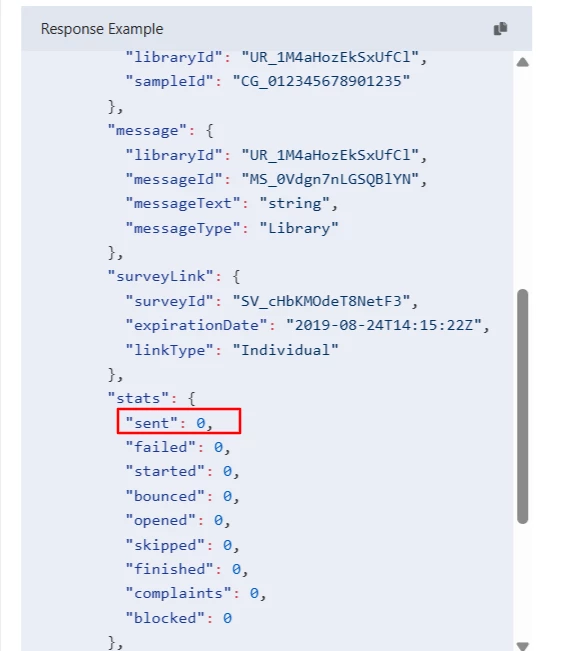
      • Use Qualtrics API or distribution history exports to build a custom notification system outside of Qualtrics.

Summary Table:

Option Real-Time Notification Out-of-the-Box Notes
Respondent Funnel No (Reporting only) Yes Team can monitor actual sends
Email Task in Workflow No (Triggers on event) Yes Not aware of directory block
Custom Integration/API Yes No Requires development effort


Romanoman
Level 3 ●●●
Forum|alt.badge.img+9
  • Level 3 ●●●
  • January 27, 2026

@MsIreen ​@Romanoman , 

Based on the current Qualtrics functionality, if you use an Email Task in the workflow, it will trigger every time the workflow is activated, even if the survey distribution is blocked by directory settings (such as contact frequency rules). This means the internal team could receive notifications even when no survey is actually sent.


...

I was already thinking and looking at the API option which seemed like a good (or rather doable) way, but I will check the funnel option too and will report what worked.

Thank you for the thorough analysis!