

Creating and add a class to the Custom CSS Code | Experience Community
Skip to main content
Question

Creating and add a class to the Custom CSS Code

  • January 14, 2026
  • 1 reply
  • 30 views

KBrady
Level 2 ●●
Forum|alt.badge.img+11

I'm working on a survey where I need to conditionally add text to an existing question based on an embedded data value.

Specific requirement:

  • Embedded data variable: Example_Survey = ABC
  • Add "Sample Text" to a question
  • Only add this text if the class equals "ABC" 
  • If the value is anything other than "ABC", do NOT add the text

Since we're running multiple survey variations within the same survey and it is only two words in one questions, I'd prefer to implement this using CSS classes and JavaScript rather than Qualtrics' built-in logic, as this would be cleaner and more maintainable.

How does a Class recognize the embedded data value?

Do I have to create a nested Embedded data field?

Thank you!
1 reply

arunxmarchitect
Level 3 ●●●
Forum|alt.badge.img+3

@KBrady ,
 

You do not need CSS or JavaScript for this. This is best solved natively in Survey Flow using Embedded Data and piped text, which is simpler, safer, and easier to maintain.

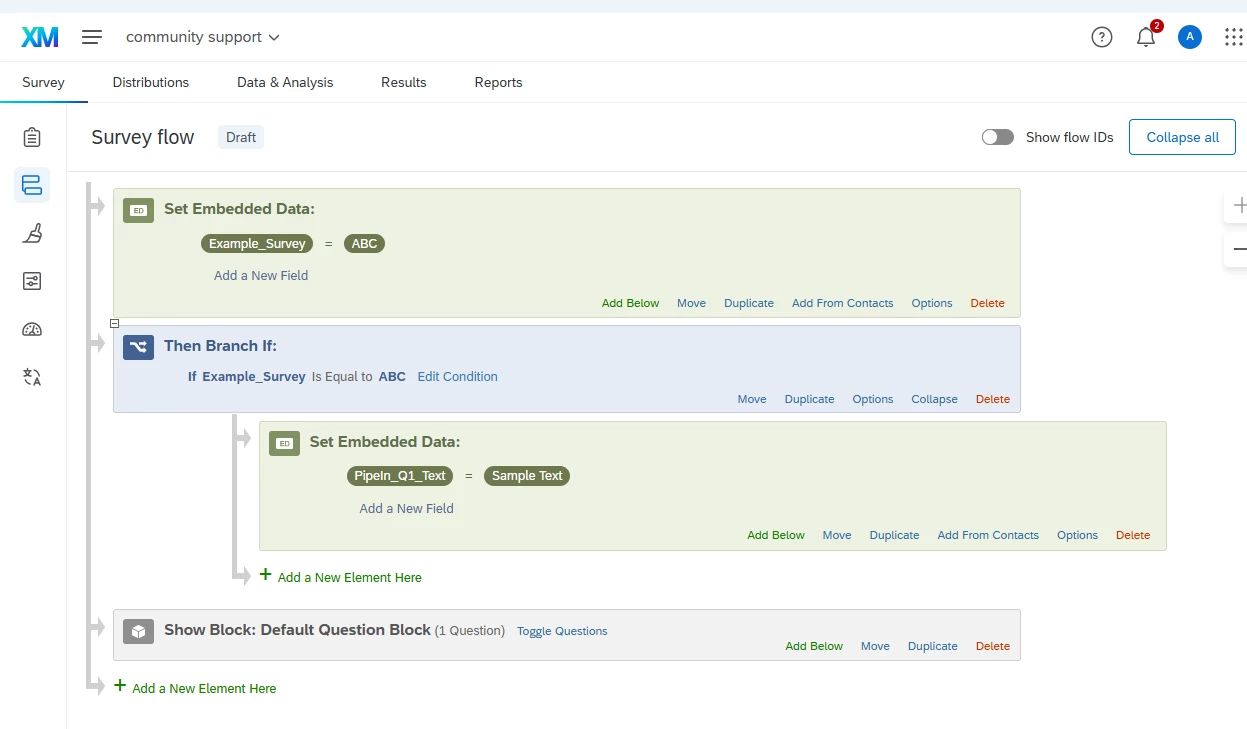
Set your embedded data earlier in the flow, then add a branch like this:

If Example_Survey equals ABC
Set Embedded Data: PipeIn_Q1_Text = Sample Text

Place your question block after this logic.

In the question text, just pipe in the value where you want it to appear:

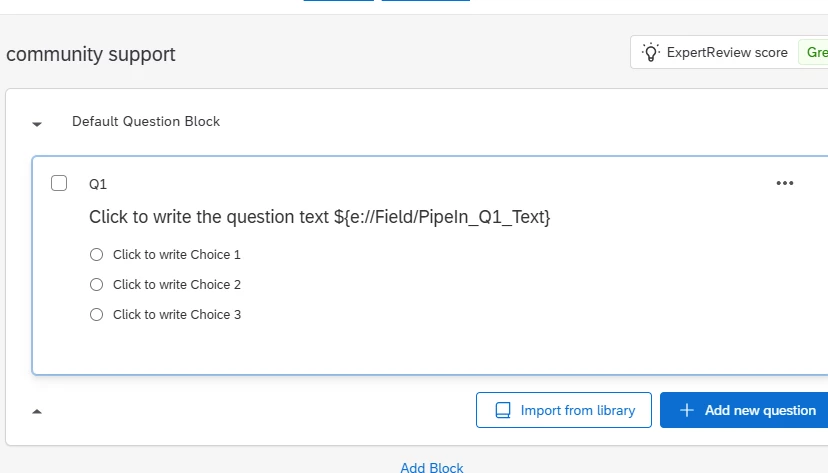
Click to write the question text ${e://Field/PipeIn_Q1_Text}

Result
If Example_Survey is ABC, the text "Sample Text" appears.
If it is anything else, nothing is added.

This avoids custom code, works across all themes and devices, and is much easier for others to maintain in the future. If you need formatting, you can also store HTML in the embedded data value.

1) Register the Embedded Data in the Survey Flow and apply the logic:

  1. Use the Pipein embedded data field in the Question.