Formula to sum up totals in survey | XM Community
Skip to main content
Question

Formula to sum up totals in survey

  • October 14, 2024
  • 9 replies
  • 117 views

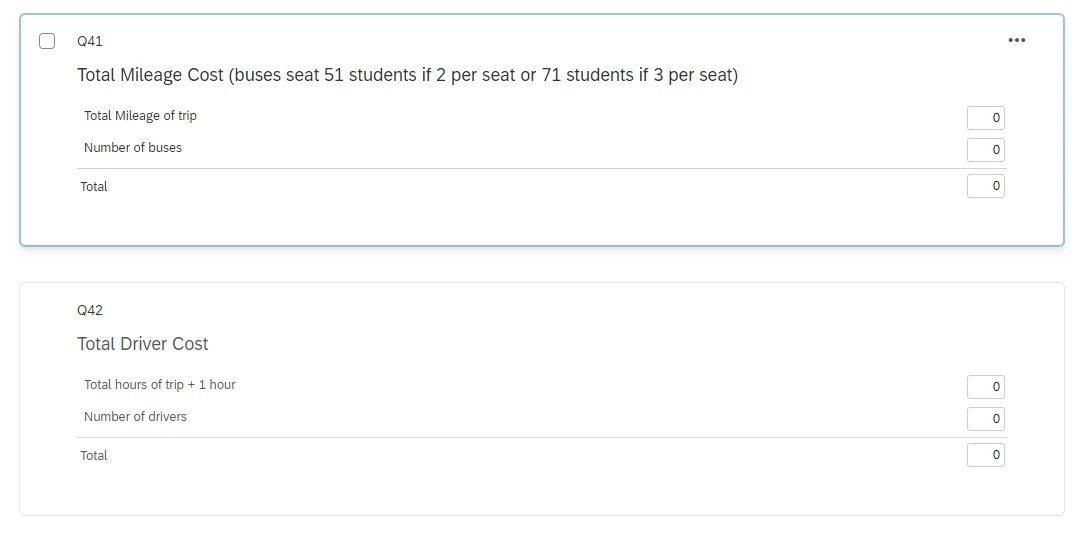
Hello - I have a field trip form that staff fill out and we ask them to calculate some information, but they keep doing it incorrectly. Our transportation staff have to recalculate. I have everything built into the survey and I’d like to get these fields to auto populate. I haven’t figured out how to get the sum query to work. 


Staff put in all these different values into the form and then have to calculate these areas. I’d like the form to do it for them, any ideas?


9 replies

  • October 14, 2024

i would have the respondent enter the mileage and the # of busses and then add a formula(calculation) as embedded data in the survey flow. 


jmborzick
QPN Level 5 ●●●●●
Forum|alt.badge.img+41
  • QPN Level 5 ●●●●●
  • October 14, 2024

@lisagilchrist  you can use formulas within the in the survey flow to create embedded data fields that then could be piped into the survey. You can read about those here. 


  • Author
  • Level 1 ●
  • October 14, 2024

Thank you both, I will try that!


pamelalbeck
Level 5 ●●●●●
Forum|alt.badge.img+34
  • Level 5 ●●●●●
  • October 14, 2024

I think constant sum as a question choice would be the way to go:

https://www.qualtrics.com/support/survey-platform/survey-module/editing-questions/question-types-guide/specialty-questions/constant-sum/ 

However if this isn’t working for you, without knowing the specifics, it would be worthwhile to follow up with a ticket.

If you decide to keep the text entry format adding a validation → content type → number would clean up some of the data and you could always work within the Excel sheet once you export it to sum totals.


  • Author
  • Level 1 ●
  • October 14, 2024

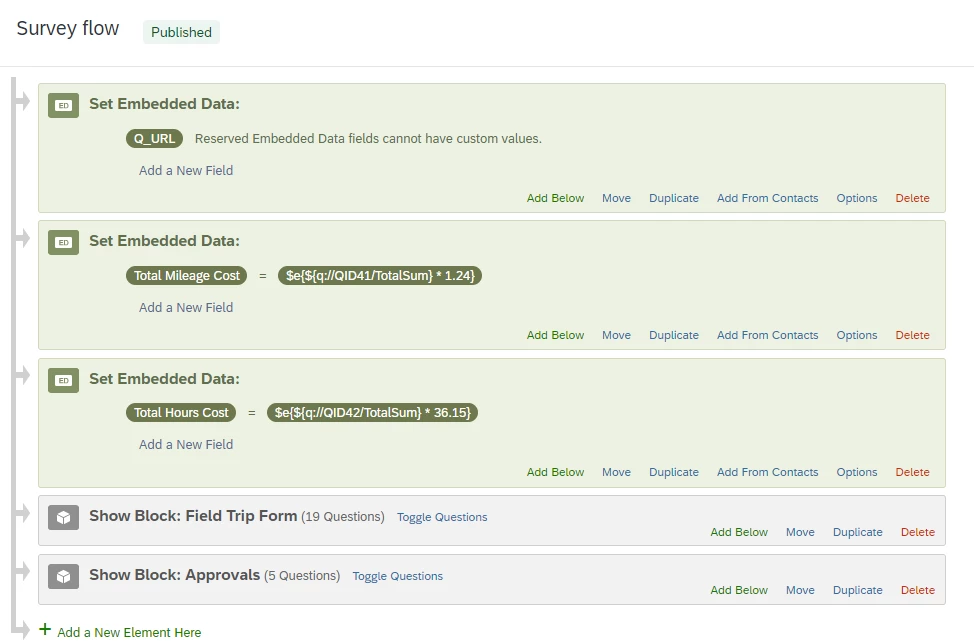
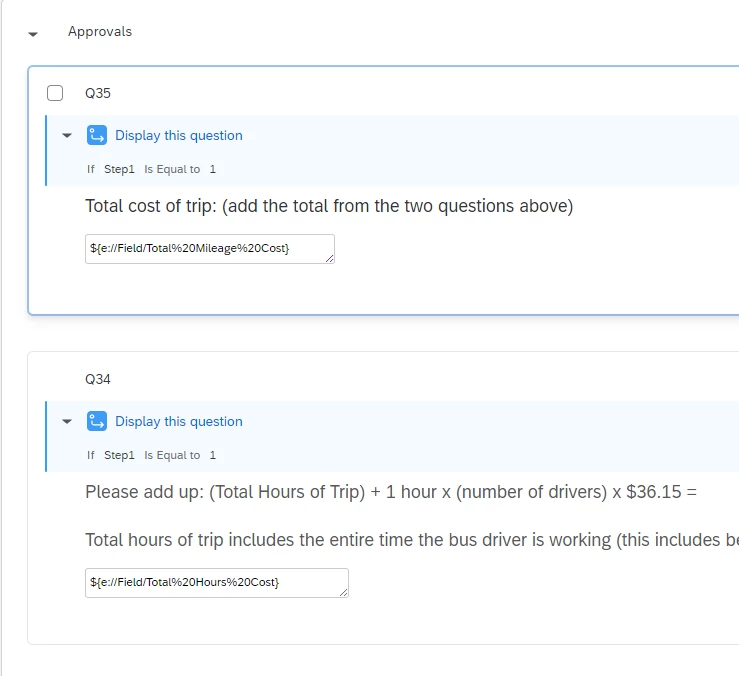
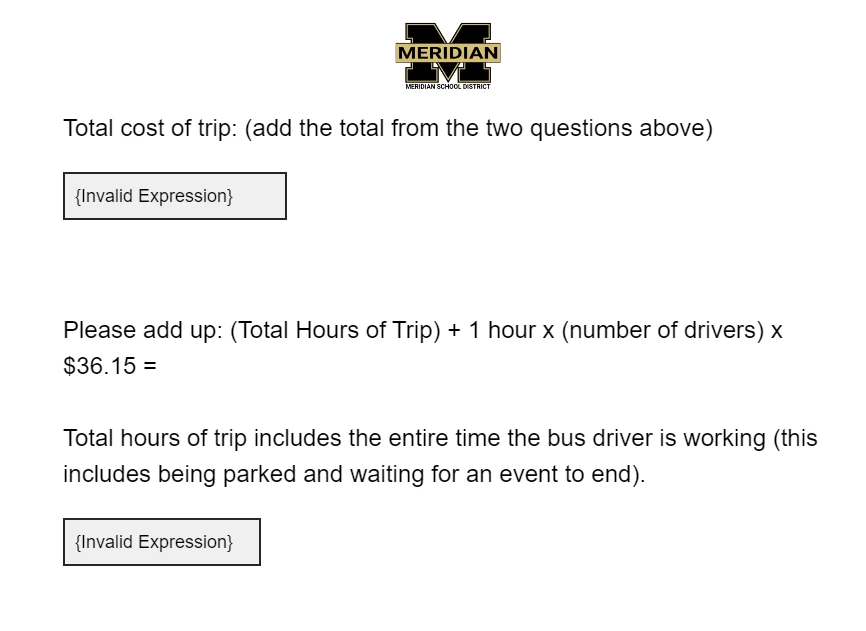
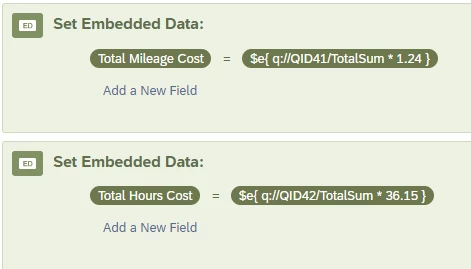
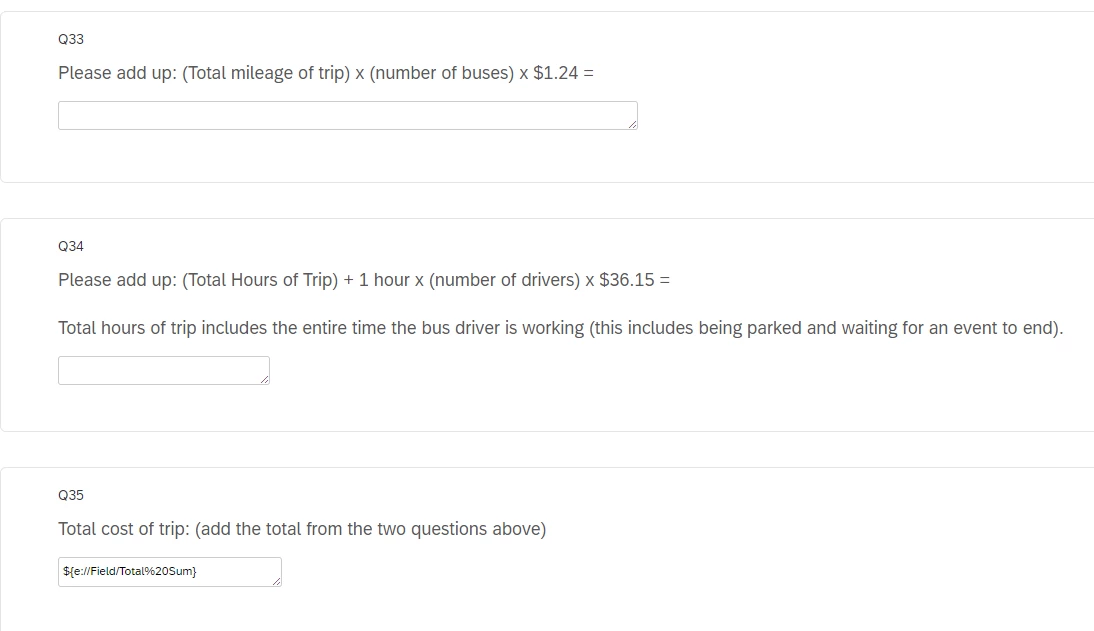
Ok - help - I set up new questions to create totals. Then I set up embedded data to calculate the totals. Then I set up new questions to display the totals using Piped Text. And I get “Invalid Expression”


jmborzick
QPN Level 5 ●●●●●
Forum|alt.badge.img+41
  • QPN Level 5 ●●●●●
  • October 14, 2024

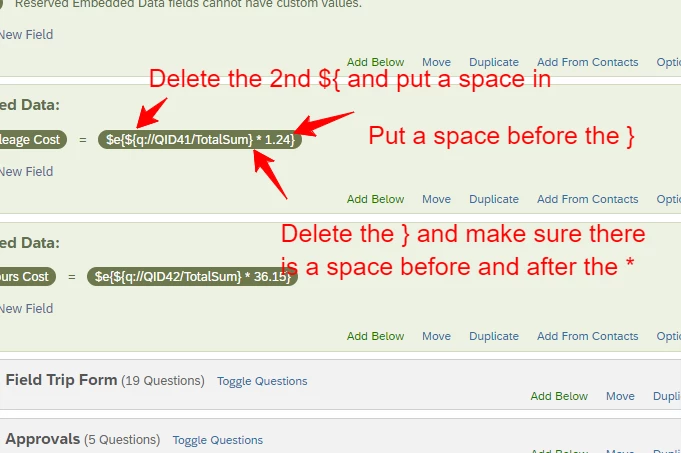
@lisagilchrist  You have some problems with your formulas. 


  • Author
  • Level 1 ●
  • October 14, 2024

Almost there, now I am getting 0 for each instead of Invalid Expression. 


jmborzick
QPN Level 5 ●●●●●
Forum|alt.badge.img+41
  • QPN Level 5 ●●●●●
  • October 14, 2024

@lisagilchrist  Are the questions where you’re collecting the data above the formulas? If not, move the embedded data fields lower in the flow so that the questions where you collect the data come first. If you’re piping the data back into the survey, you’ll need tomake sure that those questions are after the embedded data. 


  • Author
  • Level 1 ●
  • October 14, 2024

Woooooooooooooooooo! That worked!