Hello,
Apologies if this has been asked before, but I have not found a way to get this to work yet. In my survey I have two parts, the first part goes to a student using an anonymous link. The student fills in their portion then completes the survey. When the student completes the survey I have an action setup to email the faculty member with the retake link. I have amended the retake link with the following at the end:
"?Q_R=${e://Field/ResponseID}&Q_R_DEL=1&Approver=1"
I was able to get this link to forward the faculty member directly to their portion of the survey ONCE and it hasn't worked since. I have a branch for the second block (the faculty portion of the survey) and have it set to display according to the embedded data field (screenshot)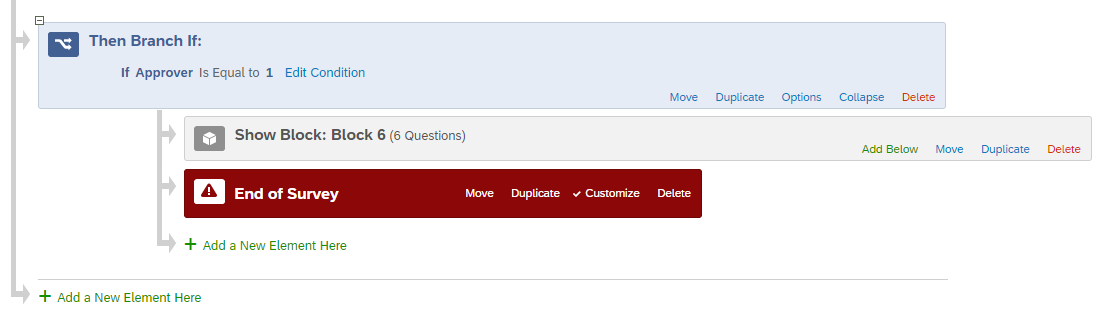 Any help on this would be great, since this is very frustrating knowing that I had this working once, but not since.
Thanks,
Brian

Bypass respondent's answers using retake link



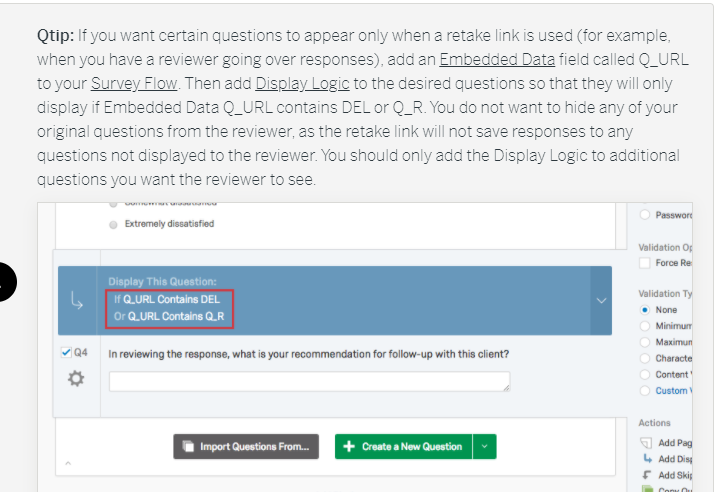



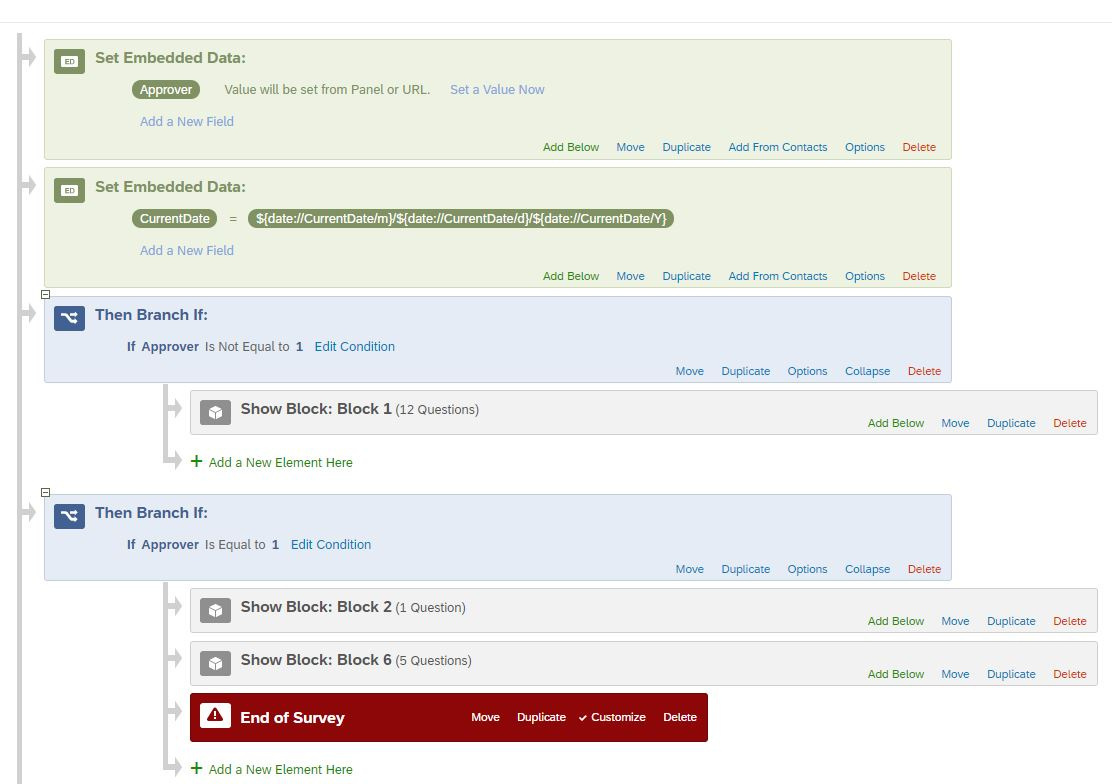 here is my flow. I have the approver set at the very beginning, the current date is being used for other display logic for certain answers. block 1 is the student portion of the survey and block 2 and 6 are the faculty portion. block 2 and 6 are what I want displayed when the faculty clicks the retake link in the email they receive.


Sign up
Already have an account? Login

Welcome! To join the Qualtrics Experience Community, log in with your existing Qualtrics credentials below.
Confirm your username, share a bit about yourself, Once your account has been approved by our admins then you're ready to explore and connect .
Free trial account? No problem. Log in with your trial credentials to join.
No free trial account? No problem! Register here
Already a member? Hi and welcome back! We're glad you're here 🙂
You will see the Qualtrics login page briefly before being taken to the Experience Community
Login with Qualtrics
Welcome! To join the Qualtrics Experience Community, log in with your existing Qualtrics credentials below.
Confirm your username, share a bit about yourself, Once your account has been approved by our admins then you're ready to explore and connect .
Free trial account? No problem. Log in with your trial credentials to join. No free trial account? No problem! Register here
Already a member? Hi and welcome back! We're glad you're here 🙂
You will see the Qualtrics login page briefly before being taken to the Experience Community
Login to the Community
Welcome! To join the Qualtrics Experience Community, log in with your existing Qualtrics credentials below.
Confirm your username, share a bit about yourself, Once your account has been approved by our admins then you're ready to explore and connect .
Free trial account? No problem. Log in with your trial credentials to join.
No free trial account? No problem! Register here
Already a member? Hi and welcome back! We're glad you're here 🙂
You will see the Qualtrics login page briefly before being taken to the Experience Community
Login with Qualtrics
Welcome! To join the Qualtrics Experience Community, log in with your existing Qualtrics credentials below.
Confirm your username, share a bit about yourself, Once your account has been approved by our admins then you're ready to explore and connect .
Free trial account? No problem. Log in with your trial credentials to join. No free trial account? No problem! Register here
Already a member? Hi and welcome back! We're glad you're here 🙂
You will see the Qualtrics login page briefly before being taken to the Experience Community
Enter your E-mail address. We'll send you an e-mail with instructions to reset your password.