

having problems with translating my survey to another language... pls help :( | Experience Community
Skip to main content
Question

having problems with translating my survey to another language... pls help :(

  • July 26, 2026
  • 3 replies
  • 25 views

hiya!


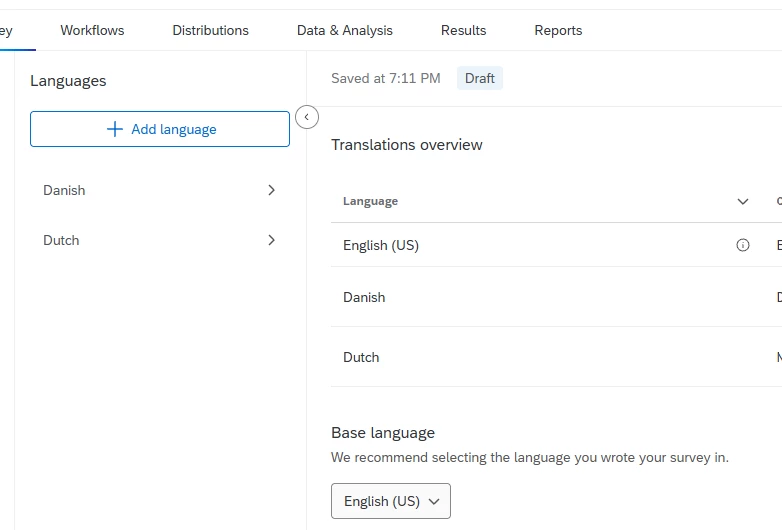
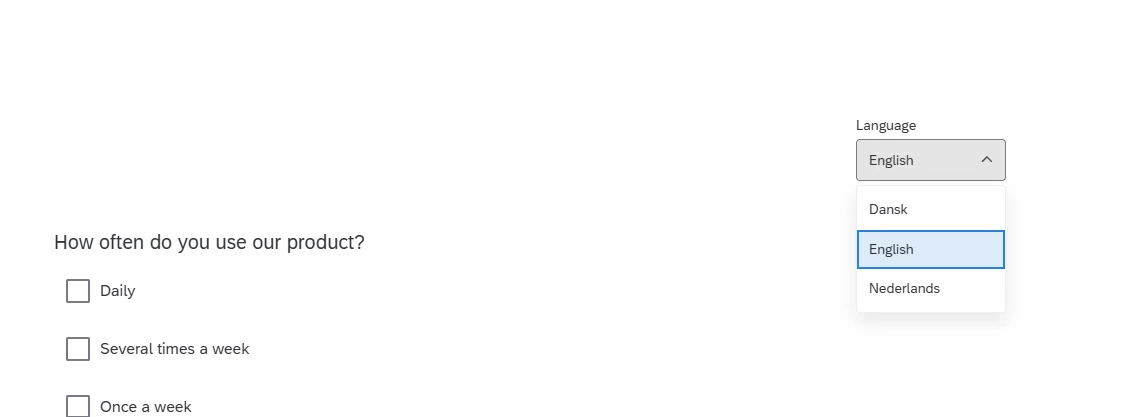
i hope someone can help me out here! i’ve made a survey for my university dissertation, and it needed to be translated into a language.. i figured out how to translate it using google translate, and the translation percentage says 100% translated, but when i do the survey and click on the translate button in the top right corner, it doesn’t translate the questions or anything… it does, however, translate the qualtrics blue “next” buttons.


can anyone help me out?

3 replies

gPandey_715
Level 4 ●●●●
Forum|alt.badge.img+10
  • Level 4 ●●●●
  • July 26, 2026

Hi ​@WestminsterStudent101 Could you please share a few screenshots of your setup?

Also, could you preview the survey and check the Language dropdown in the top-right corner of the survey? Are the translated languages visible there?

If the translated language appears in the dropdown but the questions remain in the default language after selecting it, please share a screenshot of that as well. That will help narrow down whether it's a translation setup issue or something else.


InessaG
Level 5 ●●●●●
Forum|alt.badge.img+19
  • Level 5 ●●●●●
  • July 27, 2026

and a follow-up question from me - did you publish the survey after programming in translations?


arunxmarchitect
Level 4 ●●●●
Forum|alt.badge.img+8

@WestminsterStudent101,

You should see a Language dropdown in the survey preview once you've added an additional language to the survey. If the dropdown is available but the questions are still not translating, it's worth checking that:

  • The additional language has been published/saved.
  • The survey is being previewed with the correct language selected from the dropdown.
  • The translated text actually exists for the survey questions (not just the Qualtrics interface elements).

If you can share a screenshot of your Translations page and the survey preview, it will be easier to identify what's causing the issue.