

Hi I have what I thought was a fairly simple design but which have turned out to be harder than I thought to set up. Any help much appreciated!
I have three conditions to which I want to randomly assign individuals. Each condition contains 15 questions that are to be presented in random order. So far no worries. However each question in each condition have different versions of them (so example: Question A has A1, A2 and A3 version of the question). I want the participants in each condition to randomly see one of three versions for each question, and for this to continue throughout the survey (so first you see say A2, then B1, then C3 and so on). How do I set this up?
What I tried was to create one block for condition 1 first, with 15x3 questions in it (in the order of A1, A2, A3, B1, B2, B3 ...), but now I can't figure out how to create a rule to make it behave like I want.

Randomization: A1 A2 OR A3 THEN B1, B2 OR B3
 +1
+1


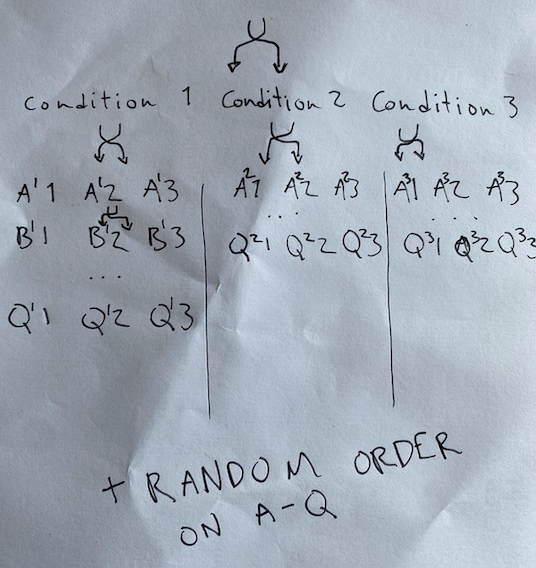 So first randomization is condition.
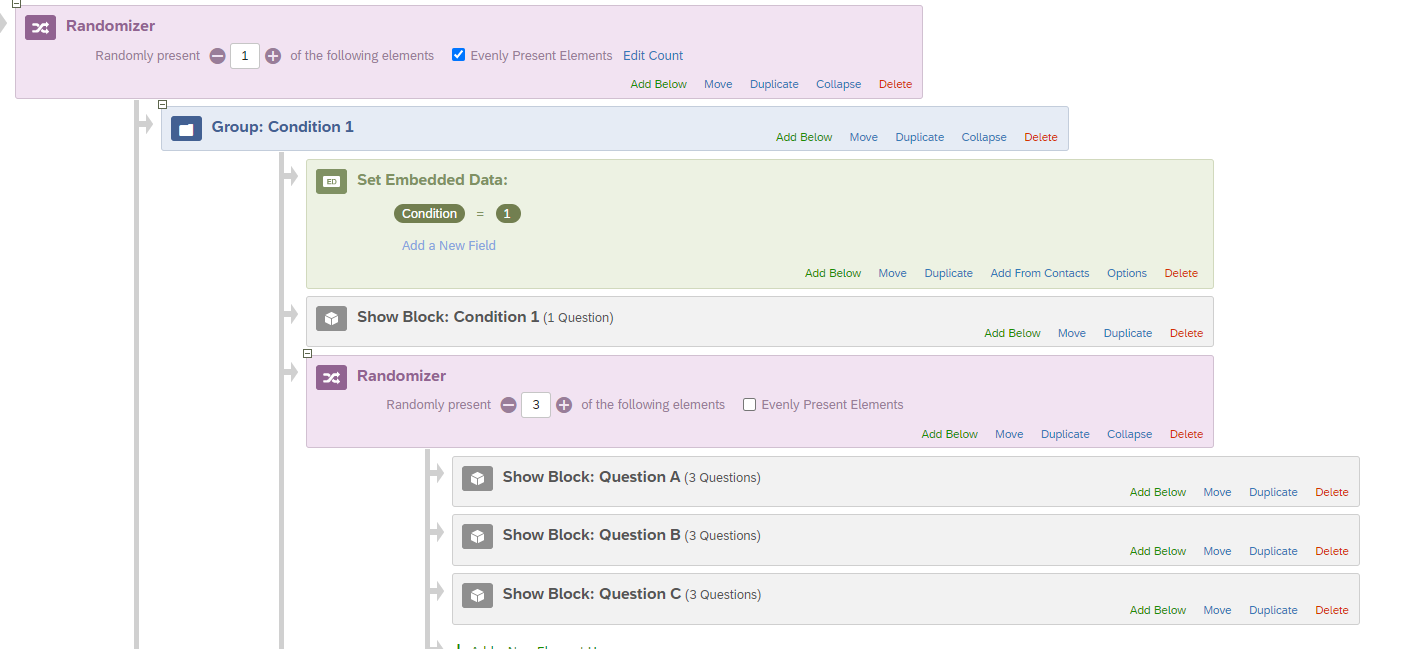
 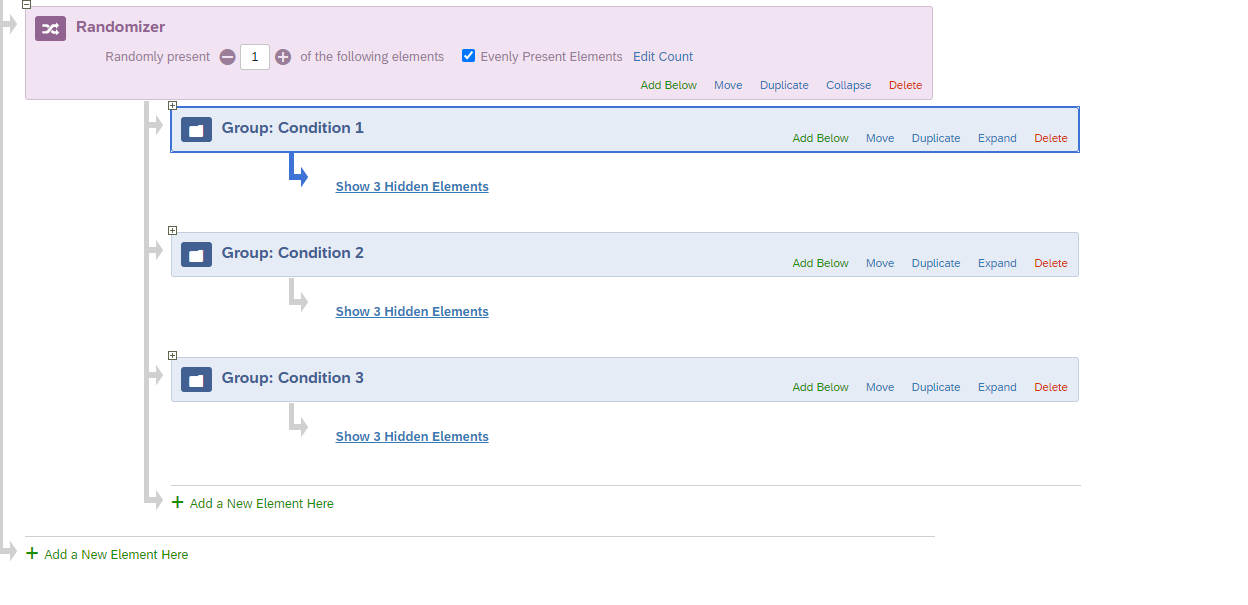 Step 3. Now I would create an embedded data variable below each condition, so that you get a data point in your output to know what condition they were in. This is done by clicking 'add below' on the group block, selecting embedded data, and then filling out the embedded data point to say 'Condition' in the first blank, then the relative number in the second blank - in this case it is '1'. Then drag your Condition 1 question block under the embedded data point. You should repeat this for each condition. You can see it being complete for condition 1.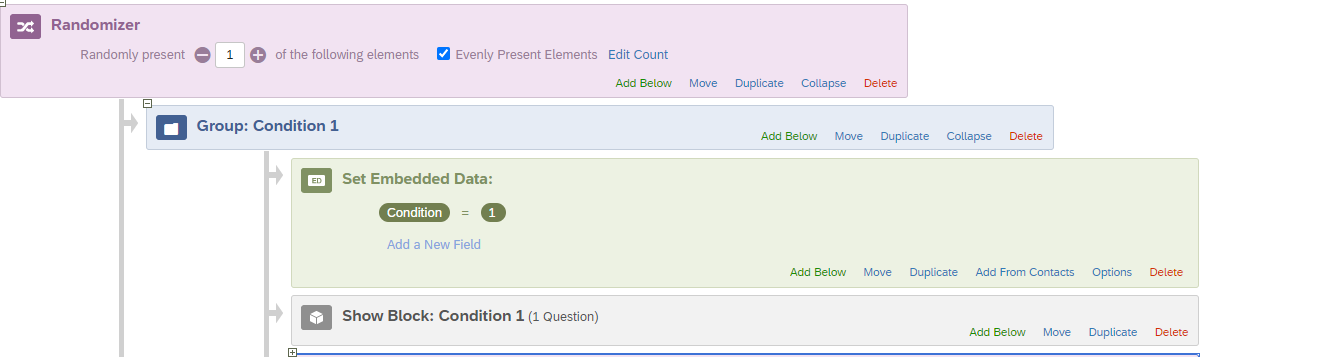
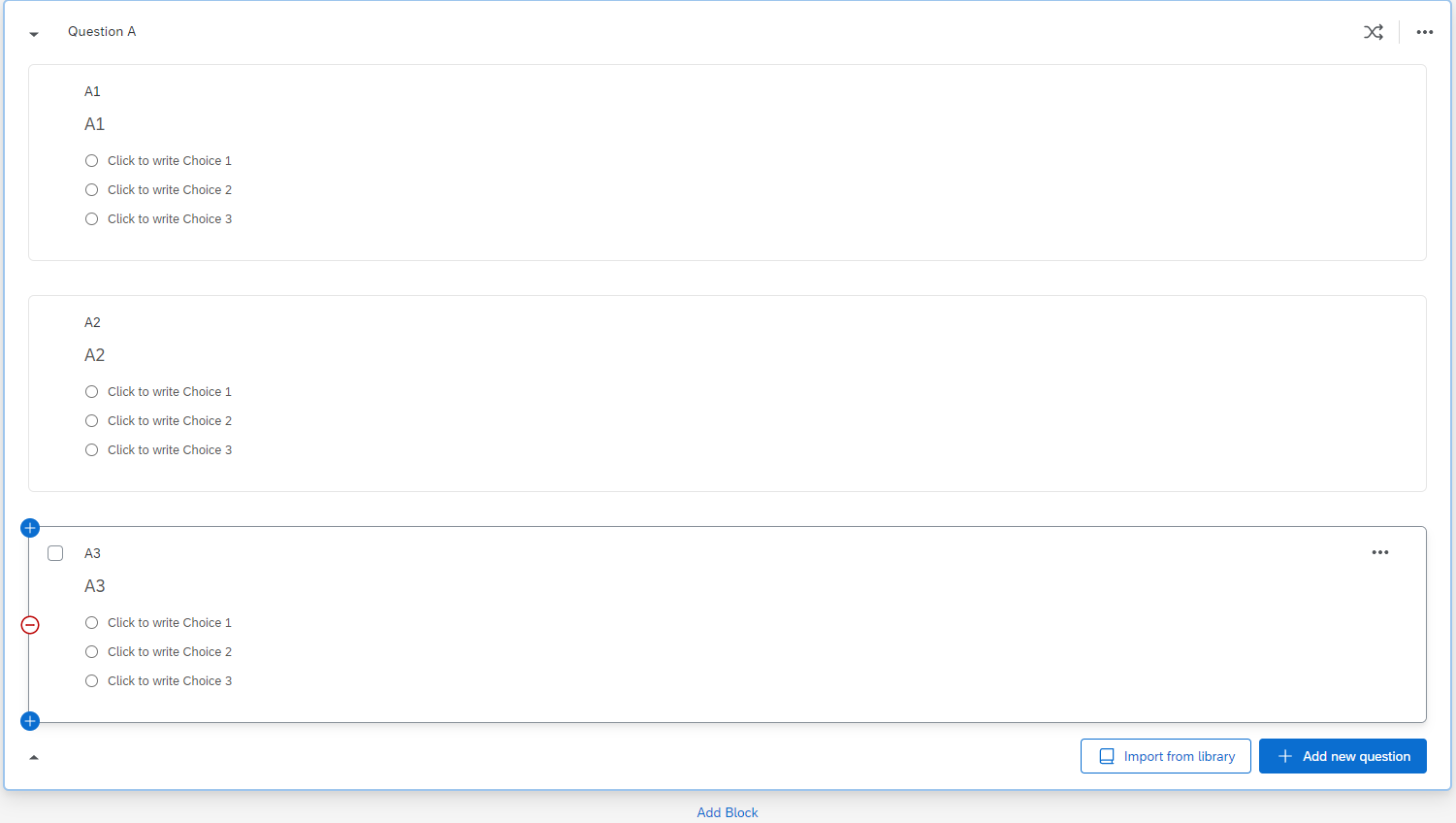 Step 5. On the question block for each series of questions (A, B, C.....Z), click on the BLOCK, not the question, then in left corner click 'question randomization'. See image below.
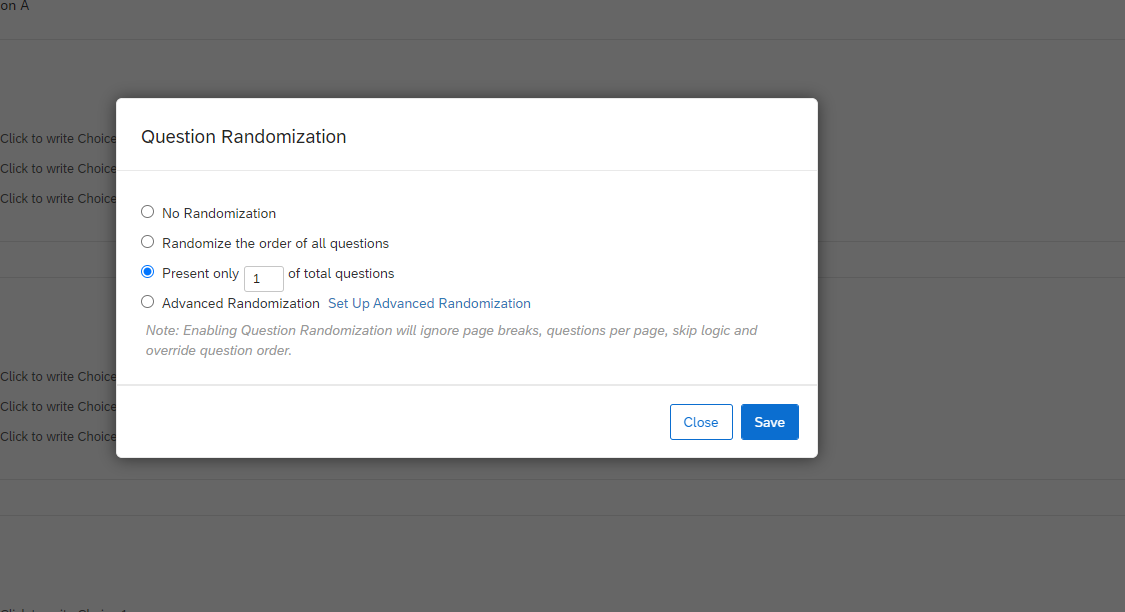
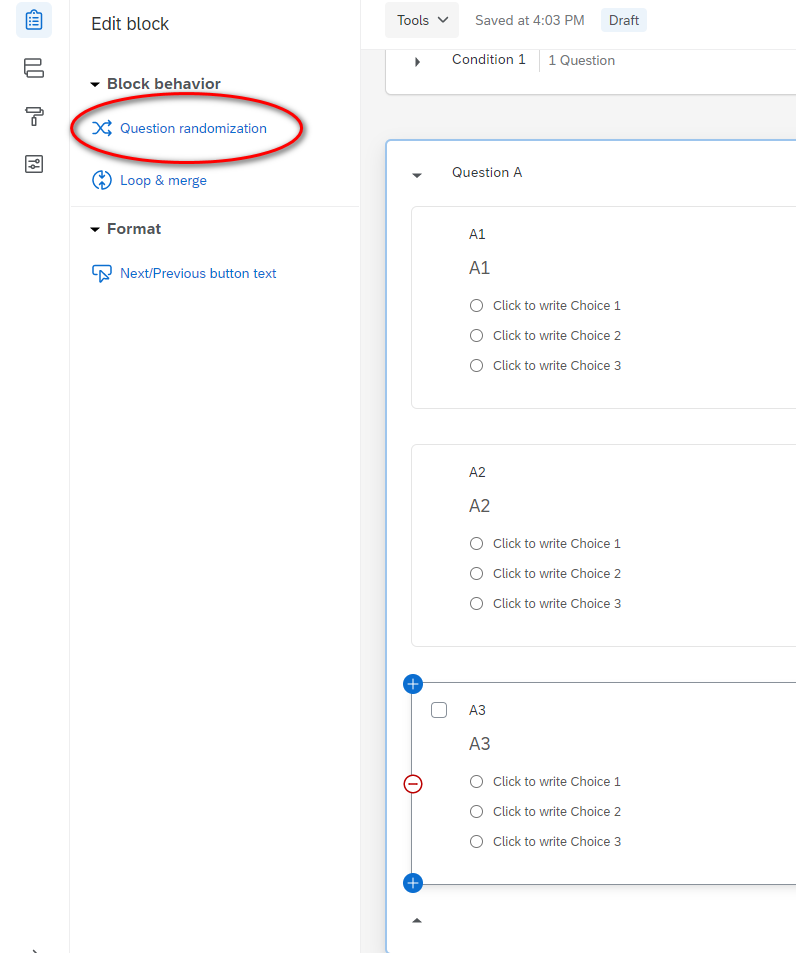 Step 6. In the pop up window, select "Present only XX of total questions" and fill in the blank with the number 1. This will randomly select one version of that question (e.g, A1, A2, A3) and present it to participants. Make sure to do this for each question block (e.g., B, C, D....). See image below.
  Step 7. In your survey flow, now place a randomizer under the condition block, then drag each question block (A, B, C, D....Z) under that randomizer. Make sure the randomizer displays each block by typing in the total number of blocks in the "randomly present X of the following elements. For example, if you have question A through C, that is 3, so you should put 3. That way each participant answers all the questions, but in a random order. See image below.
  Step 8. To save time, simply click duplicate on the randomizer. This will duplicate the same elements below that. Then drag that randomizer with all the elements below it, to the same location in Conditions 2 and 3. See image below for duplicate.
 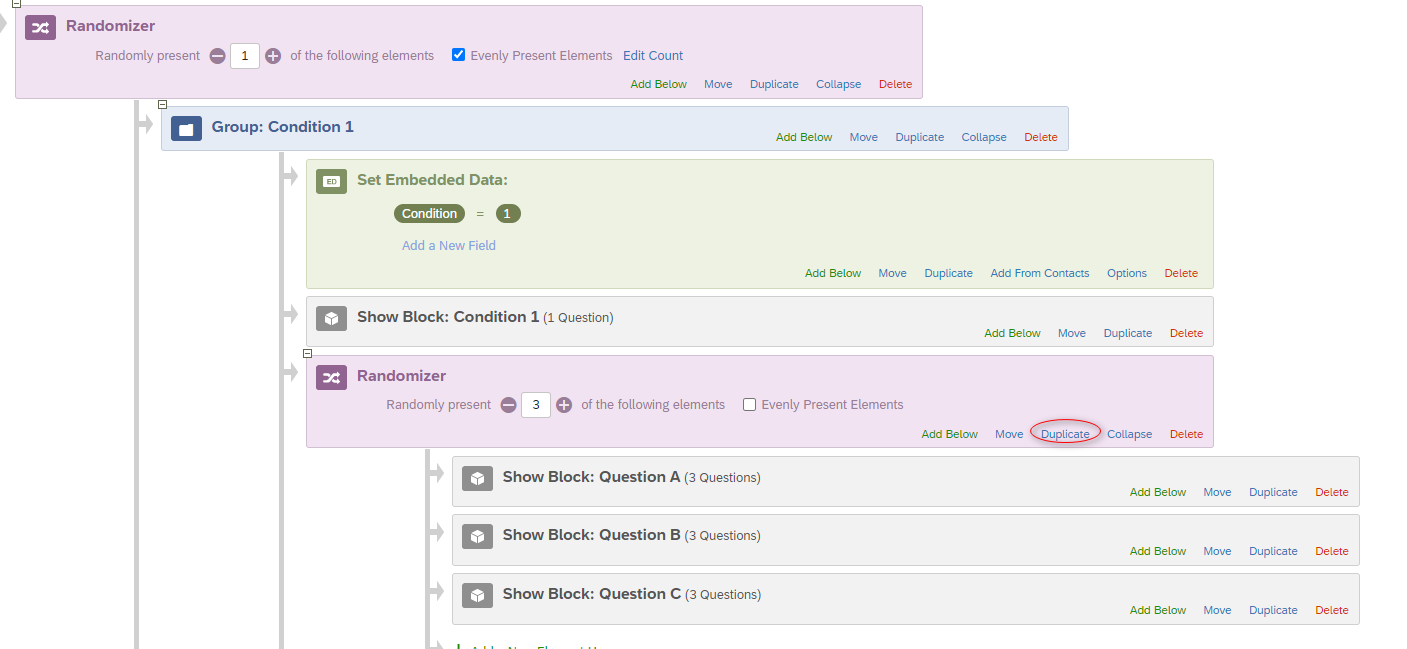 The final survey flow should like this. I can only get two conditions to show on the screen at one time.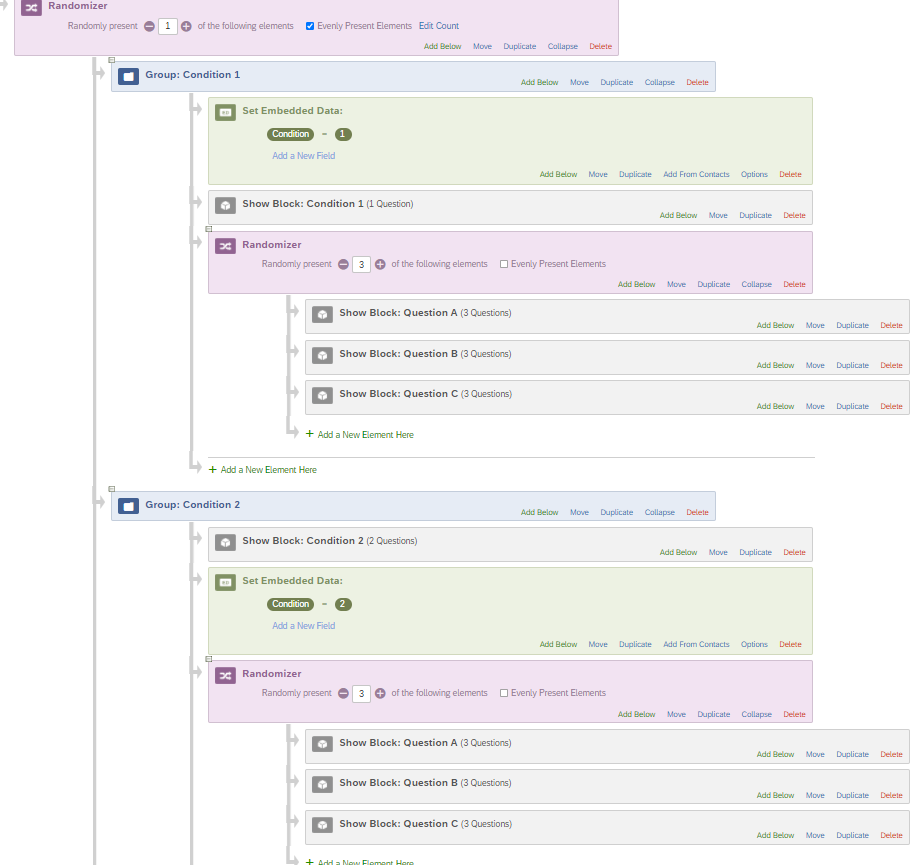
Sign up
Already have an account? Login

Welcome! To join the Qualtrics Experience Community, log in with your existing Qualtrics credentials below.
Confirm your username, share a bit about yourself, then you're ready to explore and connect .
Free trial account? No problem. Log in with your trial credentials to join.
No free trial account? No problem! Register here
Already a member? Hi and welcome back! We're glad you're here 🙂
You will see the Qualtrics login page briefly before being taken to the Experience Community.
Login with Qualtrics
Welcome! To join the Qualtrics Experience Community, log in with your existing Qualtrics credentials below.
Confirm your username, share a bit about yourself, then you're ready to explore and connect .
Free trial account? No problem. Log in with your trial credentials to join. No free trial account? No problem! Register here
Already a member? Hi and welcome back! We're glad you're here 🙂
You will see the Qualtrics login page briefly before being taken to the Experience Community.
Login to the Community
No account yet? Create an account
Welcome! To join the Qualtrics Experience Community, log in with your existing Qualtrics credentials below.
Confirm your username, share a bit about yourself, then you're ready to explore and connect .
Free trial account? No problem. Log in with your trial credentials to join.
No free trial account? No problem! Register here
Already a member? Hi and welcome back! We're glad you're here 🙂
You will see the Qualtrics login page briefly before being taken to the Experience Community.
Login with Qualtrics
Welcome! To join the Qualtrics Experience Community, log in with your existing Qualtrics credentials below.
Confirm your username, share a bit about yourself, then you're ready to explore and connect .
Free trial account? No problem. Log in with your trial credentials to join. No free trial account? No problem! Register here
Already a member? Hi and welcome back! We're glad you're here 🙂
You will see the Qualtrics login page briefly before being taken to the Experience Community.
Enter your E-mail address. We'll send you an e-mail with instructions to reset your password.