


I am building a survey where people first identify the relevance of a construct and then in the next question they rate how relevant the items are, but I can't get the follow up question to only produce constructs previously identified as relevant. It just produces the full list. How do I get this to work?

Solved
Carrying forward selections to a follow up question
Best answer by Philco1
Thankfully I sorted it. I had included the list AND the 'carry statements forward' option so it was producing all options. Removed the list of statements and included ONLY the 'carry statements forward' option to resolve the problem






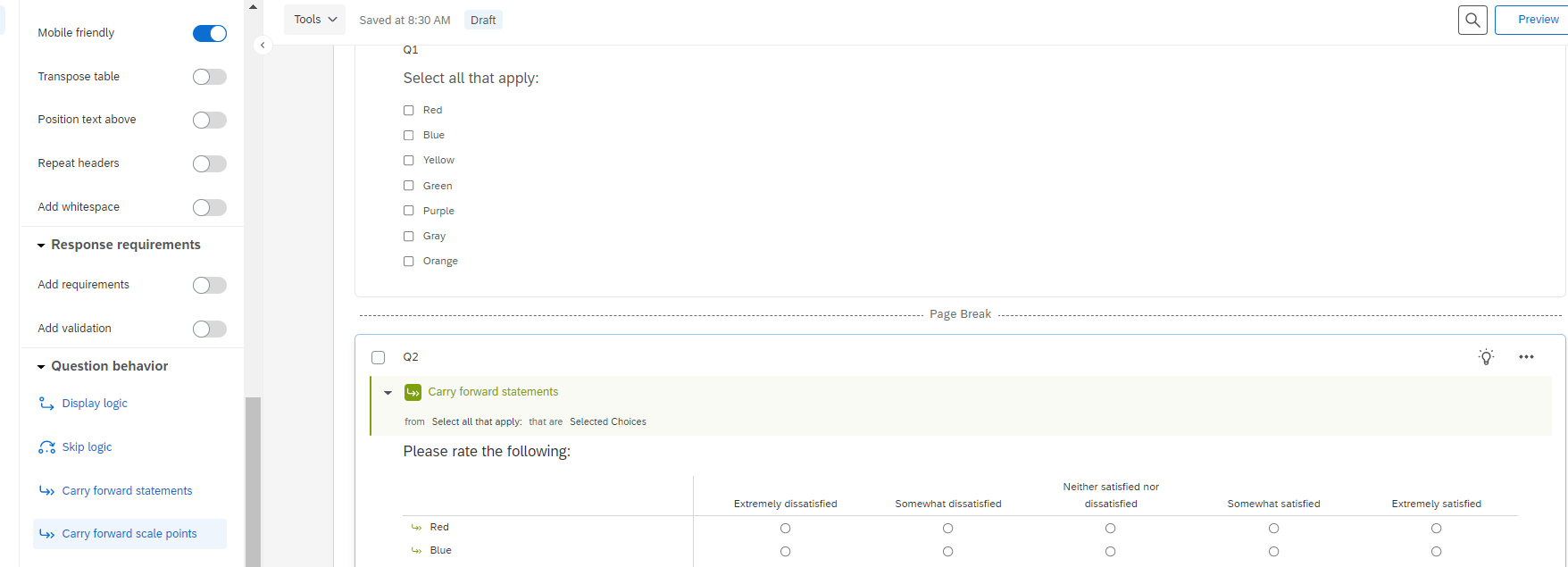 But it sounds like from what you're describing, maybe you are trying to do a single question follow up, one per selection? Two ways to accomplish this: One way is a loop and merge, which is easy for the programmer, but a little messier in the results (at least at present); the other way is a bit longer to program but currently a bit neater in the reporting modules. So here they both are:
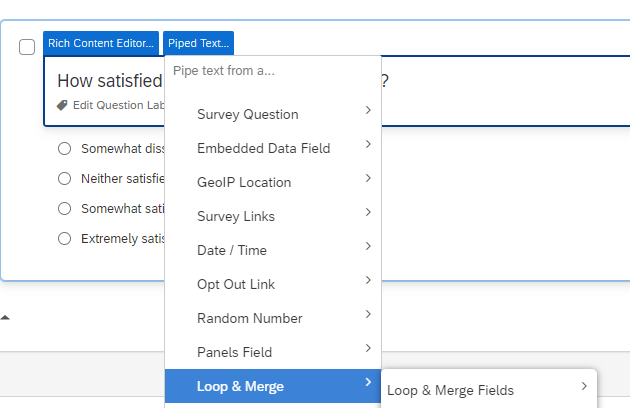 That leaves you with this arrangement:
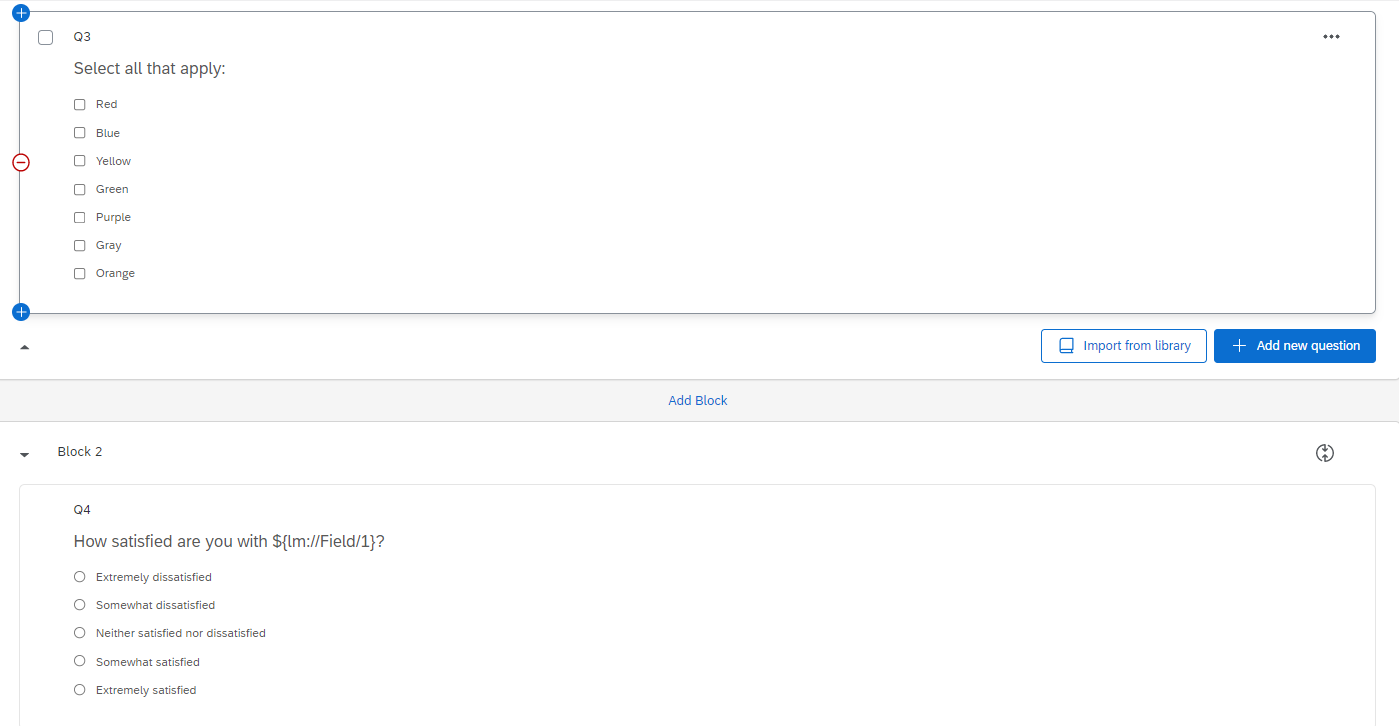 Of course, this does mean that in the results, the labels are going to be a bit ugly with the Field1 business in it. If you export the results, you can clean all that up, but if you're reporting within Qualtrics it's a bit ugly at present. (They're working on it).
Sign up
Already have an account? Login

Welcome! To join the Qualtrics Experience Community, log in with your existing Qualtrics credentials below.
Confirm your username, share a bit about yourself, then you're ready to explore and connect .
Free trial account? No problem. Log in with your trial credentials to join.
No free trial account? No problem! Register here
Already a member? Hi and welcome back! We're glad you're here 🙂
You will see the Qualtrics login page briefly before being taken to the Experience Community.
Login with Qualtrics
Welcome! To join the Qualtrics Experience Community, log in with your existing Qualtrics credentials below.
Confirm your username, share a bit about yourself, then you're ready to explore and connect .
Free trial account? No problem. Log in with your trial credentials to join. No free trial account? No problem! Register here
Already a member? Hi and welcome back! We're glad you're here 🙂
You will see the Qualtrics login page briefly before being taken to the Experience Community.
Login to the Community
No account yet? Create an account
Welcome! To join the Qualtrics Experience Community, log in with your existing Qualtrics credentials below.
Confirm your username, share a bit about yourself, then you're ready to explore and connect .
Free trial account? No problem. Log in with your trial credentials to join.
No free trial account? No problem! Register here
Already a member? Hi and welcome back! We're glad you're here 🙂
You will see the Qualtrics login page briefly before being taken to the Experience Community.
Login with Qualtrics
Welcome! To join the Qualtrics Experience Community, log in with your existing Qualtrics credentials below.
Confirm your username, share a bit about yourself, then you're ready to explore and connect .
Free trial account? No problem. Log in with your trial credentials to join. No free trial account? No problem! Register here
Already a member? Hi and welcome back! We're glad you're here 🙂
You will see the Qualtrics login page briefly before being taken to the Experience Community.
Enter your E-mail address. We'll send you an e-mail with instructions to reset your password.