

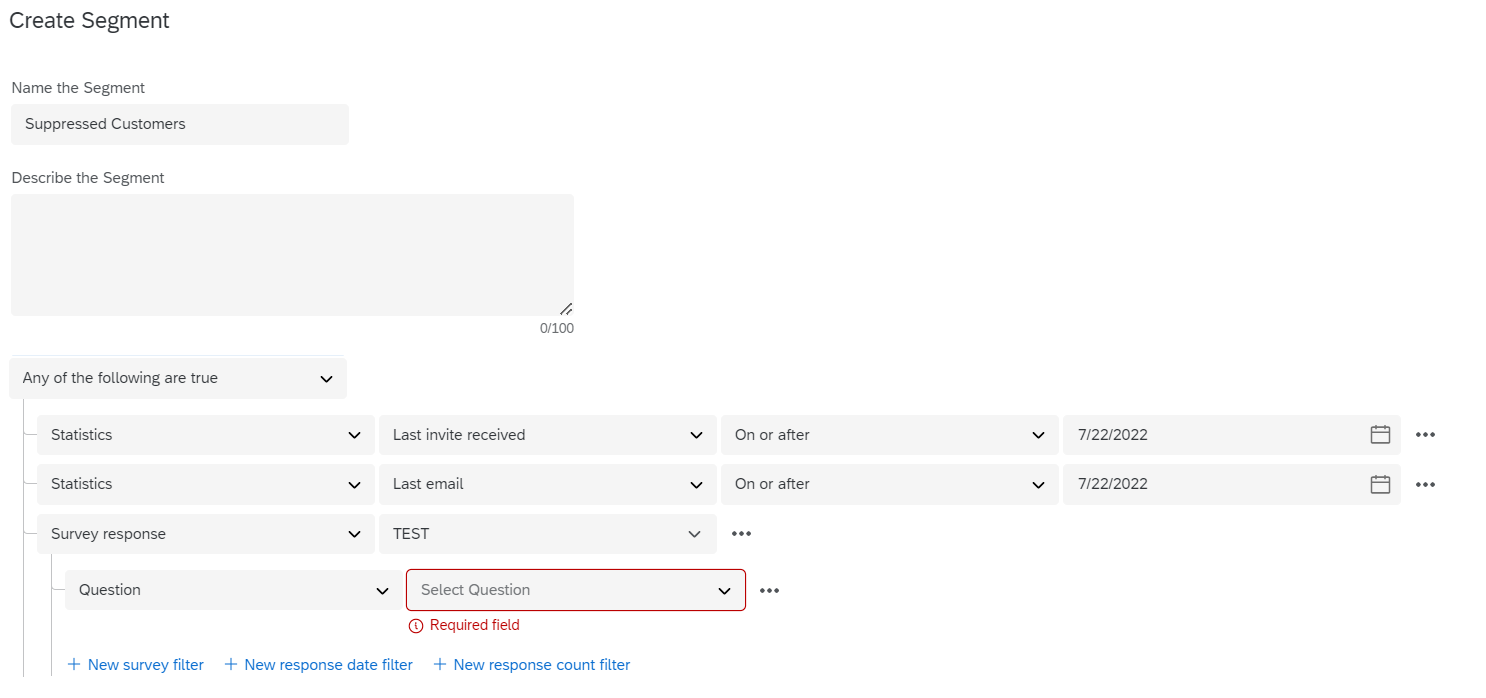
Current workflow is we send a nightly batch form our CRM of who could be surveyed. We use the XM Directory to suppress or quarantine any customers that may have received or will receive a survey in X days. We also prioritize certain surveys over others so if they will get a certain survey type in the next x days we suppress.
What we would like is to push back to the CRM those customers that have been suppressed so they we can update our CRM on why they are not part of the population anymore.
We do something similar with bounce backs and missing emails but that is done through a export into a csv that then gets upload for appropriate handling.
With the SFDC API this should be pretty straight forward but am being told (1) Qualtrics can not write back to a record type if it doesn't have a response associated to it (2) we can not get a export to do manually either.
Perfect world would be the API would be bi-directional or we could be doing some type of SFTP transfer since that is how we are pushing the CRM data to Qualtrics. Or at minimum, use our dashboard that shows these contacts to export and get the data to do a manual update as workaround.
Open to any ideas or workaround others ay be doing.

Suppression/Quarantined Customers in Directory

 +2
+2


Sign up
Already have an account? Login

Welcome! To join the Qualtrics Experience Community, log in with your existing Qualtrics credentials below.
Confirm your username, share a bit about yourself, then you're ready to explore and connect .
Free trial account? No problem. Log in with your trial credentials to join.
No free trial account? No problem! Register here
Already a member? Hi and welcome back! We're glad you're here 🙂
You will see the Qualtrics login page briefly before being taken to the Experience Community.
Login with Qualtrics
Welcome! To join the Qualtrics Experience Community, log in with your existing Qualtrics credentials below.
Confirm your username, share a bit about yourself, then you're ready to explore and connect .
Free trial account? No problem. Log in with your trial credentials to join. No free trial account? No problem! Register here
Already a member? Hi and welcome back! We're glad you're here 🙂
You will see the Qualtrics login page briefly before being taken to the Experience Community.
Login to the Community
Welcome! To join the Qualtrics Experience Community, log in with your existing Qualtrics credentials below.
Confirm your username, share a bit about yourself, then you're ready to explore and connect .
Free trial account? No problem. Log in with your trial credentials to join.
No free trial account? No problem! Register here
Already a member? Hi and welcome back! We're glad you're here 🙂
You will see the Qualtrics login page briefly before being taken to the Experience Community.
Login with Qualtrics
Welcome! To join the Qualtrics Experience Community, log in with your existing Qualtrics credentials below.
Confirm your username, share a bit about yourself, then you're ready to explore and connect .
Free trial account? No problem. Log in with your trial credentials to join. No free trial account? No problem! Register here
Already a member? Hi and welcome back! We're glad you're here 🙂
You will see the Qualtrics login page briefly before being taken to the Experience Community.
Enter your E-mail address. We'll send you an e-mail with instructions to reset your password.