


How to prevent multiple responses from the same participant using their ID number?
Best answer by elbake
Hi everyone,
I recently ran into a similar problem and was able to solve it with the help of this thread and several Qualtrics product specialists. I think it’s most similar to
Context: I wanted to use the authenticator to prevent individuals with the same email address from retaking an anonymous link intake survey. In essence, I wanted to create a reverse authenticator.
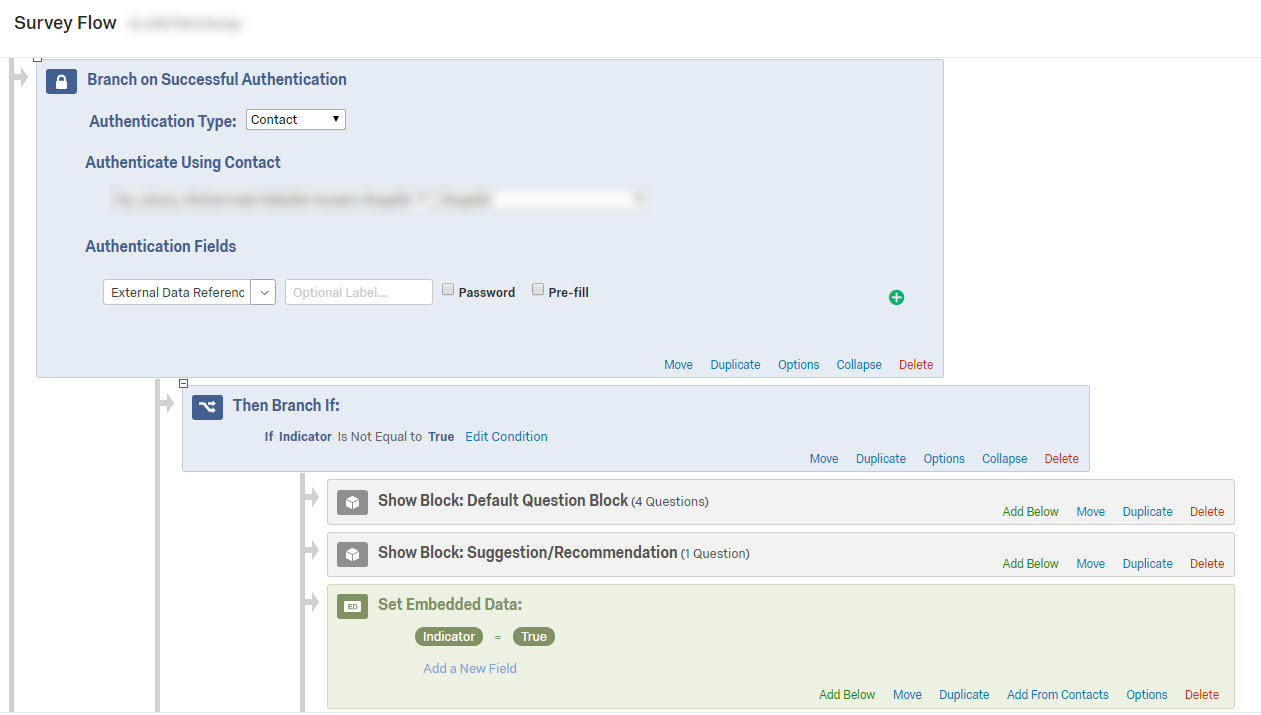
Solution: I created an authenticator that asked for respondents’ email addresses. Since the authenticator skips past the authenticated section of the survey if the respondent fails to pass it, anyone who fails – that is, anyone whose email address is not in the contact list – will be allowed to take the rest of the survey (the sections in the non-authenticated section). And anyone who passes authentication – that is, anyone whose email address is already in the contact list -- is redirected to a block that says they've already taken the survey, at which point the survey ends.
The details:
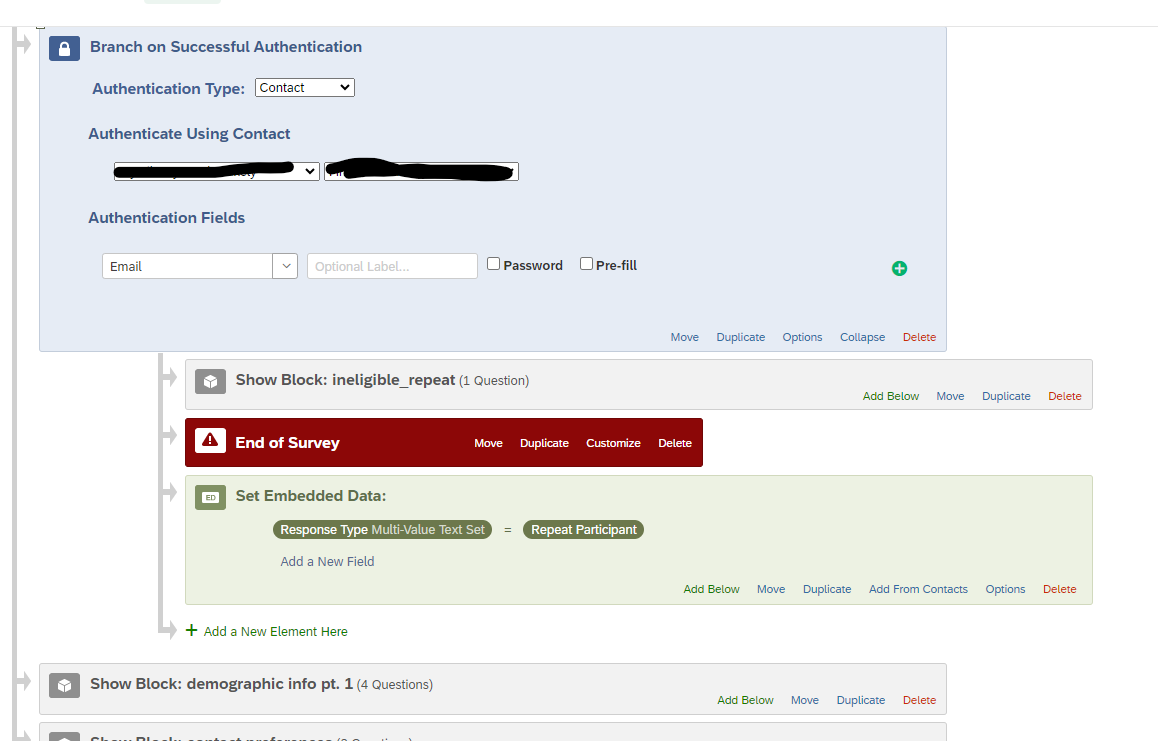
This what the authenticator looks like. The ineligible_repeat block is a single text question that says: “It looks like you've already taken this survey. Unfortunately, you're not able to take the survey again.” If respondents pass the authenticator -- that is, if their email address is in the contact list -- they will be sent to this block.
If respondents fail the authenticator -- that is, if their email address isn’t in the contact list -- they will be skipped to the “demographic info pt. 1” block, and from there to the rest of the survey.
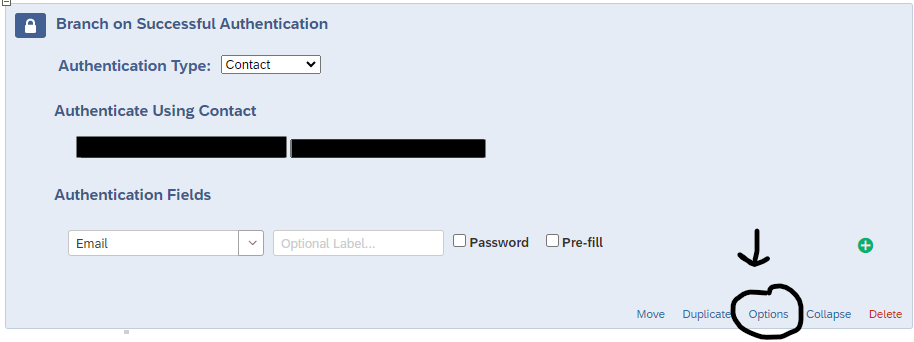
There are three very important authenticator “Options” that must be specified. If they are incorrect, the authenticator won’t work:
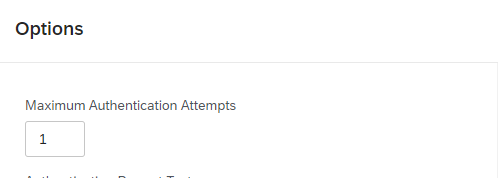
- Click on “Options” on the authenticator and ensure that “Maximum Authentication Attempts” is set to 1. If it is set to say 50, respondents will be prompted to try to authenticate 50 times before they “fail” to authenticate. We want respondents to either pass or fail on their first try so that they are immediately skipped to the authenticated or non-authenticated section (depending on whether or not they are in the contact list).
-
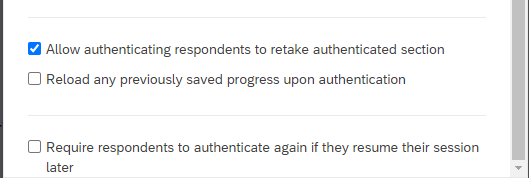
While in the “Options” section, scroll down and make sure that “Allow authenticating respondents to retake authenticated section” is checked. If it is not, Qualtrics will prevent anyone whose email address is already in the contact list from passing authentication (and therefore from moving on to the block that tells them they have already taken the survey). We want these respondents to be able to take -- and pass -- the authenticator so that they can move on to the block that tells them they are ineligible because they have already taken the survey.
-
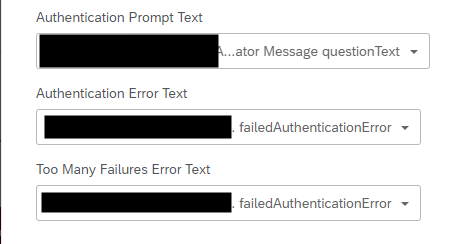
Finally, in the “Options” settings, you will need to change the Authentication Prompt, Error, and Too Many Failures Error texts. My authentication prompt text says, “Please confirm your email address” and the the authentication error and too many failures texts say, “Please proceed to the next page of the survey.”
-
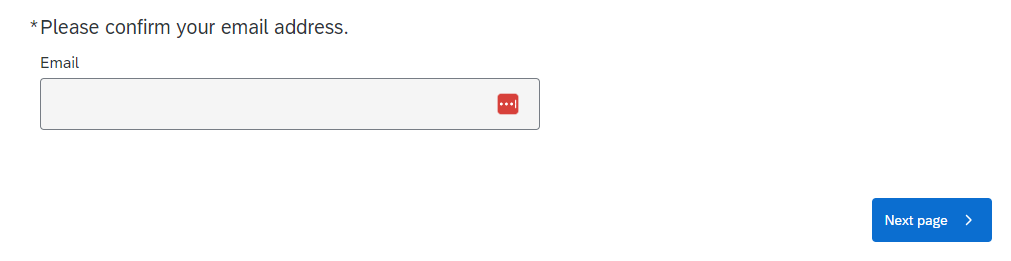
Here’s what the authentication prompt text looks like in the survey itself:
-
If the respondent fails the authenticator -- that is, if they’re not in the contact list, here’s the what authenticator error message looks like in the survey. Not ideal, but it’ll have to do. The next page will take them to the rest of the survey.
-

Feel free to tag me in a comment if you have questions, and I’ll do my best to explain.


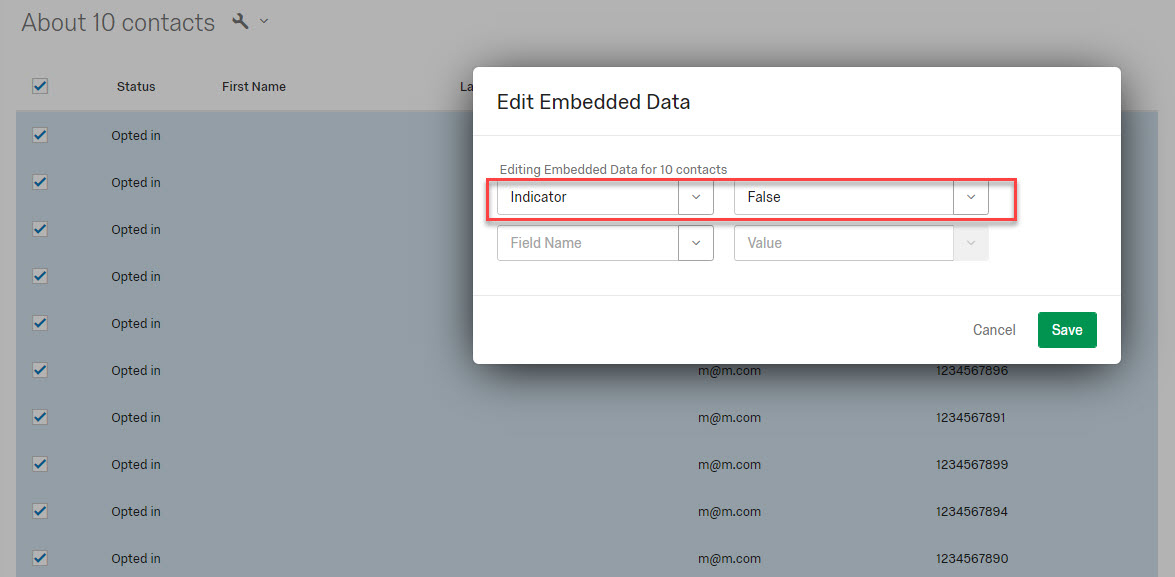 !
!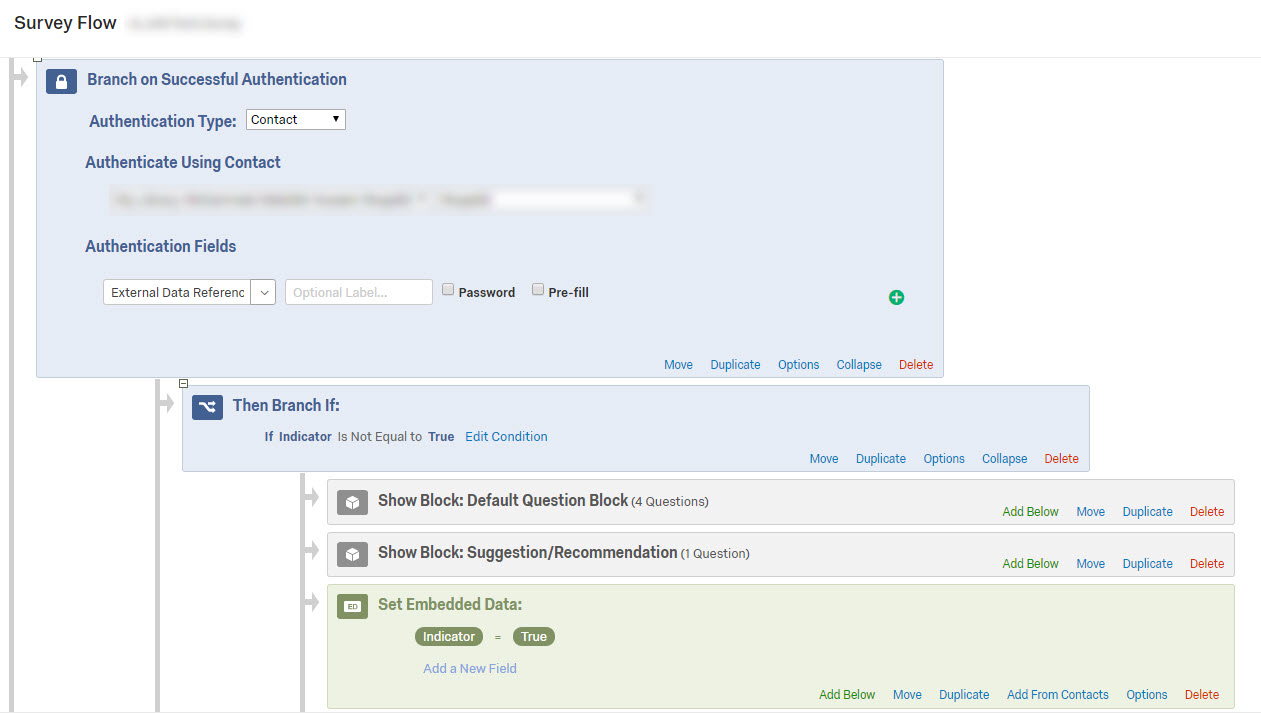 !
! I hope that would be supportive and helpful for the community 😊
Best Regards,
I hope that would be supportive and helpful for the community 😊
Best Regards,







Sign up
Already have an account? Login

Welcome! To join the Qualtrics Experience Community, log in with your existing Qualtrics credentials below.
Confirm your username, share a bit about yourself, then you're ready to explore and connect .
Free trial account? No problem. Log in with your trial credentials to join.
No free trial account? No problem! Register here
Already a member? Hi and welcome back! We're glad you're here 🙂
You will see the Qualtrics login page briefly before being taken to the Experience Community.
Login with Qualtrics
Welcome! To join the Qualtrics Experience Community, log in with your existing Qualtrics credentials below.
Confirm your username, share a bit about yourself, then you're ready to explore and connect .
Free trial account? No problem. Log in with your trial credentials to join. No free trial account? No problem! Register here
Already a member? Hi and welcome back! We're glad you're here 🙂
You will see the Qualtrics login page briefly before being taken to the Experience Community.
Login to the Community
Welcome! To join the Qualtrics Experience Community, log in with your existing Qualtrics credentials below.
Confirm your username, share a bit about yourself, then you're ready to explore and connect .
Free trial account? No problem. Log in with your trial credentials to join.
No free trial account? No problem! Register here
Already a member? Hi and welcome back! We're glad you're here 🙂
You will see the Qualtrics login page briefly before being taken to the Experience Community.
Login with Qualtrics
Welcome! To join the Qualtrics Experience Community, log in with your existing Qualtrics credentials below.
Confirm your username, share a bit about yourself, then you're ready to explore and connect .
Free trial account? No problem. Log in with your trial credentials to join. No free trial account? No problem! Register here
Already a member? Hi and welcome back! We're glad you're here 🙂
You will see the Qualtrics login page briefly before being taken to the Experience Community.
Enter your E-mail address. We'll send you an e-mail with instructions to reset your password.